# Allegro Audience
> Documentation for the Allegro Audience CDP, an open source API-driven customer data platform.
## Developer
### Developer Platform Overview
The Allegro SDK is a lightweight JavaScript library for event tracking, session management, and member authentication. It loads asynchronously and exposes its API on `window.allegro`.
#### Installation[](#installation "Direct link to Installation")
Add the loader script to your page:
```html
```
For more information, see [the script tag documentation](/developer/guides/script-tag.md).
#### Core Concepts[](#core-concepts "Direct link to Core Concepts")
##### Async Queue[](#async-queue "Direct link to Async Queue")
The SDK uses an async queue pattern so you can start using it before it finishes loading:
```html
```
When the SDK loads, it replaces the array with the full SDK, drains the queue, and executes each callback.
##### `allegro.push(callback)`[](#allegropushcallback "Direct link to allegropushcallback")
Queue a function to run when the SDK is ready. If the SDK has already loaded, the callback executes immediately.
```js
window.allegro.push(function (allegro) {
// SDK is ready — use allegro.track(), allegro.member, etc.
});
```
#### What's Available[](#whats-available "Direct link to What's Available")
| Namespace | Description |
| --------------------- | --------------------------------------------------------- |
| `allegro.track()` | Track events with automatic session and device management |
| `allegro.member` | Authenticate members, get user info and entitlements |
| `allegro.interaction` | Trigger interaction events |
See the [Quick Start](/developer/getting-started/quick-start.md) guide for a complete working example, or browse the [API Reference](/developer/api-reference.md) for full type documentation.
#### Session & Device Management[](#session--device-management "Direct link to Session & Device Management")
The SDK manages two cookies automatically:
| Cookie | Lifetime | Purpose |
| -------------------- | ---------- | ---------------------------------------- |
| `allegro_device_id` | 10 years | Persistent device identifier (UUID v4) |
| `allegro_session_id` | 30 minutes | Session identifier, extended on activity |
Sessions are created automatically on the first `track()` or `member.login()` call.
#### Error Handling[](#error-handling "Direct link to Error Handling")
API errors throw an `AllegroApiError` with the HTTP status and response body:
```js
try {
await allegro.member.login('bad@email.com', 'wrong');
} catch (error) {
console.error(error.status); // e.g. 401
console.error(error.body); // server response
}
```
Errors inside `push()` callbacks are caught and logged to the console — they won't break the queue or prevent other callbacks from running.
---
### Browser Settings
Browser Settings control how the Allegro SDK is allowed to talk to the tenant API from a browser. They govern two things:
* **CORS Allowed Origins** — which sites may make cross-origin API requests.
* **Cookie Domain** — how far the SDK's session cookie is shared across your subdomains.
These are organization-wide settings configured under **Organization Settings → Browser** in the Allegro dashboard.
Administrator access required
Browser Settings are managed by an Allegro administrator. If your site cannot reach the API, or you need a session shared across subdomains, ask your administrator to update these values for you.
#### CORS Allowed Origins[](#cors-allowed-origins "Direct link to CORS Allowed Origins")
The browser blocks cross-origin requests unless the API explicitly allows the requesting origin. Every site that embeds the SDK — and therefore calls the tenant API from the browser — must have its origin on the allowed list.
Origins are entered one per line. Two formats are supported:
| Format | Example | Matches |
| ------------------ | ------------------------- | ----------------------------------- |
| Exact origin | `https://app.example.com` | Only that exact scheme, host, port |
| Subdomain wildcard | `https://*.example.com` | Any single-level subdomain over TLS |
When the list is left blank, the application defaults apply. A configured [custom domain](/developer/administration/custom-domain.md) is always included automatically, so you do not need to add it here.
Origins also gate return URLs
The allowed-origin list is also used to validate return URLs. The `returnUrl` sent with [magic link](/developer/guides/authentication/magic-links.md) requests and the return URL passed to [checkout](/developer/guides/payment/purchases.md) must resolve to one of these origins, or the request is rejected. This prevents sign-in and purchase tokens from being redirected to domains you do not control.
#### Cookie Domain[](#cookie-domain "Direct link to Cookie Domain")
The SDK stores its session in a cookie. By default that cookie is scoped to the exact hostname that served `client.js`, so a session created on `www.example.com` is not visible on `app.example.com`.
Set a parent domain to share the session across subdomains:
```text
.example.org
```
With `.example.org` configured, a member who signs in on `www.example.org` stays signed in on `app.example.org` and any other `*.example.org` subdomain running the SDK. Leave the field blank to keep the default (current hostname only).
#### Related[](#related "Direct link to Related")
* [Custom Domain](/developer/administration/custom-domain.md) — Serve the SDK from your own domain
* [Script Tag](/developer/guides/script-tag.md) — Embedding the SDK on your site
* [Member Authentication](/developer/guides/authentication.md) — How sessions work
---
### Custom Domain
By default, the Allegro SDK loads from the tenant subdomain:
```text
https://acme.allegrocdp.com/client.js
```
A custom domain lets you serve the SDK and its API endpoints from a domain you control instead:
```text
https://cdn.acme.com/client.js
```
This keeps SDK traffic on your own brand and origin, which is useful when you want the embed and its API requests to appear first-party to the browser.
Set by your Allegro administrator
A custom domain must be configured by an Allegro administrator, who maps the domain to your tenant and points DNS at the Allegro instance. You cannot set it from the SDK or the browser. Once it is in place, the steps below describe how the SDK uses it. For the setup and hosting details, see [Custom Domain (Platform)](/developer/platform/setup/custom-domain.md).
#### How the SDK Uses It[](#how-the-sdk-uses-it "Direct link to How the SDK Uses It")
The SDK determines its API base URL from the `src` attribute of the `
```
#### CORS and Return URLs[](#cors-and-return-urls "Direct link to CORS and Return URLs")
When a custom domain is configured, Allegro automatically includes it in the list of allowed [browser origins](/developer/administration/browser-settings.md) alongside the subdomain — you do not need to add it manually. That same list validates the return URLs used by [magic link](/developer/guides/authentication/magic-links.md) and [checkout](/developer/guides/payment/purchases.md) flows, so those redirects work on the custom domain out of the box.
#### Related[](#related "Direct link to Related")
* [Browser Settings](/developer/administration/browser-settings.md) — Allowed origins and cookie scope
* [Custom Domain (Platform)](/developer/platform/setup/custom-domain.md) — DNS, routing, and hosting configuration
* [Script Tag](/developer/guides/script-tag.md) — Embedding the SDK on your site
---
### API Authentication
The Allegro REST API authenticates requests using Bearer tokens. You generate these tokens in the Allegro admin UI. Each token is tied to your user account and can never do more than your own role permits — but you can narrow it further by choosing which [scopes](#token-scopes) it carries.
#### Creating a token[](#creating-a-token "Direct link to Creating a token")
1. Sign in to your Allegro instance.
2. Open the user menu in the top-right corner and choose **Settings**.
3. Select **API Tokens** from the left sidebar.
4. Click **Create Token** and give it a descriptive name (e.g. `data-pipeline`).
5. Choose the [scopes](#token-scopes) the token should carry, then confirm.
6. Copy the token value that appears — it is only shown once.
Store your token securely
The token value is displayed only at creation time. If you lose it, delete the token and create a new one.
#### Token scopes[](#token-scopes "Direct link to Token scopes")
A scope controls what a token is allowed to do. Scopes follow a `resource:action` shape — for example `audience-members:read` lets a token read audience members, and `products:write` lets it create and update products.
When you create a token, the form groups the available scopes by resource. For each resource you can select individual actions, use **Select all** to grant the whole resource (a `resource:*` bucket that also covers any actions added to that resource later), or toggle **Full access (`*`)** to grant everything. The scopes a token carries are shown as badges next to it in the token list.
The resources you can scope to are:
| Resource | Read scope | Write scope |
| ----------------- | ------------------------ | ------------------------- |
| Audience Members | `audience-members:read` | `audience-members:write` |
| Products | `products:read` | `products:write` |
| Entitlements | `entitlements:read` | `entitlements:write` |
| External Profiles | `external-profiles:read` | `external-profiles:write` |
| Foreign Keys | `foreign-keys:read` | `foreign-keys:write` |
| Templates | `templates:read` | — |
| Sessions | `sessions:read` | — |
| Health | `health:read` | — |
The token-creation form always lists the scopes currently available, so treat that form as the source of truth if this table drifts.
Scopes are a second gate, not a replacement
A token's scopes narrow what it can reach; they never widen it. A request succeeds only when **both** your account's role allows the action **and** the token includes a matching scope. A token minted with **Full access** behaves exactly like your own account.
If a request uses a token that lacks the scope for the endpoint it calls, Allegro rejects it with a `403 Forbidden` response even though the token is otherwise valid.
#### Using the token[](#using-the-token "Direct link to Using the token")
Include the token as a `Bearer` value in the `Authorization` header of every request:
```http
Authorization: Bearer
```
**Example with curl:**
```bash
curl https://your-instance.allegrocdp.com/api/v1/audience-members \
-H "Authorization: Bearer " \
-H "Accept: application/json"
```
#### Revoking a token[](#revoking-a-token "Direct link to Revoking a token")
To revoke a token, return to **Settings → API Tokens**, find the token in the list, and click **Delete**. The token stops working immediately.
---
### Allegro Browser SDK API
Version: 0.0.1
Export
* [OpenAPI Spec](/openapi/session.json)
Endpoints used by the Allegro Browser SDK.
#### Authentication[](#authentication "Direct link to Authentication")
* HTTP: Bearer Auth
| Security Scheme Type: | http |
| -------------------------- | ------ |
| HTTP Authorization Scheme: | bearer |
| Bearer format: | JWT |
---
### Record Heartbeat
Push the page\_view event id onto the tenant's Redis FIFO list with a server timestamp and the cumulative active time on the page. The event id is trusted (UUID format only — no lookup). Each beat carries the running total of active whole seconds, so the latest beat for an event id supersedes earlier ones. No-op (204, before validation) when the SdkHeartbeat feature is disabled, so the endpoint is unobservable while off.
#### Request[](#request "Direct link to request")
#### Responses[](#responses "Direct link to Responses")
* 204
* 422
No content
Validation error
---
### Entitlement Check
Check whether the authenticated member has an active entitlement for the given product slug.
#### Request[](#request "Direct link to request")
#### Responses[](#responses "Direct link to Responses")
* 200
---
### List Active Entitlements
List all active entitlements for the authenticated audience member.
#### Request[](#request "Direct link to request")
#### Responses[](#responses "Direct link to Responses")
* 200
Array of `EntitlementResource`
---
### Get a single external profile for the authenticated audience member by provider
Get a single external profile for the authenticated audience member by provider
#### Request[](#request "Direct link to request")
#### Responses[](#responses "Direct link to Responses")
* 200
`AudienceMemberExternalProfileResource`
---
### Identify Session
Create or retrieve an audience device session for the given email and device ID. If the audience member does not exist, they will be created. Always returns an unauthenticated session JWT, even if the device was previously authenticated.
#### Request[](#request "Direct link to request")
#### Responses[](#responses "Direct link to Responses")
* 200
* 422
Validation error
---
### Initiate Checkout
Creates a hosted checkout session for a term and returns the provider URL. JWT is optional — authenticated members get their details pre-filled.
#### Request[](#request "Direct link to request")
#### Responses[](#responses "Direct link to Responses")
* 200
* 422
Validation error
---
### Exchange Purchase Token
Exchange an allegro\_purchase\_token for a JWT and entitlement data. The token format is {purchaseId}.{hmac}.
#### Request[](#request "Direct link to request")
#### Responses[](#responses "Direct link to Responses")
* 200
* 404
* 422
Not found
Validation error
---
### Create Event
Record a new event with the provided request data.
#### Responses[](#responses "Direct link to Responses")
* 201
---
### Get Interaction
Retrieve a single interaction by its ID or slug. Published interactions are publicly accessible; unpublished interactions require authorization.
#### Request[](#request "Direct link to request")
#### Responses[](#responses "Direct link to Responses")
* 200
* 403
`InteractionResource`
Authorization error
---
### Request a combined magic link and one-time code
Sends a single email containing both a magic sign-in link and a six-digit one-time code. The reader can click the link (in any browser) or enter the code on this device. Creates the audience member if they do not already exist. Rate limited to 3 requests per email per minute. Both the link and the code expire in 30 minutes. Issuing a new request invalidates any prior code for the session.
#### Request[](#request "Direct link to request")
#### Responses[](#responses "Direct link to Responses")
* 200
* 422
Validation error
---
### Request Magic Link
Send a magic link email to the provided address for passwordless authentication. Creates the audience member if they do not already exist. Rate limited to 3 requests per email per minute.
#### Request[](#request "Direct link to request")
#### Responses[](#responses "Direct link to Responses")
* 200
* 422
Validation error
---
### Validate Magic Link
Validate a magic link token and authenticate the device session. Only the device that opens the link is authenticated. The audience member's email is marked as verified upon success.
#### Request[](#request "Direct link to request")
#### Responses[](#responses "Direct link to Responses")
* 200
* 422
Validation error
---
### Request OTP
Email a six-digit one-time passcode for passwordless authentication. Creates the audience member if they do not already exist. Rate limited to 3 requests per email per minute. Issuing a new code invalidates any prior code for the session.
#### Request[](#request "Direct link to request")
#### Responses[](#responses "Direct link to Responses")
* 200
* 422
Validation error
---
### Validate OTP
Validate a six-digit code against the latest unexpired code for the requesting device session and authenticate that session synchronously.
#### Request[](#request "Direct link to request")
#### Responses[](#responses "Direct link to Responses")
* 200
* 422
Validation error
---
### Destroy Session
Log out and delete the current device session. A `logout` event is recorded before the session is removed.
#### Responses[](#responses "Direct link to Responses")
* 204
No content
---
### Get Session
Retrieve the current authenticated device session details.
#### Request[](#request "Direct link to request")
#### Responses[](#responses "Direct link to Responses")
* 200
`AudienceDeviceSessionResource`
---
### Refresh Session Token
Generate a new JWT for the current device session.
#### Responses[](#responses "Direct link to Responses")
* 200
---
### sessionUserAttribute.delete
sessionUserAttribute.delete
#### Request[](#request "Direct link to request")
#### Responses[](#responses "Direct link to Responses")
* 200
---
### sessionUserAttribute.index
sessionUserAttribute.index
#### Responses[](#responses "Direct link to Responses")
* 200
Array of `UserAttributeResource`
---
### sessionUserAttribute.set
sessionUserAttribute.set
#### Request[](#request "Direct link to request")
#### Responses[](#responses "Direct link to Responses")
* 200
---
### Get a published template by its slug
Used by the SDK to resolve `` children.
#### Request[](#request "Direct link to request")
#### Responses[](#responses "Direct link to Responses")
* 200
`TemplateResource`
---
### Allegro REST API
Version: 1.0
Export
* [OpenAPI Spec](/openapi/token.json)
Endpoints that use authenticated user tokens.
#### Authentication[](#authentication "Direct link to Authentication")
* HTTP: Bearer Auth
| Security Scheme Type: | http |
| -------------------------- | ------ |
| HTTP Authorization Scheme: | bearer |
---
### List Audience Device Sessions
Retrieve all device sessions for a given audience member.
#### Request[](#request "Direct link to request")
#### Responses[](#responses "Direct link to Responses")
* 200
* 401
* 403
Array of `AudienceDeviceSessionResource`
Unauthenticated
Authorization error
---
### Delete Audience Member
Soft-delete an audience member by their ID.
#### Request[](#request "Direct link to request")
#### Responses[](#responses "Direct link to Responses")
* 204
* 401
* 403
No content
Unauthenticated
Authorization error
---
### Delete External Profile
Delete the external profile for the given audience member and provider key.
#### Request[](#request "Direct link to request")
#### Responses[](#responses "Direct link to Responses")
* 204
* 401
* 403
No content
Unauthenticated
Authorization error
---
### List External Profiles
List all external profiles for the given audience member.
#### Request[](#request "Direct link to request")
#### Responses[](#responses "Direct link to Responses")
* 200
* 401
* 403
Array of `AudienceMemberExternalProfileResource`
Unauthenticated
Authorization error
---
### Get External Profile
Get a single external profile for the given audience member by provider key.
#### Request[](#request "Direct link to request")
#### Responses[](#responses "Direct link to Responses")
* 200
* 401
* 403
`AudienceMemberExternalProfileResource`
Unauthenticated
Authorization error
---
### Upsert External Profile
Create or update an external profile for the given audience member and provider key.
#### Request[](#request "Direct link to request")
#### Responses[](#responses "Direct link to Responses")
* 200
* 401
* 403
* 422
Unauthenticated
Authorization error
Validation error
---
### Delete Foreign Key
Remove a foreign key from an audience member by its key name.
#### Request[](#request "Direct link to request")
#### Responses[](#responses "Direct link to Responses")
* 204
* 401
* 403
No content
Unauthenticated
Authorization error
---
### List Foreign Keys
Retrieve all foreign keys associated with an audience member.
#### Request[](#request "Direct link to request")
#### Responses[](#responses "Direct link to Responses")
* 200
* 401
* 403
Array of `AudienceMemberForeignKeyResource`
Unauthenticated
Authorization error
---
### Create Foreign Key
Add a new foreign key to an audience member.
#### Request[](#request "Direct link to request")
#### Responses[](#responses "Direct link to Responses")
* 201
* 401
* 403
* 422
`AudienceMemberForeignKeyResource`
Unauthenticated
Authorization error
Validation error
---
### List Audience Members
Retrieve a paginated list of audience members. Supports filtering by `email`, `foreign_key`, and optionally including soft-deleted members via `include_deleted`. The page size can be controlled with `per_page` (1-1000).
#### Request[](#request "Direct link to request")
#### Responses[](#responses "Direct link to Responses")
* 200
* 401
* 403
* 422
Paginated set of `AudienceMemberResource`
Unauthenticated
Authorization error
Validation error
---
### Patch Audience Member
Partially update an audience member's attributes and meta data. Meta values set to `null` will be removed; all other values will be merged.
#### Request[](#request "Direct link to request")
#### Responses[](#responses "Direct link to Responses")
* 200
* 401
* 403
* 422
`AudienceMemberResource`
Unauthenticated
Authorization error
Validation error
---
### Get Audience Member
Retrieve a single audience member by their ID.
#### Request[](#request "Direct link to request")
#### Responses[](#responses "Direct link to Responses")
* 200
* 401
* 403
`AudienceMemberResource`
Unauthenticated
Authorization error
---
### Create Audience Member
Create a new audience member with the provided attributes and optional meta data.
#### Request[](#request "Direct link to request")
#### Responses[](#responses "Direct link to Responses")
* 201
* 401
* 403
* 422
`AudienceMemberResource`
Unauthenticated
Authorization error
Validation error
---
### Update Audience Member
Fully replace an audience member's attributes and metadata.
If meta is passed, all existing meta will be removed and replaced with the provided values. Otherwise, it will be left alone.
#### Request[](#request "Direct link to request")
#### Responses[](#responses "Direct link to Responses")
* 200
* 401
* 403
* 422
`AudienceMemberResource`
Unauthenticated
Authorization error
Validation error
---
### audienceMemberUserAttribute.delete
audienceMemberUserAttribute.delete
#### Request[](#request "Direct link to request")
#### Responses[](#responses "Direct link to Responses")
* 204
* 401
* 403
No content
Unauthenticated
Authorization error
---
### audienceMemberUserAttribute.index
audienceMemberUserAttribute.index
#### Request[](#request "Direct link to request")
#### Responses[](#responses "Direct link to Responses")
* 200
* 401
* 403
Array of `UserAttributeResource`
Unauthenticated
Authorization error
---
### audienceMemberUserAttribute.set
audienceMemberUserAttribute.set
#### Request[](#request "Direct link to request")
#### Responses[](#responses "Direct link to Responses")
* 200
* 401
* 403
Unauthenticated
Authorization error
---
### Revoke Entitlement
Revoke a specific entitlement from an audience member.
#### Request[](#request "Direct link to request")
#### Responses[](#responses "Direct link to Responses")
* 204
* 401
* 403
No content
Unauthenticated
Authorization error
---
### List Entitlements
Retrieve all entitlements for a given audience member, including their associated resources. Supports optional ?status=active|inactive filter.
#### Request[](#request "Direct link to request")
#### Responses[](#responses "Direct link to Responses")
* 200
* 401
* 403
* 422
Array of `EntitlementResource`
Unauthenticated
Authorization error
Validation error
---
### Get Entitlement
Retrieve a specific entitlement for a given audience member.
#### Request[](#request "Direct link to request")
#### Responses[](#responses "Direct link to Responses")
* 200
* 401
* 403
`EntitlementResource`
Unauthenticated
Authorization error
---
### Create Entitlement
Grant a new entitlement to an audience member.
#### Request[](#request "Direct link to request")
#### Responses[](#responses "Direct link to Responses")
* 200
* 401
* 403
* 422
Unauthenticated
Authorization error
Validation error
---
### Flush Queued Events
Remove exactly `count` events from the front of the Redis list. The caller must pass `?count=N` where N matches the count returned by the list endpoint to prevent deleting events that arrived after the read.
#### Request[](#request "Direct link to request")
#### Responses[](#responses "Direct link to Responses")
* 204
* 401
* 422
No content
Unauthenticated
Validation error
---
### List Queued Events
Return up to 10,000 events from the front of the Redis list.
#### Responses[](#responses "Direct link to Responses")
* 200
* 401
`EventBatchResource`
Unauthenticated
---
### Flush Queued Heartbeats
Remove exactly `count` heartbeats from the front of the Redis list (oldest first). The caller must pass `?count=N` where N matches the count returned by the list endpoint to prevent deleting heartbeats that arrived after the read.
#### Request[](#request "Direct link to request")
#### Responses[](#responses "Direct link to Responses")
* 204
* 401
* 422
No content
Unauthenticated
Validation error
---
### List Queued Heartbeats
Return up to 10,000 heartbeats from the front of the Redis list.
#### Responses[](#responses "Direct link to Responses")
* 200
* 401
`HeartbeatBatchResource`
Unauthenticated
---
### Get Interaction
Retrieve a single interaction by its ID or slug. Published interactions are publicly accessible; unpublished interactions require authorization.
#### Request[](#request "Direct link to request")
#### Responses[](#responses "Direct link to Responses")
* 200
* 401
* 403
`InteractionResource`
Unauthenticated
Authorization error
---
### Platform Health Summary
Report the pending job count and estimated wait for each Horizon-managed queue, plus the recently failed job count, for consumption by an external monitor. Returns a 503 when the queue backend cannot be reached so naive HTTP checks trip on a degraded state.
#### Responses[](#responses "Direct link to Responses")
* 200
* 401
Unauthenticated
---
### Delete Product
Permanently delete a product by its ID.
#### Request[](#request "Direct link to request")
#### Responses[](#responses "Direct link to Responses")
* 204
* 401
* 403
No content
Unauthenticated
Authorization error
---
### List Products
Retrieve all products ordered by most recently created.
#### Request[](#request "Direct link to request")
#### Responses[](#responses "Direct link to Responses")
* 200
* 401
* 403
Array of `ProductResource`
Unauthenticated
Authorization error
---
### Get Product
Retrieve a single product by its ID.
#### Request[](#request "Direct link to request")
#### Responses[](#responses "Direct link to Responses")
* 200
* 401
* 403
`ProductResource`
Unauthenticated
Authorization error
---
### Create Product
Create a new product with the provided attributes.
#### Request[](#request "Direct link to request")
#### Responses[](#responses "Direct link to Responses")
* 201
* 401
* 403
* 422
`ProductResource`
Unauthenticated
Authorization error
Validation error
---
### Update Product
Update the name of an existing product.
#### Request[](#request "Direct link to request")
#### Responses[](#responses "Direct link to Responses")
* 200
* 401
* 403
* 422
`ProductResource`
Unauthenticated
Authorization error
Validation error
---
### Get Template
Retrieve a single template by its ID.
#### Request[](#request "Direct link to request")
#### Responses[](#responses "Direct link to Responses")
* 200
* 401
* 403
`TemplateResource`
Unauthenticated
Authorization error
---
### Tenant Health Summary
Report the current tenant's Redis queue depths and the age of the oldest queued item, for consumption by an external monitor. Returns a 503 when Redis cannot be reached so naive HTTP checks trip on a degraded state.
#### Responses[](#responses "Direct link to Responses")
* 200
* 401
* 403
Unauthenticated
Authorization error
---
### List Tenants
Return every tenant on the platform. Restricted to super admins and only available in the landlord context.
#### Request[](#request "Direct link to request")
#### Responses[](#responses "Direct link to Responses")
* 200
* 401
Array of `TenantResource`
Unauthenticated
---
### @alleyinteractive/allegro-platform
#### Functions[](#functions "Direct link to Functions")
* [createAllegroSDK](/developer/api-reference/functions/createAllegroSDK.md)
* [enableDebugMode](/developer/api-reference/functions/enableDebugMode.md)
* [hydrateQueue](/developer/api-reference/functions/hydrateQueue.md)
* [registerComponents](/developer/api-reference/functions/registerComponents.md)
#### Interfaces[](#interfaces "Direct link to Interfaces")
* [AllegroConfig](/developer/api-reference/interfaces/AllegroConfig.md)
* [AllegroSDK](/developer/api-reference/interfaces/AllegroSDK.md)
* [InteractionActionCookie](/developer/api-reference/interfaces/InteractionActionCookie.md)
* [InteractionActionCss](/developer/api-reference/interfaces/InteractionActionCss.md)
* [InteractionActionJavaScript](/developer/api-reference/interfaces/InteractionActionJavaScript.md)
* [InteractionActionTemplate](/developer/api-reference/interfaces/InteractionActionTemplate.md)
* [InteractionNamespace](/developer/api-reference/interfaces/InteractionNamespace.md)
* [InteractionResponse](/developer/api-reference/interfaces/InteractionResponse.md)
* [InteractionTemplateData](/developer/api-reference/interfaces/InteractionTemplateData.md)
* [MemberEntitlement](/developer/api-reference/interfaces/MemberEntitlement.md)
* [MemberNamespace](/developer/api-reference/interfaces/MemberNamespace.md)
* [PageDataSource](/developer/api-reference/interfaces/PageDataSource.md)
* [PurchaseNamespace](/developer/api-reference/interfaces/PurchaseNamespace.md)
* [PurchaseTokenExchangeResponse](/developer/api-reference/interfaces/PurchaseTokenExchangeResponse.md)
* [TenantConfig](/developer/api-reference/interfaces/TenantConfig.md)
* [TrackEventData](/developer/api-reference/interfaces/TrackEventData.md)
* [TrackResponse](/developer/api-reference/interfaces/TrackResponse.md)
#### Type Aliases[](#type-aliases "Direct link to Type Aliases")
* [AllegroCallback](/developer/api-reference/type-aliases/AllegroCallback.md)
* [AudienceMember](/developer/api-reference/type-aliases/AudienceMember.md)
* [IdentifySessionResponse](/developer/api-reference/type-aliases/IdentifySessionResponse.md)
* [InteractionAction](/developer/api-reference/type-aliases/InteractionAction.md)
* [MagicLinkRequestResponse](/developer/api-reference/type-aliases/MagicLinkRequestResponse.md)
* [MagicLinkValidateResponse](/developer/api-reference/type-aliases/MagicLinkValidateResponse.md)
* [MemberJwtPayload](/developer/api-reference/type-aliases/MemberJwtPayload.md)
* [SessionResponse](/developer/api-reference/type-aliases/SessionResponse.md)
* [SocialLoginResponse](/developer/api-reference/type-aliases/SocialLoginResponse.md)
* [UserAttributeValue](/developer/api-reference/type-aliases/UserAttributeValue.md)
#### Variables[](#variables "Direct link to Variables")
* [logger](/developer/api-reference/variables/logger.md)
---
### Function: createAllegroSDK()
> **createAllegroSDK**(`config`): [`AllegroSDK`](/developer/api-reference/interfaces/AllegroSDK.md)
Defined in: [allegro.ts:16](https://github.com/alleyinteractive/allegro/blob/ad43f546756ad8b0cc5ebd985ecac5d638b15909/packages/allegro-platform/resources/js/sdk/allegro.ts#L16)
Allegro SDK
#### Parameters[](#parameters "Direct link to Parameters")
| Parameter | Type |
| --------- | ----------------------------------------------------------------------- |
| `config` | [`AllegroConfig`](/developer/api-reference/interfaces/AllegroConfig.md) |
#### Returns[](#returns "Direct link to Returns")
[`AllegroSDK`](/developer/api-reference/interfaces/AllegroSDK.md)
---
### Function: enableDebugMode()
> **enableDebugMode**(): `void`
Defined in: [logger.ts:39](https://github.com/alleyinteractive/allegro/blob/ad43f546756ad8b0cc5ebd985ecac5d638b15909/packages/allegro-platform/resources/js/sdk/logger.ts#L39)
Enable debug mode.
#### Returns[](#returns "Direct link to Returns")
`void`
#### Todo[](#todo "Direct link to Todo")
Consider using EventTarget.prototype.addEventListener instead here to catch all events.
---
### Function: hydrateQueue()
> **hydrateQueue**(`sdk`): `void`
Defined in: [queue.ts:4](https://github.com/alleyinteractive/allegro/blob/ad43f546756ad8b0cc5ebd985ecac5d638b15909/packages/allegro-platform/resources/js/sdk/queue.ts#L4)
#### Parameters[](#parameters "Direct link to Parameters")
| Parameter | Type |
| --------- | ----------------------------------------------------------------- |
| `sdk` | [`AllegroSDK`](/developer/api-reference/interfaces/AllegroSDK.md) |
#### Returns[](#returns "Direct link to Returns")
`void`
---
### Function: registerComponents()
> **registerComponents**(): `void`
Defined in: [components/index.ts:55](https://github.com/alleyinteractive/allegro/blob/ad43f546756ad8b0cc5ebd985ecac5d638b15909/packages/allegro-platform/resources/js/sdk/components/index.ts#L55)
Register the custom components.
#### Returns[](#returns "Direct link to Returns")
`void`
#### Todo[](#todo "Direct link to Todo")
To improve bundle size, we should lazily load the component files if they are used on the page.
---
### Interface: AllegroConfig
Defined in: [types.ts:43](https://github.com/alleyinteractive/allegro/blob/ad43f546756ad8b0cc5ebd985ecac5d638b15909/packages/allegro-platform/resources/js/sdk/types.ts#L43)
Configuration passed to [createAllegroSDK](/developer/api-reference/functions/createAllegroSDK.md).
You typically don't construct this yourself — it is embedded in the loader script generated by the platform and injected into the page automatically.
#### Properties[](#properties "Direct link to Properties")
| Property | Type | Description | Defined in |
| ---------------- | --------------------------------------------------------------------------------------------- | ----------------------------------------------------------------------- | ---------------------------------------------------------------------------------------------------------------------------------------------------------------- |
| []()`apiBaseUrl` | `string` | Base URL for API calls. Derived from the script tag's src attribute. | [types.ts:45](https://github.com/alleyinteractive/allegro/blob/ad43f546756ad8b0cc5ebd985ecac5d638b15909/packages/allegro-platform/resources/js/sdk/types.ts#L45) |
| []()`csrfToken?` | `string` | CSRF token embedded by the ClientController loader script. | [types.ts:47](https://github.com/alleyinteractive/allegro/blob/ad43f546756ad8b0cc5ebd985ecac5d638b15909/packages/allegro-platform/resources/js/sdk/types.ts#L47) |
| []()`debug?` | `boolean` | Enable debug mode for verbose SDK logging and allegro:\* event tracing. | [types.ts:53](https://github.com/alleyinteractive/allegro/blob/ad43f546756ad8b0cc5ebd985ecac5d638b15909/packages/allegro-platform/resources/js/sdk/types.ts#L53) |
| []()`pageData?` | `Record`<`string`, [`PageDataSource`](/developer/api-reference/interfaces/PageDataSource.md)> | Configurable page data source mappings. Merged over defaults. | [types.ts:49](https://github.com/alleyinteractive/allegro/blob/ad43f546756ad8b0cc5ebd985ecac5d638b15909/packages/allegro-platform/resources/js/sdk/types.ts#L49) |
| []()`tenant?` | [`TenantConfig`](/developer/api-reference/interfaces/TenantConfig.md) | Tenant configuration embedded by the ClientController loader script. | [types.ts:51](https://github.com/alleyinteractive/allegro/blob/ad43f546756ad8b0cc5ebd985ecac5d638b15909/packages/allegro-platform/resources/js/sdk/types.ts#L51) |
---
### Interface: AllegroSDK
Defined in: [types.ts:87](https://github.com/alleyinteractive/allegro/blob/ad43f546756ad8b0cc5ebd985ecac5d638b15909/packages/allegro-platform/resources/js/sdk/types.ts#L87)
The top-level Allegro SDK instance, available as `window.allegro`.
#### Example[](#example "Direct link to Example")
```ts
window.allegro.push((allegro) => {
console.log(allegro.member.isAuthenticated());
});
```
#### Methods[](#methods "Direct link to Methods")
##### debug()?[](#debug "Direct link to debug()?")
> `optional` **debug**(): `void`
Defined in: [types.ts:159](https://github.com/alleyinteractive/allegro/blob/ad43f546756ad8b0cc5ebd985ecac5d638b15909/packages/allegro-platform/resources/js/sdk/types.ts#L159)
Enable SDK debug mode from the console: `window.allegro.debug()`
###### Returns[](#returns "Direct link to Returns")
`void`
***
##### push()[](#push "Direct link to push()")
> **push**(`callback`): `void`
Defined in: [types.ts:105](https://github.com/alleyinteractive/allegro/blob/ad43f546756ad8b0cc5ebd985ecac5d638b15909/packages/allegro-platform/resources/js/sdk/types.ts#L105)
Enqueue a callback to run once the SDK is ready.
If the SDK has already initialised, the callback is invoked synchronously. This mirrors the `window.allegro.push(fn)` usage pattern.
###### Parameters[](#parameters "Direct link to Parameters")
| Parameter | Type | Description |
| ---------- | ----------------------------------------------------------------------------- | ---------------------------------------------------------- |
| `callback` | [`AllegroCallback`](/developer/api-reference/type-aliases/AllegroCallback.md) | Function that receives the fully initialised SDK instance. |
###### Returns[](#returns-1 "Direct link to Returns")
`void`
###### Example[](#example-1 "Direct link to Example")
```ts
window.allegro.push((allegro) => {
if (allegro.member.isAuthenticated()) {
console.log('Logged in!');
}
});
```
***
##### renderComponentsIn()[](#rendercomponentsin "Direct link to renderComponentsIn()")
> **renderComponentsIn**(`root`): `void`
Defined in: [types.ts:172](https://github.com/alleyinteractive/allegro/blob/ad43f546756ad8b0cc5ebd985ecac5d638b15909/packages/allegro-platform/resources/js/sdk/types.ts#L172)
Render all registered Allegro components found within the given root. Use this to render components inside a shadow DOM or other non-document root.
###### Parameters[](#parameters-1 "Direct link to Parameters")
| Parameter | Type |
| --------- | --------------------------------------- |
| `root` | `Element` | `Document` | `ShadowRoot` |
###### Returns[](#returns-2 "Direct link to Returns")
`void`
###### Example[](#example-2 "Direct link to Example")
```ts
window.allegro.push((allegro) => {
allegro.renderComponentsIn(myShadowRoot);
});
```
***
##### track()[](#track "Direct link to track()")
> **track**(`eventName`, `data?`): `Promise`<[`TrackResponse`](/developer/api-reference/interfaces/TrackResponse.md)>
Defined in: [types.ts:126](https://github.com/alleyinteractive/allegro/blob/ad43f546756ad8b0cc5ebd985ecac5d638b15909/packages/allegro-platform/resources/js/sdk/types.ts#L126)
Track a named event with optional metadata.
Page context (URL, title, referer) is collected automatically. Pass additional fields via `data` to enrich the event.
###### Parameters[](#parameters-2 "Direct link to Parameters")
| Parameter | Type | Description |
| ----------- | ------------------------------------------------------------------------- | ---------------------------------------------------------- |
| `eventName` | `string` | Descriptive snake\_case event name, e.g. `"article_read"`. |
| `data?` | [`TrackEventData`](/developer/api-reference/interfaces/TrackEventData.md) | Optional event metadata. |
###### Returns[](#returns-3 "Direct link to Returns")
`Promise`<[`TrackResponse`](/developer/api-reference/interfaces/TrackResponse.md)>
Resolves with the recorded event ID.
###### Example[](#example-3 "Direct link to Example")
```ts
await allegro.track('article_read', {
content_id: '12345',
content_type: 'article',
publisher: 'newsroom',
});
```
#### Properties[](#properties "Direct link to Properties")
| Property | Type | Description | Defined in |
| -------------------------- | ------------------------------------------------------------------------------------- | ----------------------------------------------------------------------------------------------------------------------------------------------------------------------------------------------------------------------------------------------------------------------------------------------------------- | ------------------------------------------------------------------------------------------------------------------------------------------------------------------ |
| []()`components` | `Record`<`string`, *typeof* `HTMLElement`> | Registered custom web components. | [types.ts:153](https://github.com/alleyinteractive/allegro/blob/ad43f546756ad8b0cc5ebd985ecac5d638b15909/packages/allegro-platform/resources/js/sdk/types.ts#L153) |
| []()`http` | `HttpClient` | HTTP client pre-configured with the session JWT and base URL. Use this to make authenticated API calls to the Allegro backend from outside the SDK, the same way internal modules do. **Example** `window.allegro.push(async (allegro) => { const data = await allegro.http.get('/api/some-endpoint'); });` | [types.ts:141](https://github.com/alleyinteractive/allegro/blob/ad43f546756ad8b0cc5ebd985ecac5d638b15909/packages/allegro-platform/resources/js/sdk/types.ts#L141) |
| []()`interaction` | [`InteractionNamespace`](/developer/api-reference/interfaces/InteractionNamespace.md) | Interaction trigger and management methods. | [types.ts:147](https://github.com/alleyinteractive/allegro/blob/ad43f546756ad8b0cc5ebd985ecac5d638b15909/packages/allegro-platform/resources/js/sdk/types.ts#L147) |
| []()`magicLinkValidation?` | `"authenticated"` | `"failed"` | `null` | The result of magic link token validation, if one was attempted on this page load. Set synchronously before the corresponding window event is dispatched, so components that load after the event fires can still read the outcome. | [types.ts:180](https://github.com/alleyinteractive/allegro/blob/ad43f546756ad8b0cc5ebd985ecac5d638b15909/packages/allegro-platform/resources/js/sdk/types.ts#L180) |
| []()`member` | [`MemberNamespace`](/developer/api-reference/interfaces/MemberNamespace.md) | Member authentication and identity methods. | [types.ts:144](https://github.com/alleyinteractive/allegro/blob/ad43f546756ad8b0cc5ebd985ecac5d638b15909/packages/allegro-platform/resources/js/sdk/types.ts#L144) |
| []()`purchase` | [`PurchaseNamespace`](/developer/api-reference/interfaces/PurchaseNamespace.md) | Purchase initiation and token exchange methods. | [types.ts:150](https://github.com/alleyinteractive/allegro/blob/ad43f546756ad8b0cc5ebd985ecac5d638b15909/packages/allegro-platform/resources/js/sdk/types.ts#L150) |
| []()`tenant` | [`TenantConfig`](/developer/api-reference/interfaces/TenantConfig.md) | Tenant-specific configuration (login providers, cookie domain, etc.). | [types.ts:156](https://github.com/alleyinteractive/allegro/blob/ad43f546756ad8b0cc5ebd985ecac5d638b15909/packages/allegro-platform/resources/js/sdk/types.ts#L156) |
---
### Interface: InteractionActionCookie
Defined in: [interaction/types.ts:139](https://github.com/alleyinteractive/allegro/blob/ad43f546756ad8b0cc5ebd985ecac5d638b15909/packages/allegro-platform/resources/js/sdk/interaction/types.ts#L139)
#### Extends[](#extends "Direct link to Extends")
* `InteractionActionBase`
#### Properties[](#properties "Direct link to Properties")
| Property | Type | Inherited from | Defined in |
| ---------------------------- | -------------------------------------------------- | --------------------------------------------- | ------------------------------------------------------------------------------------------------------------------------------------------------------------------------------------------ |
| []()`delay_scroll_selector?` | `string` | `null` | `InteractionActionBase.delay_scroll_selector` | [interaction/types.ts:104](https://github.com/alleyinteractive/allegro/blob/ad43f546756ad8b0cc5ebd985ecac5d638b15909/packages/allegro-platform/resources/js/sdk/interaction/types.ts#L104) |
| []()`delay_scroll_unit?` | `"px"` | `"percent"` | `null` | `InteractionActionBase.delay_scroll_unit` | [interaction/types.ts:103](https://github.com/alleyinteractive/allegro/blob/ad43f546756ad8b0cc5ebd985ecac5d638b15909/packages/allegro-platform/resources/js/sdk/interaction/types.ts#L103) |
| []()`delay_type?` | `"scroll"` | `"time"` | `"truncation"` | `null` | `InteractionActionBase.delay_type` | [interaction/types.ts:101](https://github.com/alleyinteractive/allegro/blob/ad43f546756ad8b0cc5ebd985ecac5d638b15909/packages/allegro-platform/resources/js/sdk/interaction/types.ts#L101) |
| []()`delay_value?` | `number` | `null` | `InteractionActionBase.delay_value` | [interaction/types.ts:102](https://github.com/alleyinteractive/allegro/blob/ad43f546756ad8b0cc5ebd985ecac5d638b15909/packages/allegro-platform/resources/js/sdk/interaction/types.ts#L102) |
| []()`domain` | `string` | `null` | - | [interaction/types.ts:144](https://github.com/alleyinteractive/allegro/blob/ad43f546756ad8b0cc5ebd985ecac5d638b15909/packages/allegro-platform/resources/js/sdk/interaction/types.ts#L144) |
| []()`expires_days` | `number` | - | [interaction/types.ts:145](https://github.com/alleyinteractive/allegro/blob/ad43f546756ad8b0cc5ebd985ecac5d638b15909/packages/allegro-platform/resources/js/sdk/interaction/types.ts#L145) |
| []()`name` | `string` | - | [interaction/types.ts:141](https://github.com/alleyinteractive/allegro/blob/ad43f546756ad8b0cc5ebd985ecac5d638b15909/packages/allegro-platform/resources/js/sdk/interaction/types.ts#L141) |
| []()`path` | `string` | - | [interaction/types.ts:143](https://github.com/alleyinteractive/allegro/blob/ad43f546756ad8b0cc5ebd985ecac5d638b15909/packages/allegro-platform/resources/js/sdk/interaction/types.ts#L143) |
| []()`type` | `"cookie"` | - | [interaction/types.ts:140](https://github.com/alleyinteractive/allegro/blob/ad43f546756ad8b0cc5ebd985ecac5d638b15909/packages/allegro-platform/resources/js/sdk/interaction/types.ts#L140) |
| []()`value` | `string` | - | [interaction/types.ts:142](https://github.com/alleyinteractive/allegro/blob/ad43f546756ad8b0cc5ebd985ecac5d638b15909/packages/allegro-platform/resources/js/sdk/interaction/types.ts#L142) |
---
### Interface: InteractionActionCss
Defined in: [interaction/types.ts:134](https://github.com/alleyinteractive/allegro/blob/ad43f546756ad8b0cc5ebd985ecac5d638b15909/packages/allegro-platform/resources/js/sdk/interaction/types.ts#L134)
#### Extends[](#extends "Direct link to Extends")
* `InteractionActionBase`
#### Properties[](#properties "Direct link to Properties")
| Property | Type | Inherited from | Defined in |
| ---------------------------- | -------------------------------------------------- | --------------------------------------------- | ------------------------------------------------------------------------------------------------------------------------------------------------------------------------------------------ |
| []()`code` | `string` | - | [interaction/types.ts:136](https://github.com/alleyinteractive/allegro/blob/ad43f546756ad8b0cc5ebd985ecac5d638b15909/packages/allegro-platform/resources/js/sdk/interaction/types.ts#L136) |
| []()`delay_scroll_selector?` | `string` | `null` | `InteractionActionBase.delay_scroll_selector` | [interaction/types.ts:104](https://github.com/alleyinteractive/allegro/blob/ad43f546756ad8b0cc5ebd985ecac5d638b15909/packages/allegro-platform/resources/js/sdk/interaction/types.ts#L104) |
| []()`delay_scroll_unit?` | `"px"` | `"percent"` | `null` | `InteractionActionBase.delay_scroll_unit` | [interaction/types.ts:103](https://github.com/alleyinteractive/allegro/blob/ad43f546756ad8b0cc5ebd985ecac5d638b15909/packages/allegro-platform/resources/js/sdk/interaction/types.ts#L103) |
| []()`delay_type?` | `"scroll"` | `"time"` | `"truncation"` | `null` | `InteractionActionBase.delay_type` | [interaction/types.ts:101](https://github.com/alleyinteractive/allegro/blob/ad43f546756ad8b0cc5ebd985ecac5d638b15909/packages/allegro-platform/resources/js/sdk/interaction/types.ts#L101) |
| []()`delay_value?` | `number` | `null` | `InteractionActionBase.delay_value` | [interaction/types.ts:102](https://github.com/alleyinteractive/allegro/blob/ad43f546756ad8b0cc5ebd985ecac5d638b15909/packages/allegro-platform/resources/js/sdk/interaction/types.ts#L102) |
| []()`type` | `"css"` | - | [interaction/types.ts:135](https://github.com/alleyinteractive/allegro/blob/ad43f546756ad8b0cc5ebd985ecac5d638b15909/packages/allegro-platform/resources/js/sdk/interaction/types.ts#L135) |
---
### Interface: InteractionActionJavaScript
Defined in: [interaction/types.ts:129](https://github.com/alleyinteractive/allegro/blob/ad43f546756ad8b0cc5ebd985ecac5d638b15909/packages/allegro-platform/resources/js/sdk/interaction/types.ts#L129)
#### Extends[](#extends "Direct link to Extends")
* `InteractionActionBase`
#### Properties[](#properties "Direct link to Properties")
| Property | Type | Inherited from | Defined in |
| ---------------------------- | -------------------------------------------------- | --------------------------------------------- | ------------------------------------------------------------------------------------------------------------------------------------------------------------------------------------------ |
| []()`code` | `string` | - | [interaction/types.ts:131](https://github.com/alleyinteractive/allegro/blob/ad43f546756ad8b0cc5ebd985ecac5d638b15909/packages/allegro-platform/resources/js/sdk/interaction/types.ts#L131) |
| []()`delay_scroll_selector?` | `string` | `null` | `InteractionActionBase.delay_scroll_selector` | [interaction/types.ts:104](https://github.com/alleyinteractive/allegro/blob/ad43f546756ad8b0cc5ebd985ecac5d638b15909/packages/allegro-platform/resources/js/sdk/interaction/types.ts#L104) |
| []()`delay_scroll_unit?` | `"px"` | `"percent"` | `null` | `InteractionActionBase.delay_scroll_unit` | [interaction/types.ts:103](https://github.com/alleyinteractive/allegro/blob/ad43f546756ad8b0cc5ebd985ecac5d638b15909/packages/allegro-platform/resources/js/sdk/interaction/types.ts#L103) |
| []()`delay_type?` | `"scroll"` | `"time"` | `"truncation"` | `null` | `InteractionActionBase.delay_type` | [interaction/types.ts:101](https://github.com/alleyinteractive/allegro/blob/ad43f546756ad8b0cc5ebd985ecac5d638b15909/packages/allegro-platform/resources/js/sdk/interaction/types.ts#L101) |
| []()`delay_value?` | `number` | `null` | `InteractionActionBase.delay_value` | [interaction/types.ts:102](https://github.com/alleyinteractive/allegro/blob/ad43f546756ad8b0cc5ebd985ecac5d638b15909/packages/allegro-platform/resources/js/sdk/interaction/types.ts#L102) |
| []()`type` | `"javascript"` | - | [interaction/types.ts:130](https://github.com/alleyinteractive/allegro/blob/ad43f546756ad8b0cc5ebd985ecac5d638b15909/packages/allegro-platform/resources/js/sdk/interaction/types.ts#L130) |
---
### Interface: InteractionActionTemplate
Defined in: [interaction/types.ts:107](https://github.com/alleyinteractive/allegro/blob/ad43f546756ad8b0cc5ebd985ecac5d638b15909/packages/allegro-platform/resources/js/sdk/interaction/types.ts#L107)
#### Extends[](#extends "Direct link to Extends")
* `InteractionActionBase`
#### Properties[](#properties "Direct link to Properties")
| Property | Type | Inherited from | Defined in |
| ---------------------------- | ----------------------------------------------------------------------------------------------------- | --------------------------------------------- | ------------------------------------------------------------------------------------------------------------------------------------------------------------------------------------------ |
| []()`delay_scroll_selector?` | `string` | `null` | `InteractionActionBase.delay_scroll_selector` | [interaction/types.ts:104](https://github.com/alleyinteractive/allegro/blob/ad43f546756ad8b0cc5ebd985ecac5d638b15909/packages/allegro-platform/resources/js/sdk/interaction/types.ts#L104) |
| []()`delay_scroll_unit?` | `"px"` | `"percent"` | `null` | `InteractionActionBase.delay_scroll_unit` | [interaction/types.ts:103](https://github.com/alleyinteractive/allegro/blob/ad43f546756ad8b0cc5ebd985ecac5d638b15909/packages/allegro-platform/resources/js/sdk/interaction/types.ts#L103) |
| []()`delay_type?` | `"scroll"` | `"time"` | `"truncation"` | `null` | `InteractionActionBase.delay_type` | [interaction/types.ts:101](https://github.com/alleyinteractive/allegro/blob/ad43f546756ad8b0cc5ebd985ecac5d638b15909/packages/allegro-platform/resources/js/sdk/interaction/types.ts#L101) |
| []()`delay_value?` | `number` | `null` | `InteractionActionBase.delay_value` | [interaction/types.ts:102](https://github.com/alleyinteractive/allegro/blob/ad43f546756ad8b0cc5ebd985ecac5d638b15909/packages/allegro-platform/resources/js/sdk/interaction/types.ts#L102) |
| []()`field_values` | `object`\[] | - | [interaction/types.ts:111](https://github.com/alleyinteractive/allegro/blob/ad43f546756ad8b0cc5ebd985ecac5d638b15909/packages/allegro-platform/resources/js/sdk/interaction/types.ts#L111) |
| []()`placement_method` | `"replace"` | `"append"` | `"prepend"` | `"before"` | `"after"` | `"truncate"` | `null` | - | [interaction/types.ts:112](https://github.com/alleyinteractive/allegro/blob/ad43f546756ad8b0cc5ebd985ecac5d638b15909/packages/allegro-platform/resources/js/sdk/interaction/types.ts#L112) |
| []()`target_selector` | `string` | `null` | - | [interaction/types.ts:110](https://github.com/alleyinteractive/allegro/blob/ad43f546756ad8b0cc5ebd985ecac5d638b15909/packages/allegro-platform/resources/js/sdk/interaction/types.ts#L110) |
| []()`template` | [`InteractionTemplateData`](/developer/api-reference/interfaces/InteractionTemplateData.md) | `null` | - | [interaction/types.ts:116](https://github.com/alleyinteractive/allegro/blob/ad43f546756ad8b0cc5ebd985ecac5d638b15909/packages/allegro-platform/resources/js/sdk/interaction/types.ts#L116) |
| []()`template_id` | `string` | - | [interaction/types.ts:109](https://github.com/alleyinteractive/allegro/blob/ad43f546756ad8b0cc5ebd985ecac5d638b15909/packages/allegro-platform/resources/js/sdk/interaction/types.ts#L109) |
| []()`truncation_count?` | `number` | `null` | - | [interaction/types.ts:114](https://github.com/alleyinteractive/allegro/blob/ad43f546756ad8b0cc5ebd985ecac5d638b15909/packages/allegro-platform/resources/js/sdk/interaction/types.ts#L114) |
| []()`truncation_style?` | `"cut"` | `"blur"` | `null` | - | [interaction/types.ts:115](https://github.com/alleyinteractive/allegro/blob/ad43f546756ad8b0cc5ebd985ecac5d638b15909/packages/allegro-platform/resources/js/sdk/interaction/types.ts#L115) |
| []()`truncation_unit?` | `"paragraphs"` | `"words"` | `null` | - | [interaction/types.ts:113](https://github.com/alleyinteractive/allegro/blob/ad43f546756ad8b0cc5ebd985ecac5d638b15909/packages/allegro-platform/resources/js/sdk/interaction/types.ts#L113) |
| []()`type` | `"template"` | - | [interaction/types.ts:108](https://github.com/alleyinteractive/allegro/blob/ad43f546756ad8b0cc5ebd985ecac5d638b15909/packages/allegro-platform/resources/js/sdk/interaction/types.ts#L108) |
---
### Interface: InteractionNamespace
Defined in: [interaction/types.ts:13](https://github.com/alleyinteractive/allegro/blob/ad43f546756ad8b0cc5ebd985ecac5d638b15909/packages/allegro-platform/resources/js/sdk/interaction/types.ts#L13)
Methods for triggering and managing on-page interactions.
Access this namespace via `allegro.interaction`.
#### Methods[](#methods "Direct link to Methods")
##### remove()[](#remove "Direct link to remove()")
> **remove**(`slug`): `void`
Defined in: [interaction/types.ts:68](https://github.com/alleyinteractive/allegro/blob/ad43f546756ad8b0cc5ebd985ecac5d638b15909/packages/allegro-platform/resources/js/sdk/interaction/types.ts#L68)
Remove an active interaction from the DOM.
###### Parameters[](#parameters "Direct link to Parameters")
| Parameter | Type | Description |
| --------- | -------- | -------------------------------------- |
| `slug` | `string` | The slug of the interaction to remove. |
###### Returns[](#returns "Direct link to Returns")
`void`
###### Example[](#example "Direct link to Example")
```ts
allegro.interaction.remove('newsletter-signup');
```
***
##### renderActions()[](#renderactions "Direct link to renderActions()")
> **renderActions**(`actions`, `options?`): `Promise`<`void`>
Defined in: [interaction/types.ts:49](https://github.com/alleyinteractive/allegro/blob/ad43f546756ad8b0cc5ebd985ecac5d638b15909/packages/allegro-platform/resources/js/sdk/interaction/types.ts#L49)
Execute a pre-built set of interaction actions directly.
This is the rendering half of [trigger](#trigger). Use it when you have already constructed the actions array (e.g. from local files in allegro-preview) and want to run them through the real SDK pipeline without fetching from the API.
###### Parameters[](#parameters-1 "Direct link to Parameters")
| Parameter | Type | Description |
| --------------------- | ---------------------------------------------------------------------------------------- | -------------------------------------------------------------------------------------------------- |
| `actions` | [`InteractionAction`](/developer/api-reference/type-aliases/InteractionAction.md)\[] | The actions to execute. |
| `options?` | { `data?`: `Record`<`string`, `unknown`>; `skipDelays?`: `boolean`; `slug?`: `string`; } | - |
| `options.data?` | `Record`<`string`, `unknown`> | Arbitrary data passed to Alpine template context. |
| `options.skipDelays?` | `boolean` | When true, skip scroll/time delays. Defaults to auto-detecting magic-link / allegro\_token in URL. |
| `options.slug?` | `string` | Optional slug used for cleanup and Alpine context. |
###### Returns[](#returns-1 "Direct link to Returns")
`Promise`<`void`>
***
##### trigger()[](#trigger "Direct link to trigger()")
> **trigger**(`slug`, `data?`): `Promise`<[`InteractionResponse`](/developer/api-reference/interfaces/InteractionResponse.md)>
Defined in: [interaction/types.ts:33](https://github.com/alleyinteractive/allegro/blob/ad43f546756ad8b0cc5ebd985ecac5d638b15909/packages/allegro-platform/resources/js/sdk/interaction/types.ts#L33)
Trigger an interaction by its slug.
Fetches the interaction from the API and executes its configured actions (template injection, CSS, JavaScript, cookies, etc.) on the current page.
###### Parameters[](#parameters-2 "Direct link to Parameters")
| Parameter | Type | Description |
| --------- | ----------------------------- | ------------------------------------------------------------------------------------------ |
| `slug` | `string` | The interaction's unique slug as configured in the dashboard. |
| `data?` | `Record`<`string`, `unknown`> | Arbitrary data passed to the interaction for use in template field values or action logic. |
###### Returns[](#returns-2 "Direct link to Returns")
`Promise`<[`InteractionResponse`](/developer/api-reference/interfaces/InteractionResponse.md)>
The interaction record returned by the API.
###### Example[](#example-1 "Direct link to Example")
```ts
await allegro.interaction.trigger('newsletter-signup');
// With extra data
await allegro.interaction.trigger('welcome-banner', { source: 'homepage' });
```
***
##### ungate()[](#ungate "Direct link to ungate()")
> **ungate**(`slug`): `void`
Defined in: [interaction/types.ts:80](https://github.com/alleyinteractive/allegro/blob/ad43f546756ad8b0cc5ebd985ecac5d638b15909/packages/allegro-platform/resources/js/sdk/interaction/types.ts#L80)
Reveal content that was gated by an interaction.
###### Parameters[](#parameters-3 "Direct link to Parameters")
| Parameter | Type | Description |
| --------- | -------- | -------------------------------------------------------- |
| `slug` | `string` | The slug of the interaction whose gate should be lifted. |
###### Returns[](#returns-3 "Direct link to Returns")
`void`
###### Example[](#example-2 "Direct link to Example")
```ts
allegro.interaction.ungate('paywall');
```
---
### Interface: InteractionResponse
Defined in: [interaction/types.ts:84](https://github.com/alleyinteractive/allegro/blob/ad43f546756ad8b0cc5ebd985ecac5d638b15909/packages/allegro-platform/resources/js/sdk/interaction/types.ts#L84)
API response shape returned by [InteractionNamespace.trigger](/developer/api-reference/interfaces/InteractionNamespace.md#trigger).
#### Properties[](#properties "Direct link to Properties")
| Property | Type | Description | Defined in |
| ------------- | ------------------------------------------------------------------------------------ | ------------------------------------------------------------------------ | ---------------------------------------------------------------------------------------------------------------------------------------------------------------------------------------- |
| []()`actions` | [`InteractionAction`](/developer/api-reference/type-aliases/InteractionAction.md)\[] | Actions to execute on the page. The SDK handles execution automatically. | [interaction/types.ts:89](https://github.com/alleyinteractive/allegro/blob/ad43f546756ad8b0cc5ebd985ecac5d638b15909/packages/allegro-platform/resources/js/sdk/interaction/types.ts#L89) |
| []()`id` | `string` | - | [interaction/types.ts:85](https://github.com/alleyinteractive/allegro/blob/ad43f546756ad8b0cc5ebd985ecac5d638b15909/packages/allegro-platform/resources/js/sdk/interaction/types.ts#L85) |
| []()`slug` | `string` | - | [interaction/types.ts:87](https://github.com/alleyinteractive/allegro/blob/ad43f546756ad8b0cc5ebd985ecac5d638b15909/packages/allegro-platform/resources/js/sdk/interaction/types.ts#L87) |
| []()`title` | `string` | - | [interaction/types.ts:86](https://github.com/alleyinteractive/allegro/blob/ad43f546756ad8b0cc5ebd985ecac5d638b15909/packages/allegro-platform/resources/js/sdk/interaction/types.ts#L86) |
---
### Interface: InteractionTemplateData
Defined in: [interaction/types.ts:119](https://github.com/alleyinteractive/allegro/blob/ad43f546756ad8b0cc5ebd985ecac5d638b15909/packages/allegro-platform/resources/js/sdk/interaction/types.ts#L119)
#### Properties[](#properties "Direct link to Properties")
| Property | Type | Defined in |
| ----------------------- | ----------- | ------------------------------------------------------------------------------------------------------------------------------------------------------------------------------------------ |
| []()`css` | `string` | [interaction/types.ts:124](https://github.com/alleyinteractive/allegro/blob/ad43f546756ad8b0cc5ebd985ecac5d638b15909/packages/allegro-platform/resources/js/sdk/interaction/types.ts#L124) |
| []()`external_css_urls` | `string`\[] | [interaction/types.ts:126](https://github.com/alleyinteractive/allegro/blob/ad43f546756ad8b0cc5ebd985ecac5d638b15909/packages/allegro-platform/resources/js/sdk/interaction/types.ts#L126) |
| []()`html` | `string` | [interaction/types.ts:123](https://github.com/alleyinteractive/allegro/blob/ad43f546756ad8b0cc5ebd985ecac5d638b15909/packages/allegro-platform/resources/js/sdk/interaction/types.ts#L123) |
| []()`id` | `string` | [interaction/types.ts:120](https://github.com/alleyinteractive/allegro/blob/ad43f546756ad8b0cc5ebd985ecac5d638b15909/packages/allegro-platform/resources/js/sdk/interaction/types.ts#L120) |
| []()`js` | `string` | [interaction/types.ts:125](https://github.com/alleyinteractive/allegro/blob/ad43f546756ad8b0cc5ebd985ecac5d638b15909/packages/allegro-platform/resources/js/sdk/interaction/types.ts#L125) |
| []()`slug` | `string` | [interaction/types.ts:122](https://github.com/alleyinteractive/allegro/blob/ad43f546756ad8b0cc5ebd985ecac5d638b15909/packages/allegro-platform/resources/js/sdk/interaction/types.ts#L122) |
| []()`title` | `string` | [interaction/types.ts:121](https://github.com/alleyinteractive/allegro/blob/ad43f546756ad8b0cc5ebd985ecac5d638b15909/packages/allegro-platform/resources/js/sdk/interaction/types.ts#L121) |
---
### Interface: MemberEntitlement
Defined in: [types.ts:857](https://github.com/alleyinteractive/allegro/blob/ad43f546756ad8b0cc5ebd985ecac5d638b15909/packages/allegro-platform/resources/js/sdk/types.ts#L857)
A single entitlement record for an audience member.
#### Indexable[](#indexable "Direct link to Indexable")
> \[`key`: `string`]: `unknown`
#### Properties[](#properties "Direct link to Properties")
| Property | Type | Defined in |
| ---------- | -------- | ------------------------------------------------------------------------------------------------------------------------------------------------------------------ |
| []()`id` | `string` | [types.ts:858](https://github.com/alleyinteractive/allegro/blob/ad43f546756ad8b0cc5ebd985ecac5d638b15909/packages/allegro-platform/resources/js/sdk/types.ts#L858) |
| []()`name` | `string` | [types.ts:859](https://github.com/alleyinteractive/allegro/blob/ad43f546756ad8b0cc5ebd985ecac5d638b15909/packages/allegro-platform/resources/js/sdk/types.ts#L859) |
---
### Interface: MemberNamespace
Defined in: [types.ts:249](https://github.com/alleyinteractive/allegro/blob/ad43f546756ad8b0cc5ebd985ecac5d638b15909/packages/allegro-platform/resources/js/sdk/types.ts#L249)
Methods for authenticating and identifying audience members.
Access this namespace via `allegro.member`.
#### Example[](#example "Direct link to Example")
```ts
window.allegro.push((allegro) => {
if (allegro.member.isAuthenticated()) {
const payload = allegro.member.sessionFromJwt();
console.log('Hello,', payload?.audience_member.name);
}
});
```
#### Authentication[](#authentication "Direct link to Authentication")
Logs the current member out, clears the session JWT, and dispatches `allegro:logout`.
##### logout()[](#logout "Direct link to logout()")
> **logout**(): `Promise`<`void`>
Defined in: [types.ts:337](https://github.com/alleyinteractive/allegro/blob/ad43f546756ad8b0cc5ebd985ecac5d638b15909/packages/allegro-platform/resources/js/sdk/types.ts#L337)
###### Returns[](#returns "Direct link to Returns")
`Promise`<`void`>
###### Example[](#example-1 "Direct link to Example")
```ts
await allegro.member.logout();
```
#### Authentication[](#authentication-1 "Direct link to Authentication")
Returns `true` if the current session has a valid, authenticated JWT.
An authenticated session means the member has completed a login flow (magic link, social login, etc.). An identified-but-not-authenticated session only has an email association.
##### isAuthenticated()[](#isauthenticated "Direct link to isAuthenticated()")
> **isAuthenticated**(): `boolean`
Defined in: [types.ts:271](https://github.com/alleyinteractive/allegro/blob/ad43f546756ad8b0cc5ebd985ecac5d638b15909/packages/allegro-platform/resources/js/sdk/types.ts#L271)
###### Returns[](#returns-1 "Direct link to Returns")
`boolean`
###### Example[](#example-2 "Direct link to Example")
```ts
if (allegro.member.isAuthenticated()) {
showMemberContent();
} else {
showLoginPrompt();
}
```
#### Authentication[](#authentication-2 "Direct link to Authentication")
Returns `true` if the session has a stored JWT — either identified or fully authenticated.
Use this to check whether an email has been associated with the session without requiring a completed login.
##### isIdentified()[](#isidentified "Direct link to isIdentified()")
> **isIdentified**(): `boolean`
Defined in: [types.ts:280](https://github.com/alleyinteractive/allegro/blob/ad43f546756ad8b0cc5ebd985ecac5d638b15909/packages/allegro-platform/resources/js/sdk/types.ts#L280)
###### Returns[](#returns-2 "Direct link to Returns")
`boolean`
#### Authentication[](#authentication-3 "Direct link to Authentication")
Returns the raw session JWT string, or `null` if no valid JWT is present or the token has expired.
Use this to authenticate against your own backend: send the token as a bearer header and verify it against the tenant's JWKS endpoint.
##### getJwt()[](#getjwt "Direct link to getJwt()")
> **getJwt**(): `string` | `null`
Defined in: [types.ts:313](https://github.com/alleyinteractive/allegro/blob/ad43f546756ad8b0cc5ebd985ecac5d638b15909/packages/allegro-platform/resources/js/sdk/types.ts#L313)
###### Returns[](#returns-3 "Direct link to Returns")
`string` | `null`
###### Example[](#example-3 "Direct link to Example")
```ts
const jwt = allegro.member.getJwt();
if (jwt) {
fetch('/api/user', { headers: { Authorization: `Bearer ${jwt}` } });
}
```
#### Authentication[](#authentication-4 "Direct link to Authentication")
Stores the given JWT as the active session, persisting it to both the in-memory store and the device session cookie.
Use this when your application obtains a JWT through its own flow and needs to hand it to the SDK.
##### setJwt()[](#setjwt "Direct link to setJwt()")
> **setJwt**(`jwt`): `void`
Defined in: [types.ts:295](https://github.com/alleyinteractive/allegro/blob/ad43f546756ad8b0cc5ebd985ecac5d638b15909/packages/allegro-platform/resources/js/sdk/types.ts#L295)
###### Parameters[](#parameters "Direct link to Parameters")
| Parameter | Type |
| --------- | -------- |
| `jwt` | `string` |
###### Returns[](#returns-4 "Direct link to Returns")
`void`
###### Example[](#example-4 "Direct link to Example")
```ts
allegro.member.setJwt(jwtFromMyServer);
```
#### Entitlements[](#entitlements "Direct link to Entitlements")
Returns `true` if the member's JWT contains the given product slug in the `products` claim.
##### hasProduct()[](#hasproduct "Direct link to hasProduct()")
> **hasProduct**(`slug`): `boolean`
Defined in: [types.ts:326](https://github.com/alleyinteractive/allegro/blob/ad43f546756ad8b0cc5ebd985ecac5d638b15909/packages/allegro-platform/resources/js/sdk/types.ts#L326)
###### Parameters[](#parameters-1 "Direct link to Parameters")
| Parameter | Type |
| --------- | -------- |
| `slug` | `string` |
###### Returns[](#returns-5 "Direct link to Returns")
`boolean`
###### Example[](#example-5 "Direct link to Example")
```ts
if (allegro.member.hasProduct('voter-game-plan')) {
// show gated content
}
```
#### External Profiles[](#external-profiles "Direct link to External Profiles")
Fetches the external profile data for the authenticated member from the given OAuth provider (e.g. `"google"`).
Returns the raw attributes stored for that provider. The shape varies by provider — cast the result to a more specific type when needed.
Throws if the member is not authenticated or no profile exists for the provider.
##### externalProfile()[](#externalprofile "Direct link to externalProfile()")
> **externalProfile**(`provider`): `Promise`<`ExternalProfileAttributes`>
Defined in: [types.ts:581](https://github.com/alleyinteractive/allegro/blob/ad43f546756ad8b0cc5ebd985ecac5d638b15909/packages/allegro-platform/resources/js/sdk/types.ts#L581)
###### Parameters[](#parameters-2 "Direct link to Parameters")
| Parameter | Type | Description |
| ---------- | -------- | ------------------------------- |
| `provider` | `string` | Provider slug, e.g. `"google"`. |
###### Returns[](#returns-6 "Direct link to Returns")
`Promise`<`ExternalProfileAttributes`>
###### Example[](#example-6 "Direct link to Example")
```ts
const profile = await allegro.member.externalProfile('google');
console.log(profile.email, profile.name);
```
#### Magic Link[](#magic-link "Direct link to Magic Link")
Request a magic link email for the given address.
Sends an email containing a one-time login link. The session is also marked as "identified" so the member can be associated with future events before they click the link.
After calling this, the SDK automatically polls for authentication in the background — no manual polling is needed.
##### requestMagicLink()[](#requestmagiclink "Direct link to requestMagicLink()")
> **requestMagicLink**(`email`, `returnUrl?`, `data?`): `Promise`<[`MagicLinkRequestResponse`](/developer/api-reference/type-aliases/MagicLinkRequestResponse.md)>
Defined in: [types.ts:372](https://github.com/alleyinteractive/allegro/blob/ad43f546756ad8b0cc5ebd985ecac5d638b15909/packages/allegro-platform/resources/js/sdk/types.ts#L372)
###### Parameters[](#parameters-3 "Direct link to Parameters")
| Parameter | Type | Description |
| ------------ | ----------------------------- | -------------------------------------------------------------------------------------------------- |
| `email` | `string` | The member's email address. |
| `returnUrl?` | `string` | URL the member is redirected to after clicking the link. Defaults to the current page URL. |
| `data?` | `Record`<`string`, `unknown`> | Arbitrary key/value data to store on the resulting session (e.g. referral source, plan selection). |
###### Returns[](#returns-7 "Direct link to Returns")
`Promise`<[`MagicLinkRequestResponse`](/developer/api-reference/type-aliases/MagicLinkRequestResponse.md)>
###### Example[](#example-7 "Direct link to Example")
```ts
await allegro.member.requestMagicLink('user@example.com');
// With a custom return URL and extra data
await allegro.member.requestMagicLink(
'user@example.com',
'https://example.com/dashboard',
{ plan: 'pro', source: 'homepage' },
);
```
#### Magic Link[](#magic-link-1 "Direct link to Magic Link")
Validate a magic link token from the URL query string.
You typically don't call this directly — the SDK validates the `?allegro_token=` query parameter automatically on page load.
##### validateMagicLink()[](#validatemagiclink "Direct link to validateMagicLink()")
> **validateMagicLink**(`token`): `Promise`<[`MagicLinkValidateResponse`](/developer/api-reference/type-aliases/MagicLinkValidateResponse.md)>
Defined in: [types.ts:394](https://github.com/alleyinteractive/allegro/blob/ad43f546756ad8b0cc5ebd985ecac5d638b15909/packages/allegro-platform/resources/js/sdk/types.ts#L394)
###### Parameters[](#parameters-4 "Direct link to Parameters")
| Parameter | Type | Description |
| --------- | -------- | ------------------------------------------- |
| `token` | `string` | The one-time token from the magic link URL. |
###### Returns[](#returns-8 "Direct link to Returns")
`Promise`<[`MagicLinkValidateResponse`](/developer/api-reference/type-aliases/MagicLinkValidateResponse.md)>
###### Example[](#example-8 "Direct link to Example")
```ts
const token = new URLSearchParams(location.search).get('allegro_token') ?? '';
const result = await allegro.member.validateMagicLink(token);
console.log(result.return_url);
```
#### OTP[](#otp "Direct link to OTP")
Request a combined magic link and one-time code in a single email.
Emails both a magic sign-in link and a six-digit code. Unlike {@link requestLoginCode}, this DOES start background auth polling so that clicking the link in any browser authenticates this session while the code input is shown.
##### requestMagicLinkOtp()[](#requestmagiclinkotp "Direct link to requestMagicLinkOtp()")
> **requestMagicLinkOtp**(`email`, `returnUrl?`, `data?`): `Promise`<`MagicLinkOtpRequestResponse`>
Defined in: [types.ts:429](https://github.com/alleyinteractive/allegro/blob/ad43f546756ad8b0cc5ebd985ecac5d638b15909/packages/allegro-platform/resources/js/sdk/types.ts#L429)
###### Parameters[](#parameters-5 "Direct link to Parameters")
| Parameter | Type | Description |
| ------------ | ----------------------------- | --------------------------------------------------------------------------------------- |
| `email` | `string` | The member's email address. |
| `returnUrl?` | `string` | URL the member is redirected to after authenticating. Defaults to the current page URL. |
| `data?` | `Record`<`string`, `unknown`> | Arbitrary key/value data to store on the resulting session. |
###### Returns[](#returns-9 "Direct link to Returns")
`Promise`<`MagicLinkOtpRequestResponse`>
#### OTP[](#otp-1 "Direct link to OTP")
Request a one-time passcode email for the given address.
Emails a six-digit code. Unlike {@link requestMagicLink}, this does NOT start background auth polling — the user enters the code on this device and {@link validateLoginCode} completes authentication synchronously.
##### requestLoginCode()[](#requestlogincode "Direct link to requestLoginCode()")
> **requestLoginCode**(`email`, `returnUrl?`, `data?`): `Promise`<`OtpRequestResponse`>
Defined in: [types.ts:413](https://github.com/alleyinteractive/allegro/blob/ad43f546756ad8b0cc5ebd985ecac5d638b15909/packages/allegro-platform/resources/js/sdk/types.ts#L413)
###### Parameters[](#parameters-6 "Direct link to Parameters")
| Parameter | Type | Description |
| ------------ | ----------------------------- | --------------------------------------------------------------------------------------- |
| `email` | `string` | The member's email address. |
| `returnUrl?` | `string` | URL the member is redirected to after authenticating. Defaults to the current page URL. |
| `data?` | `Record`<`string`, `unknown`> | Arbitrary key/value data to store on the resulting session. |
###### Returns[](#returns-10 "Direct link to Returns")
`Promise`<`OtpRequestResponse`>
#### OTP[](#otp-2 "Direct link to OTP")
Validate a one-time passcode entered by the member. On success the session JWT is stored and an `allegro:authenticated` event is dispatched. On failure an {@link AllegroApiError} is thrown with `errorCode` one of `INVALID_OTP`, `OTP_LOCKED`.
##### validateLoginCode()[](#validatelogincode "Direct link to validateLoginCode()")
> **validateLoginCode**(`code`): `Promise`<`OtpValidateResponse`>
Defined in: [types.ts:444](https://github.com/alleyinteractive/allegro/blob/ad43f546756ad8b0cc5ebd985ecac5d638b15909/packages/allegro-platform/resources/js/sdk/types.ts#L444)
###### Parameters[](#parameters-7 "Direct link to Parameters")
| Parameter | Type | Description |
| --------- | -------- | ----------------------------------------- |
| `code` | `string` | The six-digit code entered by the member. |
###### Returns[](#returns-11 "Direct link to Returns")
`Promise`<`OtpValidateResponse`>
#### Session[](#session "Direct link to Session")
Associates an email address with the current anonymous session without requiring a full login.
Use this to identify a member before they authenticate — for example, when they enter their email on a registration form. The session will appear as "identified" but not "authenticated".
##### identifyByEmail()[](#identifybyemail "Direct link to identifyByEmail()")
> **identifyByEmail**(`email`, `data?`): `Promise`<[`IdentifySessionResponse`](/developer/api-reference/type-aliases/IdentifySessionResponse.md)>
Defined in: [types.ts:508](https://github.com/alleyinteractive/allegro/blob/ad43f546756ad8b0cc5ebd985ecac5d638b15909/packages/allegro-platform/resources/js/sdk/types.ts#L508)
###### Parameters[](#parameters-8 "Direct link to Parameters")
| Parameter | Type | Description |
| --------- | ----------------------------- | ------------------------------------------------- |
| `email` | `string` | The email address to associate with this session. |
| `data?` | `Record`<`string`, `unknown`> | - |
###### Returns[](#returns-12 "Direct link to Returns")
`Promise`<[`IdentifySessionResponse`](/developer/api-reference/type-aliases/IdentifySessionResponse.md)>
###### Example[](#example-9 "Direct link to Example")
```ts
await allegro.member.identifyByEmail('user@example.com');
```
#### Session[](#session-1 "Direct link to Session")
Fetches live session data from the API.
Includes authentication status, timestamps, and the associated audience member record if the session is identified.
##### session()[](#session-2 "Direct link to session()")
> **session**(): `Promise`<[`SessionResponse`](/developer/api-reference/type-aliases/SessionResponse.md)>
Defined in: [types.ts:523](https://github.com/alleyinteractive/allegro/blob/ad43f546756ad8b0cc5ebd985ecac5d638b15909/packages/allegro-platform/resources/js/sdk/types.ts#L523)
###### Returns[](#returns-13 "Direct link to Returns")
`Promise`<[`SessionResponse`](/developer/api-reference/type-aliases/SessionResponse.md)>
###### Example[](#example-10 "Direct link to Example")
```ts
const { data } = await allegro.member.session();
console.log(data.is_authenticated, data.audience_member?.email);
```
#### Session[](#session-3 "Direct link to Session")
Fetches the member's active entitlements.
##### entitlements()[](#entitlements-1 "Direct link to entitlements()")
> **entitlements**(): `Promise`<[`MemberEntitlement`](/developer/api-reference/interfaces/MemberEntitlement.md)\[]>
Defined in: [types.ts:552](https://github.com/alleyinteractive/allegro/blob/ad43f546756ad8b0cc5ebd985ecac5d638b15909/packages/allegro-platform/resources/js/sdk/types.ts#L552)
###### Returns[](#returns-14 "Direct link to Returns")
`Promise`<[`MemberEntitlement`](/developer/api-reference/interfaces/MemberEntitlement.md)\[]>
###### Example[](#example-11 "Direct link to Example")
```ts
const entitlements = await allegro.member.entitlements();
const hasPro = entitlements.some((e) => e.name === 'pro');
```
#### Session[](#session-4 "Direct link to Session")
Reads session data from the JWT stored in the browser cookie — no network request required.
Returns `null` if no valid JWT is present or the token has expired.
##### sessionFromJwt()[](#sessionfromjwt "Direct link to sessionFromJwt()")
> **sessionFromJwt**(): [`MemberJwtPayload`](/developer/api-reference/type-aliases/MemberJwtPayload.md) | `null`
Defined in: [types.ts:540](https://github.com/alleyinteractive/allegro/blob/ad43f546756ad8b0cc5ebd985ecac5d638b15909/packages/allegro-platform/resources/js/sdk/types.ts#L540)
###### Returns[](#returns-15 "Direct link to Returns")
[`MemberJwtPayload`](/developer/api-reference/type-aliases/MemberJwtPayload.md) | `null`
###### Example[](#example-12 "Direct link to Example")
```ts
const payload = allegro.member.sessionFromJwt();
if (payload) {
console.log('Member ID:', payload.sub);
}
```
#### Session[](#session-5 "Direct link to Session")
Silently refreshes the JWT if it was issued more than 24 hours ago.
Called automatically on SDK initialisation. Safe to call manually if needed — it is a no-op when the token is still fresh.
##### refreshJwtIfNeeded()[](#refreshjwtifneeded "Direct link to refreshJwtIfNeeded()")
> **refreshJwtIfNeeded**(): `Promise`<`void`>
Defined in: [types.ts:561](https://github.com/alleyinteractive/allegro/blob/ad43f546756ad8b0cc5ebd985ecac5d638b15909/packages/allegro-platform/resources/js/sdk/types.ts#L561)
###### Returns[](#returns-16 "Direct link to Returns")
`Promise`<`void`>
#### Social Login[](#social-login "Direct link to Social Login")
Authenticate via a third-party OAuth provider by navigating the current window, instead of opening a popup. Used when the page itself is already a popup (e.g. the OAuth authorize page opened by a partner), where a nested popup would be unreliable or blocked.
The provider redirects back to `returnUrl` once authentication completes; this method never resolves because the current page navigates away.
##### loginWithProviderRedirect()[](#loginwithproviderredirect "Direct link to loginWithProviderRedirect()")
> **loginWithProviderRedirect**(`provider`, `returnUrl`, `data?`): `void`
Defined in: [types.ts:486](https://github.com/alleyinteractive/allegro/blob/ad43f546756ad8b0cc5ebd985ecac5d638b15909/packages/allegro-platform/resources/js/sdk/types.ts#L486)
###### Parameters[](#parameters-9 "Direct link to Parameters")
| Parameter | Type | Description |
| ----------- | ----------------------------- | ----------------------------------------------------------- |
| `provider` | `string` | Provider slug, e.g. `"google"` or `"apple"`. |
| `returnUrl` | `string` | The URL to redirect back to once authentication completes. |
| `data?` | `Record`<`string`, `unknown`> | Arbitrary key/value data to store on the resulting session. |
###### Returns[](#returns-17 "Direct link to Returns")
`void`
#### Social Login[](#social-login-1 "Direct link to Social Login")
Authenticate via a third-party OAuth provider using a popup window.
The list of available providers is configured per tenant (`allegro.tenant.loginProviders`).
##### loginWithProvider()[](#loginwithprovider "Direct link to loginWithProvider()")
> **loginWithProvider**(`provider`, `data?`): `Promise`<[`SocialLoginResponse`](/developer/api-reference/type-aliases/SocialLoginResponse.md)>
Defined in: [types.ts:470](https://github.com/alleyinteractive/allegro/blob/ad43f546756ad8b0cc5ebd985ecac5d638b15909/packages/allegro-platform/resources/js/sdk/types.ts#L470)
###### Parameters[](#parameters-10 "Direct link to Parameters")
| Parameter | Type | Description |
| ---------- | ----------------------------- | ----------------------------------------------------------- |
| `provider` | `string` | Provider slug, e.g. `"google"` or `"apple"`. |
| `data?` | `Record`<`string`, `unknown`> | Arbitrary key/value data to store on the resulting session. |
###### Returns[](#returns-18 "Direct link to Returns")
`Promise`<[`SocialLoginResponse`](/developer/api-reference/type-aliases/SocialLoginResponse.md)>
###### Example[](#example-13 "Direct link to Example")
```ts
try {
const result = await allegro.member.loginWithProvider('google');
console.log('Logged in, token:', result.token);
} catch (err) {
console.error('Login failed or popup was blocked:', err);
}
```
#### User Attributes[](#user-attributes "Direct link to User Attributes")
Clears the authenticated member's value for a user attribute. The session JWT is refreshed automatically.
##### deleteUserAttribute()[](#deleteuserattribute "Direct link to deleteUserAttribute()")
> **deleteUserAttribute**(`slug`): `Promise`<`void`>
Defined in: [types.ts:618](https://github.com/alleyinteractive/allegro/blob/ad43f546756ad8b0cc5ebd985ecac5d638b15909/packages/allegro-platform/resources/js/sdk/types.ts#L618)
###### Parameters[](#parameters-11 "Direct link to Parameters")
| Parameter | Type | Description |
| --------- | -------- | ------------------- |
| `slug` | `string` | The attribute slug. |
###### Returns[](#returns-19 "Direct link to Returns")
`Promise`<`void`>
#### User Attributes[](#user-attributes-1 "Direct link to User Attributes")
Lists the user attributes defined by the organization together with the authenticated member's current value for each (`null` when unset).
##### getUserAttributes()[](#getuserattributes "Direct link to getUserAttributes()")
> **getUserAttributes**(): `Promise`<[`UserAttributeValue`](/developer/api-reference/type-aliases/UserAttributeValue.md)\[]>
Defined in: [types.ts:593](https://github.com/alleyinteractive/allegro/blob/ad43f546756ad8b0cc5ebd985ecac5d638b15909/packages/allegro-platform/resources/js/sdk/types.ts#L593)
###### Returns[](#returns-20 "Direct link to Returns")
`Promise`<[`UserAttributeValue`](/developer/api-reference/type-aliases/UserAttributeValue.md)\[]>
###### Example[](#example-14 "Direct link to Example")
```ts
const attributes = await allegro.member.getUserAttributes();
```
#### User Attributes[](#user-attributes-2 "Direct link to User Attributes")
Sets the authenticated member's value for a user attribute. The server validates the value against the attribute's declared type and returns the stored (cast) value. The session JWT is refreshed automatically.
##### setUserAttribute()[](#setuserattribute "Direct link to setUserAttribute()")
> **setUserAttribute**(`slug`, `value`): `Promise`<`unknown`>
Defined in: [types.ts:609](https://github.com/alleyinteractive/allegro/blob/ad43f546756ad8b0cc5ebd985ecac5d638b15909/packages/allegro-platform/resources/js/sdk/types.ts#L609)
###### Parameters[](#parameters-12 "Direct link to Parameters")
| Parameter | Type | Description |
| --------- | --------- | ------------------- |
| `slug` | `string` | The attribute slug. |
| `value` | `unknown` | The value to store. |
###### Returns[](#returns-21 "Direct link to Returns")
`Promise`<`unknown`>
###### Example[](#example-15 "Direct link to Example")
```ts
await allegro.member.setUserAttribute('wants-newsletter', true);
```
---
### Interface: PageDataSource
Defined in: [types.ts:56](https://github.com/alleyinteractive/allegro/blob/ad43f546756ad8b0cc5ebd985ecac5d638b15909/packages/allegro-platform/resources/js/sdk/types.ts#L56)
#### Properties[](#properties "Direct link to Properties")
| Property | Type | Description | Defined in |
| ------------ | ------------------------------------------------------------------------ | ------------------------------------------------------------------------------------------------------------------------------------------------------------------------------------------------------------------------------------------------------------------------------------------------------------------------------------------------------------------------------------------------------ | ---------------------------------------------------------------------------------------------------------------------------------------------------------------- |
| []()`key` | `string` | The key used to look up the value. - meta: the `name` attribute of the tag - dataLayer: the property name inside the JSON - selector: a CSS selector whose textContent is read - attribute: a "selector@attribute" string (e.g. "body@data-publisher") - jsonLd: a dot-path like `publisher.name` to traverse nested objects, with optional pipe-delimited fallbacks like \`headline | name`(tries`headline`first, falls back to`name\`) |
| []()`source` | `"meta"` | `"dataLayer"` | `"selector"` | `"attribute"` | `"jsonLd"` | How to read the value from the page. | [types.ts:58](https://github.com/alleyinteractive/allegro/blob/ad43f546756ad8b0cc5ebd985ecac5d638b15909/packages/allegro-platform/resources/js/sdk/types.ts#L58) |
---
### Interface: PurchaseNamespace
Defined in: [types.ts:924](https://github.com/alleyinteractive/allegro/blob/ad43f546756ad8b0cc5ebd985ecac5d638b15909/packages/allegro-platform/resources/js/sdk/types.ts#L924)
Methods for initiating and completing purchases.
Access this namespace via `allegro.purchase`.
#### Example[](#example "Direct link to Example")
```ts
window.allegro.push((allegro) => {
allegro.purchase.initiate('term-uuid-here');
});
```
#### Methods[](#methods "Direct link to Methods")
##### exchangeToken()[](#exchangetoken "Direct link to exchangeToken()")
> **exchangeToken**(`token`): `Promise`<[`PurchaseTokenExchangeResponse`](/developer/api-reference/interfaces/PurchaseTokenExchangeResponse.md)>
Defined in: [types.ts:939](https://github.com/alleyinteractive/allegro/blob/ad43f546756ad8b0cc5ebd985ecac5d638b15909/packages/allegro-platform/resources/js/sdk/types.ts#L939)
Exchange an `allegro_purchase_token` query param for a JWT + entitlement.
Called automatically on page load when the param is detected.
###### Parameters[](#parameters "Direct link to Parameters")
| Parameter | Type |
| --------- | -------- |
| `token` | `string` |
###### Returns[](#returns "Direct link to Returns")
`Promise`<[`PurchaseTokenExchangeResponse`](/developer/api-reference/interfaces/PurchaseTokenExchangeResponse.md)>
***
##### initiate()[](#initiate "Direct link to initiate()")
> **initiate**(`termId`, `returnUrl?`): `Promise`<`void`>
Defined in: [types.ts:932](https://github.com/alleyinteractive/allegro/blob/ad43f546756ad8b0cc5ebd985ecac5d638b15909/packages/allegro-platform/resources/js/sdk/types.ts#L932)
Initiate a purchase for a term.
Calls the backend to create a hosted checkout session, then redirects the browser to the provider's checkout page. If `returnUrl` is omitted, the current page URL is used.
###### Parameters[](#parameters-1 "Direct link to Parameters")
| Parameter | Type |
| ------------ | -------- |
| `termId` | `string` |
| `returnUrl?` | `string` |
###### Returns[](#returns-1 "Direct link to Returns")
`Promise`<`void`>
#### Properties[](#properties "Direct link to Properties")
| Property | Type | Description | Defined in |
| ---------------- | ------------------------------------- | -------------------------------------------------------------------------------------------------------------------------------------------------------------------------------------------------------------------------------------------------------------------------------------------------------------------------------------------------------------------------------------------------------------------------------------------------------------------------------------------------------------------- | ------------------------------------------------------------------------------------------------------------------------------------------------------------------ |
| []()`validation` | `"failed"` | `"completed"` | `null` | The result of purchase token validation on this page load. - `'completed'` — purchase was verified and entitlement created - `'failed'` — payment failed or was cancelled - `null` — no purchase token present on this page load **Async timing note:** This value may still be `null` when `allegro:ready` fires, because token exchange is asynchronous. Do not read `validation` at ready time. Instead, listen for the `allegro:purchase:completed` or `allegro:purchase:failed` events to react to the outcome. | [types.ts:953](https://github.com/alleyinteractive/allegro/blob/ad43f546756ad8b0cc5ebd985ecac5d638b15909/packages/allegro-platform/resources/js/sdk/types.ts#L953) |
---
### Interface: PurchaseTokenExchangeResponse
Defined in: [types.ts:957](https://github.com/alleyinteractive/allegro/blob/ad43f546756ad8b0cc5ebd985ecac5d638b15909/packages/allegro-platform/resources/js/sdk/types.ts#L957)
Response returned after a successful purchase token exchange.
#### Properties[](#properties "Direct link to Properties")
| Property | Type | Description | Defined in |
| --------------------------- | ------------------ | ------------------------------------------ | ------------------------------------------------------------------------------------------------------------------------------------------------------------------ |
| []()`entitlement` | `object` | The newly-created entitlement. | [types.ts:961](https://github.com/alleyinteractive/allegro/blob/ad43f546756ad8b0cc5ebd985ecac5d638b15909/packages/allegro-platform/resources/js/sdk/types.ts#L961) |
| `entitlement.ended_at` | `string` | `null` | - | [types.ts:969](https://github.com/alleyinteractive/allegro/blob/ad43f546756ad8b0cc5ebd985ecac5d638b15909/packages/allegro-platform/resources/js/sdk/types.ts#L969) |
| `entitlement.id` | `string` | - | [types.ts:962](https://github.com/alleyinteractive/allegro/blob/ad43f546756ad8b0cc5ebd985ecac5d638b15909/packages/allegro-platform/resources/js/sdk/types.ts#L962) |
| `entitlement.is_active` | `boolean` | - | [types.ts:970](https://github.com/alleyinteractive/allegro/blob/ad43f546756ad8b0cc5ebd985ecac5d638b15909/packages/allegro-platform/resources/js/sdk/types.ts#L970) |
| `entitlement.resource` | `object` | - | [types.ts:963](https://github.com/alleyinteractive/allegro/blob/ad43f546756ad8b0cc5ebd985ecac5d638b15909/packages/allegro-platform/resources/js/sdk/types.ts#L963) |
| `entitlement.resource.id` | `string` | - | [types.ts:964](https://github.com/alleyinteractive/allegro/blob/ad43f546756ad8b0cc5ebd985ecac5d638b15909/packages/allegro-platform/resources/js/sdk/types.ts#L964) |
| `entitlement.resource.name` | `string` | - | [types.ts:966](https://github.com/alleyinteractive/allegro/blob/ad43f546756ad8b0cc5ebd985ecac5d638b15909/packages/allegro-platform/resources/js/sdk/types.ts#L966) |
| `entitlement.resource.slug` | `string` | - | [types.ts:965](https://github.com/alleyinteractive/allegro/blob/ad43f546756ad8b0cc5ebd985ecac5d638b15909/packages/allegro-platform/resources/js/sdk/types.ts#L965) |
| `entitlement.started_at` | `string` | `null` | - | [types.ts:968](https://github.com/alleyinteractive/allegro/blob/ad43f546756ad8b0cc5ebd985ecac5d638b15909/packages/allegro-platform/resources/js/sdk/types.ts#L968) |
| []()`jwt` | `string` | JWT for the authenticated audience member. | [types.ts:959](https://github.com/alleyinteractive/allegro/blob/ad43f546756ad8b0cc5ebd985ecac5d638b15909/packages/allegro-platform/resources/js/sdk/types.ts#L959) |
---
### Interface: TenantConfig
Defined in: [types.ts:14](https://github.com/alleyinteractive/allegro/blob/ad43f546756ad8b0cc5ebd985ecac5d638b15909/packages/allegro-platform/resources/js/sdk/types.ts#L14)
#### Properties[](#properties "Direct link to Properties")
| Property | Type | Description | Defined in |
| -------------------- | ----------------- | -------------------------------------------------------------------------------------------------------------------------------------------------------------------------------------------------------------------------------------------------------------------------------------------------------------------- | ---------------------------------------------------------------------------------------------------------------------------------------------------------------- |
| []()`canonicalUrl?` | `string` | Canonical URL for the tenant (e.g. ''). When the tenant has a custom domain configured, this is the custom domain URL; otherwise it falls back to the platform subdomain. Used as the base URL for third-party login popups and other flows that should originate from the tenant's own domain. | [types.ts:24](https://github.com/alleyinteractive/allegro/blob/ad43f546756ad8b0cc5ebd985ecac5d638b15909/packages/allegro-platform/resources/js/sdk/types.ts#L24) |
| []()`cookieDomain?` | `string` | Cookie domain to scope SDK cookies (e.g. '.example.org'). When set, cookies are readable across all subdomains. | [types.ts:18](https://github.com/alleyinteractive/allegro/blob/ad43f546756ad8b0cc5ebd985ecac5d638b15909/packages/allegro-platform/resources/js/sdk/types.ts#L18) |
| []()`heartbeat?` | `HeartbeatConfig` | Heartbeat/beacon configuration. Present only when the SdkHeartbeat feature is active for the tenant. | [types.ts:26](https://github.com/alleyinteractive/allegro/blob/ad43f546756ad8b0cc5ebd985ecac5d638b15909/packages/allegro-platform/resources/js/sdk/types.ts#L26) |
| []()`loginProviders` | `string`\[] | Slugs of OAuth providers enabled for this tenant (e.g. \['google', 'apple']). | [types.ts:16](https://github.com/alleyinteractive/allegro/blob/ad43f546756ad8b0cc5ebd985ecac5d638b15909/packages/allegro-platform/resources/js/sdk/types.ts#L16) |
---
### Interface: TrackEventData
Defined in: [types.ts:193](https://github.com/alleyinteractive/allegro/blob/ad43f546756ad8b0cc5ebd985ecac5d638b15909/packages/allegro-platform/resources/js/sdk/types.ts#L193)
Optional metadata to attach to a tracked event.
Standard fields are collected automatically from the page, but you can override or extend them here.
#### Indexable[](#indexable "Direct link to Indexable")
> \[`key`: `string`]: `unknown`
#### Properties[](#properties "Direct link to Properties")
| Property | Type | Description | Defined in |
| ----------------------- | ----------------------------- | --------------------------------------------------------------- | ------------------------------------------------------------------------------------------------------------------------------------------------------------------ |
| []()`content_id?` | `string` | CMS identifier for the content on this page. | [types.ts:203](https://github.com/alleyinteractive/allegro/blob/ad43f546756ad8b0cc5ebd985ecac5d638b15909/packages/allegro-platform/resources/js/sdk/types.ts#L203) |
| []()`content_type?` | `string` | Content type of the current page (e.g. `"article"`, `"video"`). | [types.ts:201](https://github.com/alleyinteractive/allegro/blob/ad43f546756ad8b0cc5ebd985ecac5d638b15909/packages/allegro-platform/resources/js/sdk/types.ts#L201) |
| []()`context?` | `string` | Arbitrary context string for grouping or filtering events. | [types.ts:211](https://github.com/alleyinteractive/allegro/blob/ad43f546756ad8b0cc5ebd985ecac5d638b15909/packages/allegro-platform/resources/js/sdk/types.ts#L211) |
| []()`conversion_pv_id?` | `string` | Pageview ID to attribute a conversion to. | [types.ts:213](https://github.com/alleyinteractive/allegro/blob/ad43f546756ad8b0cc5ebd985ecac5d638b15909/packages/allegro-platform/resources/js/sdk/types.ts#L213) |
| []()`data?` | `Record`<`string`, `unknown`> | Arbitrary additional key/value data. | [types.ts:217](https://github.com/alleyinteractive/allegro/blob/ad43f546756ad8b0cc5ebd985ecac5d638b15909/packages/allegro-platform/resources/js/sdk/types.ts#L217) |
| []()`object_id?` | `string` | Identifier of the primary object the event relates to. | [types.ts:209](https://github.com/alleyinteractive/allegro/blob/ad43f546756ad8b0cc5ebd985ecac5d638b15909/packages/allegro-platform/resources/js/sdk/types.ts#L209) |
| []()`object_type?` | `string` | Type of the primary object the event relates to. | [types.ts:207](https://github.com/alleyinteractive/allegro/blob/ad43f546756ad8b0cc5ebd985ecac5d638b15909/packages/allegro-platform/resources/js/sdk/types.ts#L207) |
| []()`page_title?` | `string` | Page title. Defaults to `document.title`. | [types.ts:199](https://github.com/alleyinteractive/allegro/blob/ad43f546756ad8b0cc5ebd985ecac5d638b15909/packages/allegro-platform/resources/js/sdk/types.ts#L199) |
| []()`publisher?` | `string` | Publisher or site identifier. | [types.ts:205](https://github.com/alleyinteractive/allegro/blob/ad43f546756ad8b0cc5ebd985ecac5d638b15909/packages/allegro-platform/resources/js/sdk/types.ts#L205) |
| []()`referer?` | `string` | Referring URL. Defaults to `document.referrer`. | [types.ts:197](https://github.com/alleyinteractive/allegro/blob/ad43f546756ad8b0cc5ebd985ecac5d638b15909/packages/allegro-platform/resources/js/sdk/types.ts#L197) |
| []()`url?` | `string` | Page URL. Defaults to `window.location.href`. | [types.ts:195](https://github.com/alleyinteractive/allegro/blob/ad43f546756ad8b0cc5ebd985ecac5d638b15909/packages/allegro-platform/resources/js/sdk/types.ts#L195) |
| []()`url_in_click?` | `string` | URL contained in a clicked element. | [types.ts:215](https://github.com/alleyinteractive/allegro/blob/ad43f546756ad8b0cc5ebd985ecac5d638b15909/packages/allegro-platform/resources/js/sdk/types.ts#L215) |
---
### Interface: TrackResponse
Defined in: [types.ts:222](https://github.com/alleyinteractive/allegro/blob/ad43f546756ad8b0cc5ebd985ecac5d638b15909/packages/allegro-platform/resources/js/sdk/types.ts#L222)
Response returned after a successful event track call.
#### Properties[](#properties "Direct link to Properties")
| Property | Type | Description | Defined in |
| -------------- | -------- | ----------------------------------------- | ------------------------------------------------------------------------------------------------------------------------------------------------------------------ |
| []()`event_id` | `string` | Unique identifier for the recorded event. | [types.ts:224](https://github.com/alleyinteractive/allegro/blob/ad43f546756ad8b0cc5ebd985ecac5d638b15909/packages/allegro-platform/resources/js/sdk/types.ts#L224) |
---
### Type Alias: AllegroCallback
> **AllegroCallback** = (`allegro`) => `void`
Defined in: [types.ts:75](https://github.com/alleyinteractive/allegro/blob/ad43f546756ad8b0cc5ebd985ecac5d638b15909/packages/allegro-platform/resources/js/sdk/types.ts#L75)
#### Parameters[](#parameters "Direct link to Parameters")
| Parameter | Type |
| --------- | ----------------------------------------------------------------- |
| `allegro` | [`AllegroSDK`](/developer/api-reference/interfaces/AllegroSDK.md) |
#### Returns[](#returns "Direct link to Returns")
`void`
---
### Type Alias: AudienceMember
> **AudienceMember** = `object`
Defined in: [types.ts:670](https://github.com/alleyinteractive/allegro/blob/ad43f546756ad8b0cc5ebd985ecac5d638b15909/packages/allegro-platform/resources/js/sdk/types.ts#L670)
An audience member record as returned by the API.
#### Properties[](#properties "Direct link to Properties")
| Property | Type | Defined in |
| -------------------- | ------------------ | ------------------------------------------------------------------------------------------------------------------------------------------------------------------ |
| []()`created_at` | `string` | [types.ts:675](https://github.com/alleyinteractive/allegro/blob/ad43f546756ad8b0cc5ebd985ecac5d638b15909/packages/allegro-platform/resources/js/sdk/types.ts#L675) |
| []()`deleted_at` | `string` | `null` | [types.ts:677](https://github.com/alleyinteractive/allegro/blob/ad43f546756ad8b0cc5ebd985ecac5d638b15909/packages/allegro-platform/resources/js/sdk/types.ts#L677) |
| []()`email` | `string` | [types.ts:672](https://github.com/alleyinteractive/allegro/blob/ad43f546756ad8b0cc5ebd985ecac5d638b15909/packages/allegro-platform/resources/js/sdk/types.ts#L672) |
| []()`email_verified` | `boolean` | [types.ts:674](https://github.com/alleyinteractive/allegro/blob/ad43f546756ad8b0cc5ebd985ecac5d638b15909/packages/allegro-platform/resources/js/sdk/types.ts#L674) |
| []()`id` | `string` | [types.ts:671](https://github.com/alleyinteractive/allegro/blob/ad43f546756ad8b0cc5ebd985ecac5d638b15909/packages/allegro-platform/resources/js/sdk/types.ts#L671) |
| []()`meta` | `object` | [types.ts:678](https://github.com/alleyinteractive/allegro/blob/ad43f546756ad8b0cc5ebd985ecac5d638b15909/packages/allegro-platform/resources/js/sdk/types.ts#L678) |
| []()`name` | `string` | [types.ts:673](https://github.com/alleyinteractive/allegro/blob/ad43f546756ad8b0cc5ebd985ecac5d638b15909/packages/allegro-platform/resources/js/sdk/types.ts#L673) |
| []()`updated_at` | `string` | [types.ts:676](https://github.com/alleyinteractive/allegro/blob/ad43f546756ad8b0cc5ebd985ecac5d638b15909/packages/allegro-platform/resources/js/sdk/types.ts#L676) |
---
### Type Alias: IdentifySessionResponse
> **IdentifySessionResponse** = `object`
Defined in: [types.ts:777](https://github.com/alleyinteractive/allegro/blob/ad43f546756ad8b0cc5ebd985ecac5d638b15909/packages/allegro-platform/resources/js/sdk/types.ts#L777)
Response returned by [MemberNamespace.identifyByEmail](/developer/api-reference/interfaces/MemberNamespace.md#identifybyemail).
#### Properties[](#properties "Direct link to Properties")
| Property | Type | Defined in |
| --------- | -------- | ------------------------------------------------------------------------------------------------------------------------------------------------------------------ |
| []()`jwt` | `string` | [types.ts:778](https://github.com/alleyinteractive/allegro/blob/ad43f546756ad8b0cc5ebd985ecac5d638b15909/packages/allegro-platform/resources/js/sdk/types.ts#L778) |
---
### Type Alias: InteractionAction
> **InteractionAction** = [`InteractionActionTemplate`](/developer/api-reference/interfaces/InteractionActionTemplate.md) | [`InteractionActionJavaScript`](/developer/api-reference/interfaces/InteractionActionJavaScript.md) | [`InteractionActionCss`](/developer/api-reference/interfaces/InteractionActionCss.md) | [`InteractionActionCookie`](/developer/api-reference/interfaces/InteractionActionCookie.md)
Defined in: [interaction/types.ts:93](https://github.com/alleyinteractive/allegro/blob/ad43f546756ad8b0cc5ebd985ecac5d638b15909/packages/allegro-platform/resources/js/sdk/interaction/types.ts#L93)
Union of all possible interaction action types.
---
### Type Alias: MagicLinkRequestResponse
> **MagicLinkRequestResponse** = `object`
Defined in: [types.ts:688](https://github.com/alleyinteractive/allegro/blob/ad43f546756ad8b0cc5ebd985ecac5d638b15909/packages/allegro-platform/resources/js/sdk/types.ts#L688)
Response returned after requesting a magic link.
#### Properties[](#properties "Direct link to Properties")
| Property | Type | Defined in |
| ------------- | --------- | ------------------------------------------------------------------------------------------------------------------------------------------------------------------ |
| []()`created` | `boolean` | [types.ts:689](https://github.com/alleyinteractive/allegro/blob/ad43f546756ad8b0cc5ebd985ecac5d638b15909/packages/allegro-platform/resources/js/sdk/types.ts#L689) |
| []()`jwt` | `string` | [types.ts:690](https://github.com/alleyinteractive/allegro/blob/ad43f546756ad8b0cc5ebd985ecac5d638b15909/packages/allegro-platform/resources/js/sdk/types.ts#L690) |
| []()`status` | `"ok"` | [types.ts:691](https://github.com/alleyinteractive/allegro/blob/ad43f546756ad8b0cc5ebd985ecac5d638b15909/packages/allegro-platform/resources/js/sdk/types.ts#L691) |
---
### Type Alias: MagicLinkValidateResponse
> **MagicLinkValidateResponse** = `object`
Defined in: [types.ts:695](https://github.com/alleyinteractive/allegro/blob/ad43f546756ad8b0cc5ebd985ecac5d638b15909/packages/allegro-platform/resources/js/sdk/types.ts#L695)
Response returned after successfully validating a magic link token.
#### Properties[](#properties "Direct link to Properties")
| Property | Type | Description | Defined in |
| ---------------------------- | ----------- | --------------------------------------- | ------------------------------------------------------------------------------------------------------------------------------------------------------------------ |
| []()`jwt` | `string` | - | [types.ts:697](https://github.com/alleyinteractive/allegro/blob/ad43f546756ad8b0cc5ebd985ecac5d638b15909/packages/allegro-platform/resources/js/sdk/types.ts#L697) |
| []()`message` | `string` | - | [types.ts:696](https://github.com/alleyinteractive/allegro/blob/ad43f546756ad8b0cc5ebd985ecac5d638b15909/packages/allegro-platform/resources/js/sdk/types.ts#L696) |
| []()`return_url` | `string` | URL the member should be redirected to. | [types.ts:699](https://github.com/alleyinteractive/allegro/blob/ad43f546756ad8b0cc5ebd985ecac5d638b15909/packages/allegro-platform/resources/js/sdk/types.ts#L699) |
| []()`sessions_authenticated` | `string`\[] | - | [types.ts:700](https://github.com/alleyinteractive/allegro/blob/ad43f546756ad8b0cc5ebd985ecac5d638b15909/packages/allegro-platform/resources/js/sdk/types.ts#L700) |
---
### Type Alias: MemberJwtPayload
> **MemberJwtPayload** = `object`
Defined in: [types.ts:872](https://github.com/alleyinteractive/allegro/blob/ad43f546756ad8b0cc5ebd985ecac5d638b15909/packages/allegro-platform/resources/js/sdk/types.ts#L872)
Decoded payload of the Allegro session JWT.
Read via [MemberNamespace.sessionFromJwt](/developer/api-reference/interfaces/MemberNamespace.md#sessionfromjwt) — no network request required.
#### Indexable[](#indexable "Direct link to Indexable")
> \[`key`: `string`]: `unknown`
#### Properties[](#properties "Direct link to Properties")
| Property | Type | Description | Defined in |
| -------------------------- | --------------------------------------------------------------------------------------------- | ----------------------------------------------------------------------- | ------------------------------------------------------------------------------------------------------------------------------------------------------------------ |
| []()`aud` | `string` | - | [types.ts:874](https://github.com/alleyinteractive/allegro/blob/ad43f546756ad8b0cc5ebd985ecac5d638b15909/packages/allegro-platform/resources/js/sdk/types.ts#L874) |
| []()`audience_member` | `Omit`<[`AudienceMember`](/developer/api-reference/type-aliases/AudienceMember.md), `"meta"`> | - | [types.ts:889](https://github.com/alleyinteractive/allegro/blob/ad43f546756ad8b0cc5ebd985ecac5d638b15909/packages/allegro-platform/resources/js/sdk/types.ts#L889) |
| []()`authenticated` | `boolean` | Whether the session has been fully authenticated (not just identified). | [types.ts:882](https://github.com/alleyinteractive/allegro/blob/ad43f546756ad8b0cc5ebd985ecac5d638b15909/packages/allegro-platform/resources/js/sdk/types.ts#L882) |
| []()`exp` | `number` | Expiry timestamp (Unix seconds). | [types.ts:878](https://github.com/alleyinteractive/allegro/blob/ad43f546756ad8b0cc5ebd985ecac5d638b15909/packages/allegro-platform/resources/js/sdk/types.ts#L878) |
| []()`iat` | `number` | Issued-at timestamp (Unix seconds). | [types.ts:876](https://github.com/alleyinteractive/allegro/blob/ad43f546756ad8b0cc5ebd985ecac5d638b15909/packages/allegro-platform/resources/js/sdk/types.ts#L876) |
| []()`iss` | `string` | - | [types.ts:873](https://github.com/alleyinteractive/allegro/blob/ad43f546756ad8b0cc5ebd985ecac5d638b15909/packages/allegro-platform/resources/js/sdk/types.ts#L873) |
| []()`products` | `string`\[] | Slugs of products the user has an active entitlement to. | [types.ts:888](https://github.com/alleyinteractive/allegro/blob/ad43f546756ad8b0cc5ebd985ecac5d638b15909/packages/allegro-platform/resources/js/sdk/types.ts#L888) |
| []()`session` | `object` | - | [types.ts:883](https://github.com/alleyinteractive/allegro/blob/ad43f546756ad8b0cc5ebd985ecac5d638b15909/packages/allegro-platform/resources/js/sdk/types.ts#L883) |
| `session.authenticated_at` | `string` | `null` | - | [types.ts:885](https://github.com/alleyinteractive/allegro/blob/ad43f546756ad8b0cc5ebd985ecac5d638b15909/packages/allegro-platform/resources/js/sdk/types.ts#L885) |
| `session.id` | `string` | - | [types.ts:884](https://github.com/alleyinteractive/allegro/blob/ad43f546756ad8b0cc5ebd985ecac5d638b15909/packages/allegro-platform/resources/js/sdk/types.ts#L884) |
| []()`sub` | `string` | Audience Member ID. | [types.ts:880](https://github.com/alleyinteractive/allegro/blob/ad43f546756ad8b0cc5ebd985ecac5d638b15909/packages/allegro-platform/resources/js/sdk/types.ts#L880) |
---
### Type Alias: SessionResponse
> **SessionResponse** = `object`
Defined in: [types.ts:746](https://github.com/alleyinteractive/allegro/blob/ad43f546756ad8b0cc5ebd985ecac5d638b15909/packages/allegro-platform/resources/js/sdk/types.ts#L746)
Response returned by [MemberNamespace.session](/developer/api-reference/interfaces/MemberNamespace.md#session).
#### Properties[](#properties "Direct link to Properties")
| Property | Type | Defined in |
| --------------------------------------------- | ---------------------------- | ------------------------------------------------------------------------------------------------------------------------------------------------------------------ |
| []()`data` | `object` | [types.ts:747](https://github.com/alleyinteractive/allegro/blob/ad43f546756ad8b0cc5ebd985ecac5d638b15909/packages/allegro-platform/resources/js/sdk/types.ts#L747) |
| `data.attributes` | `object` | [types.ts:750](https://github.com/alleyinteractive/allegro/blob/ad43f546756ad8b0cc5ebd985ecac5d638b15909/packages/allegro-platform/resources/js/sdk/types.ts#L750) |
| `data.attributes.authenticated_at` | `string` | `null` | [types.ts:752](https://github.com/alleyinteractive/allegro/blob/ad43f546756ad8b0cc5ebd985ecac5d638b15909/packages/allegro-platform/resources/js/sdk/types.ts#L752) |
| `data.attributes.created_at` | `string` | [types.ts:753](https://github.com/alleyinteractive/allegro/blob/ad43f546756ad8b0cc5ebd985ecac5d638b15909/packages/allegro-platform/resources/js/sdk/types.ts#L753) |
| `data.attributes.is_authenticated` | `boolean` | [types.ts:751](https://github.com/alleyinteractive/allegro/blob/ad43f546756ad8b0cc5ebd985ecac5d638b15909/packages/allegro-platform/resources/js/sdk/types.ts#L751) |
| `data.attributes.updated_at` | `string` | [types.ts:754](https://github.com/alleyinteractive/allegro/blob/ad43f546756ad8b0cc5ebd985ecac5d638b15909/packages/allegro-platform/resources/js/sdk/types.ts#L754) |
| `data.id` | `string` | [types.ts:748](https://github.com/alleyinteractive/allegro/blob/ad43f546756ad8b0cc5ebd985ecac5d638b15909/packages/allegro-platform/resources/js/sdk/types.ts#L748) |
| `data.relationships` | `object` | [types.ts:756](https://github.com/alleyinteractive/allegro/blob/ad43f546756ad8b0cc5ebd985ecac5d638b15909/packages/allegro-platform/resources/js/sdk/types.ts#L756) |
| `data.relationships.audienceMember` | `object` | [types.ts:757](https://github.com/alleyinteractive/allegro/blob/ad43f546756ad8b0cc5ebd985ecac5d638b15909/packages/allegro-platform/resources/js/sdk/types.ts#L757) |
| `data.relationships.audienceMember.data` | `object` | [types.ts:758](https://github.com/alleyinteractive/allegro/blob/ad43f546756ad8b0cc5ebd985ecac5d638b15909/packages/allegro-platform/resources/js/sdk/types.ts#L758) |
| `data.relationships.audienceMember.data.id` | `string` | [types.ts:759](https://github.com/alleyinteractive/allegro/blob/ad43f546756ad8b0cc5ebd985ecac5d638b15909/packages/allegro-platform/resources/js/sdk/types.ts#L759) |
| `data.relationships.audienceMember.data.type` | `"audience_members"` | [types.ts:760](https://github.com/alleyinteractive/allegro/blob/ad43f546756ad8b0cc5ebd985ecac5d638b15909/packages/allegro-platform/resources/js/sdk/types.ts#L760) |
| `data.type` | `"audience_device_sessions"` | [types.ts:749](https://github.com/alleyinteractive/allegro/blob/ad43f546756ad8b0cc5ebd985ecac5d638b15909/packages/allegro-platform/resources/js/sdk/types.ts#L749) |
| []()`included` | `object`\[] | [types.ts:765](https://github.com/alleyinteractive/allegro/blob/ad43f546756ad8b0cc5ebd985ecac5d638b15909/packages/allegro-platform/resources/js/sdk/types.ts#L765) |
---
### Type Alias: SocialLoginResponse
> **SocialLoginResponse** = `object`
Defined in: [types.ts:647](https://github.com/alleyinteractive/allegro/blob/ad43f546756ad8b0cc5ebd985ecac5d638b15909/packages/allegro-platform/resources/js/sdk/types.ts#L647)
Response returned after a successful social login.
#### Properties[](#properties "Direct link to Properties")
| Property | Type | Defined in |
| ---------------- | --------- | ------------------------------------------------------------------------------------------------------------------------------------------------------------------ |
| []()`created` | `boolean` | [types.ts:648](https://github.com/alleyinteractive/allegro/blob/ad43f546756ad8b0cc5ebd985ecac5d638b15909/packages/allegro-platform/resources/js/sdk/types.ts#L648) |
| []()`session_id` | `string` | [types.ts:649](https://github.com/alleyinteractive/allegro/blob/ad43f546756ad8b0cc5ebd985ecac5d638b15909/packages/allegro-platform/resources/js/sdk/types.ts#L649) |
| []()`token` | `string` | [types.ts:650](https://github.com/alleyinteractive/allegro/blob/ad43f546756ad8b0cc5ebd985ecac5d638b15909/packages/allegro-platform/resources/js/sdk/types.ts#L650) |
---
### Type Alias: UserAttributeValue
> **UserAttributeValue** = `object`
Defined in: [types.ts:818](https://github.com/alleyinteractive/allegro/blob/ad43f546756ad8b0cc5ebd985ecac5d638b15909/packages/allegro-platform/resources/js/sdk/types.ts#L818)
A single user attribute defined by the organization, together with the authenticated member's current value (`null` when the member has not set it).
#### Properties[](#properties "Direct link to Properties")
| Property | Type | Defined in |
| ----------------- | --------------------- | ------------------------------------------------------------------------------------------------------------------------------------------------------------------ |
| []()`description` | `string` | `null` | [types.ts:821](https://github.com/alleyinteractive/allegro/blob/ad43f546756ad8b0cc5ebd985ecac5d638b15909/packages/allegro-platform/resources/js/sdk/types.ts#L821) |
| []()`name` | `string` | [types.ts:820](https://github.com/alleyinteractive/allegro/blob/ad43f546756ad8b0cc5ebd985ecac5d638b15909/packages/allegro-platform/resources/js/sdk/types.ts#L820) |
| []()`options` | `string`\[] | `null` | [types.ts:823](https://github.com/alleyinteractive/allegro/blob/ad43f546756ad8b0cc5ebd985ecac5d638b15909/packages/allegro-platform/resources/js/sdk/types.ts#L823) |
| []()`slug` | `string` | [types.ts:819](https://github.com/alleyinteractive/allegro/blob/ad43f546756ad8b0cc5ebd985ecac5d638b15909/packages/allegro-platform/resources/js/sdk/types.ts#L819) |
| []()`type` | `string` | [types.ts:822](https://github.com/alleyinteractive/allegro/blob/ad43f546756ad8b0cc5ebd985ecac5d638b15909/packages/allegro-platform/resources/js/sdk/types.ts#L822) |
| []()`value` | `unknown` | [types.ts:824](https://github.com/alleyinteractive/allegro/blob/ad43f546756ad8b0cc5ebd985ecac5d638b15909/packages/allegro-platform/resources/js/sdk/types.ts#L824) |
---
### Variable: logger
> `const` **logger**: `object`
Defined in: [logger.ts:12](https://github.com/alleyinteractive/allegro/blob/ad43f546756ad8b0cc5ebd985ecac5d638b15909/packages/allegro-platform/resources/js/sdk/logger.ts#L12)
#### Type Declaration[](#type-declaration "Direct link to Type Declaration")
##### debug()[](#debug "Direct link to debug()")
> **debug**(...`args`): `void`
###### Parameters[](#parameters "Direct link to Parameters")
| Parameter | Type |
| --------- | ------------ |
| ...`args` | `unknown`\[] |
###### Returns[](#returns "Direct link to Returns")
`void`
##### error()[](#error "Direct link to error()")
> **error**(...`args`): `void`
###### Parameters[](#parameters-1 "Direct link to Parameters")
| Parameter | Type |
| --------- | ------------ |
| ...`args` | `unknown`\[] |
###### Returns[](#returns-1 "Direct link to Returns")
`void`
##### log()[](#log "Direct link to log()")
> **log**(...`args`): `void`
###### Parameters[](#parameters-2 "Direct link to Parameters")
| Parameter | Type |
| --------- | ------------ |
| ...`args` | `unknown`\[] |
###### Returns[](#returns-2 "Direct link to Returns")
`void`
##### warn()[](#warn "Direct link to warn()")
> **warn**(...`args`): `void`
###### Parameters[](#parameters-3 "Direct link to Parameters")
| Parameter | Type |
| --------- | ------------ |
| ...`args` | `unknown`\[] |
###### Returns[](#returns-3 "Direct link to Returns")
`void`
---
### Web Components
Allegro ships a set of custom HTML elements you can drop into any page. Each component handles its own markup, behavior, and styles — just add the script tag and use the element wherever you need it.
| Component | Element | Description |
| ------------------------------------------------------------------- | ------------------------------- | ---------------------------------------------------------------------------------- |
| [Login Form](/developer/components/login-form.md) | `` | Authenticates readers via magic link or OAuth |
| [Email Form](/developer/components/email-form.md) | `` | Collects email addresses with a confirmation state |
| [Content Gate](/developer/components/content-gate.md) | `` | Blocks content behind a full-page registration or paywall prompt |
| [Content Gate Inline](/developer/components/content-gate-inline.md) | `` | Hides inline article content at a specific position until the reader authenticates |
#### Previewing components[](#previewing-components "Direct link to Previewing components")
The Allegro admin includes a **Component Previews** page under the **Developer** section. It renders each component in isolation so you can tweak attributes and see results without deploying to your site.
Navigate to `/developer/components` in your Allegro instance to open the preview tool.
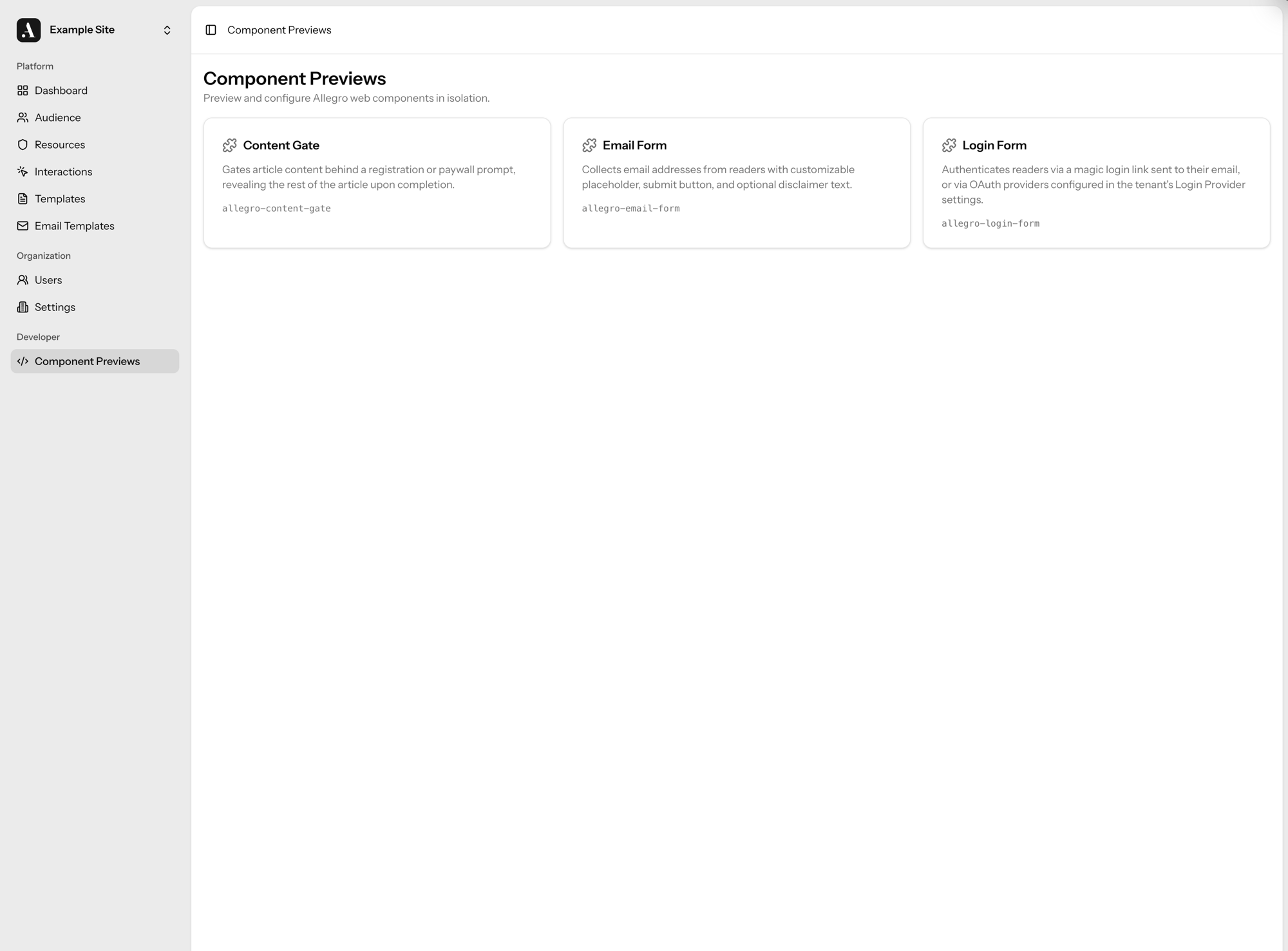
---
### ContentGate
`` is a full-page dialog that renders immediately and blocks interaction with the page beneath it. Slotted children are displayed inside the dialog. Use it to build registration walls, subscription prompts, or any other gated experience.
#### Usage[](#usage "Direct link to Usage")
```html
Subscribe to continue reading
```
With a dismiss button and centered position:
```html
Sign in to access premium content.
```
#### Attributes[](#attributes "Direct link to Attributes")
| Attribute | Type | Default | Description |
| --------------- | --------- | --------- | -------------------------------------------------------------------------------------------------------------- |
| `dismissible` | `boolean` | `false` | Show a close button allowing the user to dismiss the dialog. |
| `position` | `text` | `bottom` | Dialog position on screen. `bottom` anchors to the bottom edge; `center` floats in the middle of the viewport. |
| `tracking-data` | `text` | *(empty)* | JSON object of custom data merged into every tracked event, e.g. `"{'placement': 'article'}"`. |
#### Events[](#events "Direct link to Events")
##### Dispatched[](#dispatched "Direct link to Dispatched")
| Event | Bubbles | Detail | Description |
| --------------------------- | ------- | -------- | --------------------------------------------------------------- |
| `allegro:content-gate:open` | yes | *(none)* | Fired immediately after the dialog renders and becomes visible. |
##### Listened to[](#listened-to "Direct link to Listened to")
| Event | Detail | Description |
| ---------------------------- | -------- | --------------------------------------------------------------- |
| `allegro:content-gate:close` | *(none)* | Dispatch on the element to programmatically dismiss the dialog. |
```js
document
.querySelector('allegro-content-gate')
.dispatchEvent(new CustomEvent('allegro:content-gate:close'));
```
#### Tracked Events[](#tracked-events "Direct link to Tracked Events")
The component records the following events via the Allegro SDK.
| Event | When | Data |
| ---------------------- | ----------------------------------------------------------------------- | --------------------------------------------------------------------- |
| `view_content_gate` | Fired when the dialog first renders. | `{ position: string, interactionType: 'dismissible' \| 'roadblock' }` |
| `dismiss_content_gate` | Fired when the user dismisses the dialog via the close button or event. | `{ position: string }` |
#### CSS Variables[](#css-variables "Direct link to CSS Variables")
All visual properties are exposed as CSS custom properties so the component can be themed from the host page without piercing the shadow DOM.
```css
allegro-content-gate {
--contentGate--background: #fff;
--contentGate--max-width: 40rem;
}
```
##### General[](#general "Direct link to General")
| Variable | Default | Description |
| ----------------------------------- | -------- | ------------------------------------------------------------------------------ |
| `--contentGate--background` | `#fff` | Dialog background color. |
| `--contentGate--color` | `#000` | Dialog text color. Also used as the close button icon color. |
| `--contentGate--font-family` | *(none)* | Dialog font family. Falls back to `--allegro--font-family` if set. |
| `--contentGate--margin` | `0` | Dialog margin. |
| `--contentGate--max-width` | `100%` | Max width of the dialog content wrapper. |
| `--contentGate--padding` | `0` | Dialog padding. |
| `--contentGate--children-gap` | `1rem` | Gap between slotted children inside the dialog. |
| `--contentGate--button--background` | *(none)* | Close button background. Falls back to `--allegro--button--background` if set. |
| `--contentGate--button--color` | *(none)* | Close button icon color. Falls back to `--allegro--button--color` if set. |
---
### ContentGateInline
`` is placed directly inside an article body to hide the content that follows it. Readers see a registration or login prompt inline; once they authenticate the hidden content is revealed and the gate removes itself from the DOM.
#### Usage[](#usage "Direct link to Usage")
Place the component at the point in the article where you want content to be gated:
```html
This paragraph is always visible.
Sign in to keep reading
This paragraph and everything below is hidden until the reader authenticates.
```
Speedbump (dismissible) mode with a specific position and container:
```html
Create a free account to continue reading.
```
#### Attributes[](#attributes "Direct link to Attributes")
| Attribute | Type | Default | Description |
| ----------------------- | --------- | --------- | ---------------------------------------------------------------------------------------------------------------------------------------------------------------------- |
| `dismissible` | `boolean` | `false` | Show a close button allowing the reader to dismiss the gate without authenticating. When `false` the gate is a roadblock; when `true` it is a speedbump. |
| `element-position` | `text` | *(empty)* | Zero-based index of the child element inside the article body after which content should be hidden. When omitted, all next siblings after the gate element are hidden. |
| `article-body-selector` | `text` | *(empty)* | CSS selector for the article body container used when `element-position` is set. When omitted, the gate's direct parent is used. |
| `tracking-data` | `text` | *(empty)* | JSON object of custom data merged into every tracked event, e.g. `"{'placement': 'article'}"`. |
#### States[](#states "Direct link to States")
| State | Trigger | Description |
| --------- | --------------------- | ----------------------------------------------------------------------------------------------- |
| Roadblock | `dismissible="false"` | Host class `gate-is-roadblock` is applied. No close button is rendered. |
| Speedbump | `dismissible="true"` | Host class `gate-is-speedbump` is applied. A close button lets the reader dismiss without auth. |
#### Slots[](#slots "Direct link to Slots")
| Slot | Appears in | Description |
| ----------- | ---------- | --------------------------------------------------------------------------------- |
| *(default)* | Always | Content rendered inside the gate — typically a heading and a login or email form. |
```html
Subscribe to keep reading
```
#### Events[](#events "Direct link to Events")
##### Dispatched[](#dispatched "Direct link to Dispatched")
| Event | Bubbles | Detail | Description |
| ---------------------------------- | ------- | -------- | ----------------------------------------------------------- |
| `allegro:content-gate-inline:open` | yes | *(none)* | Fired immediately after the gate renders and hides content. |
##### Listened to[](#listened-to "Direct link to Listened to")
| Event | Detail | Description |
| ---------------------------- | -------- | ----------------------------------------------------------------------------------------------------------------------------------------------------------------------------------- |
| `allegro:content-gate:close` | *(none)* | Dispatch on the element to programmatically release content and remove the gate. Also fired automatically by child login and email form components after successful authentication. |
```js
document
.querySelector('allegro-content-gate-inline')
.dispatchEvent(new CustomEvent('allegro:content-gate:close'));
```
#### Tracked Events[](#tracked-events "Direct link to Tracked Events")
The component records the following events via the Allegro SDK.
| Event | When | Data |
| ----------------------------- | ----------------------------------- | --------------------------------------------------- |
| `view_content_gate_inline` | Fired when the gate renders. | `{ interactionType: 'dismissible' \| 'roadblock' }` |
| `dismiss_content_gate_inline` | Fired when the reader clicks Close. | `{ interactionType: 'dismissible' }` |
#### CSS Variables[](#css-variables "Direct link to CSS Variables")
All visual properties are exposed as CSS custom properties so the component can be themed from the host page without piercing the shadow DOM.
```css
allegro-content-gate-inline {
--contentGateInline--background: #fff;
--contentGateInline--max-width: 40rem;
}
```
##### General[](#general "Direct link to General")
| Variable | Default | Description |
| ----------------------------------- | -------- | ---------------------------------------------------------------- |
| `--contentGateInline--background` | `#fff` | Gate background color. |
| `--contentGateInline--color` | `#000` | Gate text color. |
| `--contentGateInline--font-family` | *(none)* | Gate font family. Falls back to `--allegro--font-family` if set. |
| `--contentGateInline--margin` | `0` | Gate margin. |
| `--contentGateInline--max-width` | *(none)* | Max width of the gate content wrapper. |
| `--contentGateInline--padding` | `0` | Gate padding. |
| `--contentGateInline--children-gap` | `1rem` | Gap between slotted children inside the gate. |
#### Example: Dark Background[](#example-dark-background "Direct link to Example: Dark Background")
```css
allegro-content-gate-inline {
--contentGateInline--background: #111;
--contentGateInline--color: #f5f5f5;
}
```
---
### EmailForm
`` is a web component that renders an email subscription form. On success it transitions to a confirmation state. Both states are fully customizable via attributes, slots, and CSS variables.
#### Usage[](#usage "Direct link to Usage")
```html
```
With custom attributes:
```html
```
#### Attributes[](#attributes "Direct link to Attributes")
| Attribute | Type | Default | Description |
| ---------------------- | --------- | ---------------------------------- | -------------------------------------------------------------------------------------------- |
| `placeholder-text` | `text` | `Enter your email` | Placeholder text for the email input field. |
| `submit-text` | `text` | `Submit` | Label for the submit button. |
| `show-disclaimer` | `boolean` | `false` | Whether to show the disclaimer paragraph below the form. |
| `disclaimer-text` | `text` | *(empty)* | HTML content for the disclaimer paragraph. |
| `confirmation-heading` | `text` | `Thank you!` | Heading shown in the confirmation state. |
| `confirmation-text` | `text` | `Thanks for providing your email.` | Body text shown in the confirmation state. |
| `continue-text` | `text` | `Continue` | Label for the continue button in the confirmation state. |
| `tracking-data` | `text` | *(empty)* | JSON object of custom data merged into every tracked event, e.g. `"{'campaign': 'footer'}"`. |
#### States[](#states "Direct link to States")
| State | Trigger | Description |
| -------------- | -------------------------- | ------------------------------------------------ |
| `email` | Initial render | The default state showing the email input form. |
| `confirmation` | Successful form submission | Shown after the email is successfully submitted. |
#### Slots[](#slots "Direct link to Slots")
| Slot | Appears in | Description |
| -------------- | -------------- | ---------------------------------------------------------------------------------------------- |
| `confirmation` | `confirmation` | Replaces the default confirmation state UI. When present, the default content is not rendered. |
```html
Thanks! Check your inbox.
```
#### Events[](#events "Direct link to Events")
##### Dispatched[](#dispatched "Direct link to Dispatched")
| Event | Bubbles | Detail | Description |
| ---------------------------- | ------- | ---------------------------------- | ---------------------------------------------------- |
| `allegro:email-form:success` | yes | `{ email: string }` | Fired when the form is successfully submitted. |
| `allegro:email-form:error` | yes | `{ email: string, error: string }` | Fired when there is an error during form submission. |
#### Tracked Events[](#tracked-events "Direct link to Tracked Events")
The component records the following events via the Allegro SDK.
| Event | When | Data |
| ---------------------- | ----------------------------------------- | -------- |
| `email_form_submitted` | Fired after a successful form submission. | *(none)* |
#### CSS Variables[](#css-variables "Direct link to CSS Variables")
All visual properties are exposed as CSS custom properties so the component can be themed from the host page without piercing the shadow DOM.
```css
allegro-email-form {
--emailForm--button--background: #1a1a1a;
--emailForm--input--border: 1px solid #ccc;
}
```
##### General[](#general "Direct link to General")
| Variable | Default | Description |
| -------------------------- | ----------------------- | ------------------------------ |
| `--emailForm--font-family` | `system-ui, sans-serif` | Font family for the component. |
##### Input[](#input "Direct link to Input")
| Variable | Default | Description |
| ---------------------------------------- | ---------------- | ---------------------------- |
| `--emailForm--input--background` | `#fff` | Input background color. |
| `--emailForm--input--border` | `1px solid #ccc` | Input border. |
| `--emailForm--input--border-radius` | `0.375rem` | Input border radius. |
| `--emailForm--input--font-size` | `1rem` | Input font size. |
| `--emailForm--input--padding` | `0.75rem 1rem` | Input padding. |
| `--emailForm--input--focus-border-color` | `#555` | Border color on input focus. |
##### Submit Button[](#submit-button "Direct link to Submit Button")
| Variable | Default | Description |
| ------------------------------------- | ----------------- | ------------------------ |
| `--emailForm--button--background` | `#000` | Button background color. |
| `--emailForm--button--color` | `#fff` | Button text color. |
| `--emailForm--button--border-radius` | `0.375rem` | Button border radius. |
| `--emailForm--button--font-size` | `0.875rem` | Button font size. |
| `--emailForm--button--font-weight` | `700` | Button font weight. |
| `--emailForm--button--padding` | `0.75rem 1.25rem` | Button padding. |
| `--emailForm--button--text-transform` | `uppercase` | Button text transform. |
##### Error Message[](#error-message "Direct link to Error Message")
| Variable | Default | Description |
| ----------------------------------- | ------------------- | ------------------------------- |
| `--emailForm--error--background` | `#fef2f2` | Error background color. |
| `--emailForm--error--border` | `1px solid #fecaca` | Error border. |
| `--emailForm--error--accent-color` | `#dc2626` | Error left accent border color. |
| `--emailForm--error--border-radius` | `0.375rem` | Error border radius. |
| `--emailForm--error--color` | `#b91c1c` | Error text color. |
| `--emailForm--error--icon-color` | `currentColor` | Error icon color. |
| `--emailForm--error--padding` | `0.625rem 0.875rem` | Error padding. |
##### Confirmation State[](#confirmation-state "Direct link to Confirmation State")
| Variable | Default | Description |
| ----------------------------------------- | ----------- | ------------------------------------ |
| `--emailForm--state-icon--background` | `#111` | Confirmation icon circle background. |
| `--emailForm--state-heading--color` | `#111` | Confirmation heading color. |
| `--emailForm--state-heading--font-size` | `1.25rem` | Confirmation heading font size. |
| `--emailForm--state-heading--font-weight` | `700` | Confirmation heading font weight. |
| `--emailForm--state-body--color` | `#555` | Confirmation body text color. |
| `--emailForm--state-body--font-size` | `0.9375rem` | Confirmation body font size. |
#### Example: Dark Background[](#example-dark-background "Direct link to Example: Dark Background")
```css
allegro-email-form {
--emailForm--input--background: #1a1a1a;
--emailForm--input--border: 1px solid #444;
--emailForm--input--focus-border-color: #888;
--emailForm--button--background: #fff;
--emailForm--button--color: #000;
--emailForm--state-icon--background: #fff;
--emailForm--state-heading--color: #fff;
--emailForm--state-body--color: #aaa;
}
```
---
### LoginForm
`` is a web component that authenticates readers via a magic login link sent to their email, a six-digit one-time code, or via Google, Apple, or Facebook OAuth. The email-based method is chosen with the [`login-method`](#attributes) attribute — magic link by default. On mobile the email input and button stack vertically; on wider screens (≥40em) they sit inline.
Set `login-method="magic-link-otp"` to send a single email containing both a magic link and a six-digit code. The form has one submit button, just like the single-method layouts; submitting it emails the reader both options and shows the code-entry screen. Clicking the link in the email authenticates directly (the form polls for that in the background), or the reader can type the code instead — whichever they do first signs them in.
#### Usage[](#usage "Direct link to Usage")
```html
```
Customise the text labels via HTML attributes:
```html
```
Send a magic link and a one-time code together from a single form:
```html
```
#### Attributes[](#attributes "Direct link to Attributes")
| Attribute | Type | Default | Description |
| ------------------ | --------- | ------------------ | ---------------------------------------------------------------------------------------------------------------------------------------------- |
| `placeholder-text` | `text` | `Enter your email` | Placeholder shown inside the email input. |
| `button-text` | `text` | `Sign in` | Label for the submit button in every login method. |
| `login-method` | `select` | `magic-link` | Authentication method: `magic-link` (emails a login link), `otp` (emails a 6-digit code), or `magic-link-otp` (emails both a link and a code). |
| `hide-third-party` | `boolean` | `false` | Set to `true` to hide all social login buttons (Google, Apple, Facebook). |
| `publisher-name` | `text` | *(empty)* | Publisher name shown in the success state, e.g. "Welcome back to Example News!" |
| `continue-text` | `text` | *(empty)* | Override the continue button label in the success state. |
| `learn-more-url` | `text` | *(empty)* | URL to navigate to when the continue button is clicked in success state. |
| `tracking-data` | `text` | *(empty)* | JSON object of custom data merged into every tracked event, e.g. `"{'campaign': 'header'}"`. |
#### States[](#states "Direct link to States")
The component moves through several states as the chosen sign-in flow advances. `link-sent` appears for the magic-link method, and `code-entry` for the one-time-code method (`login-method="otp"`) and for the combined `login-method="magic-link-otp"` method — submitting the combined form always sends the single email and moves straight to `code-entry`, since the reader can either type the code there or click the link in the email. The `expired` state adapts its wording to match whichever method was last used.
| State | Trigger | Description |
| ------------ | ------------------------------------------------------------------------------------------------- | ----------------------------------------------------- |
| `email` | Initial render (unauthenticated, no token in URL) | Email input + social login buttons. |
| `loading` | Initial render when `allegro_token` is present in the URL | Spinner shown while the SDK validates the token. |
| `link-sent` | `allegro:login-form:magic-link:sent` fires (magic-link method) | "Check your email inbox" with a resend option. |
| `code-entry` | A one-time code was requested successfully (`otp` or `magic-link-otp` method) | Six code-input boxes where the reader types the code. |
| `success` | Initial render (already authenticated), or a magic link / one-time code is validated successfully | Checkmark + "Welcome back" with a continue button. |
| `expired` | `allegro:magic-link:failed` fires, or an entered one-time code has expired or been locked | "Your link has expired" with a send-new-link button. |
If the user is already signed in when the component renders, it skips straight to the `success` state.
#### Events[](#events "Direct link to Events")
##### Dispatched by this component[](#dispatched-by-this-component "Direct link to Dispatched by this component")
| Name | Bubbles | Detail | Description |
| ---------------------------------------------- | ------- | --------------------------------------------------------- | -------------------------------------------------------------------------------------------------------------------------------------------- |
| `allegro:login-form:magic-link:sent` | yes | `{ email: string, data?: Record }` | Fired after a magic link is successfully sent. Triggers the `link-sent` state. |
| `allegro:login-form:authenticated` | yes | *(none)* | Fired on every auth flow (magic link, one-time code, and social), before any flow-specific event. |
| `allegro:login-form:magic-link:authenticated` | yes | *(none)* | Fired after a magic link is validated successfully. Follows `allegro:login-form:authenticated`. |
| `allegro:login-form:third-party:authenticated` | yes | `{ provider: string, session_id: string, token: string }` | Fired after a successful Google or Apple login. Follows `allegro:login-form:authenticated`. `provider` is the provider name (e.g. `google`). |
| `allegro:login-form:continue` | yes | *(none)* | Fired when the user clicks the continue button in the success state. |
##### Listened to by this component (on `window`)[](#listened-to-by-this-component-on-window "Direct link to listened-to-by-this-component-on-window")
| Name | Detail | Description |
| ---------------------------------- | ------------------- | ---------------------------------------------------------------------------------------------------------------- |
| `allegro:magic-link:authenticated` | *(none)* | Dispatched by the SDK after a magic link is validated successfully. Transitions to the `success` state. |
| `allegro:magic-link:failed` | `{ error: string }` | Dispatched by the SDK when magic link validation fails (e.g. expired token). Transitions to the `expired` state. |
#### Slots[](#slots "Direct link to Slots")
| Slot name | Appears in state | Description |
| ---------------- | ---------------- | ------------------------------------------------------------------------------------------------------------------------------------------------------------------------------------------------------------------------ |
| `header` | `email` | Rendered above the email input. Use for a title or description. Hidden once the form transitions to another state. |
| `footer` | `email` | Rendered below the email input (and social buttons when present). Use for supplementary links. Hidden once the form transitions to another state. |
| `after-form` | `email` | Rendered between the email input and the social login buttons. Use for supplementary inputs such as newsletter opt-in checkboxes. Values from named inputs inside this slot are included in the magic link request data. |
| `success` | `success` | Replaces the entire success state UI (icon, heading, body, and continue button). When omitted, the default success UI is shown as fallback content. |
| `after-continue` | `success` | Rendered directly below the continue button in the default success UI. Ignored when the `success` slot is provided. |
```html
```
#### Tracked Events[](#tracked-events "Direct link to Tracked Events")
The component records the following analytics events via the Allegro SDK.
| Event | When | Data |
| ---------------------- | --------------------------------------------------------------------------------------------- | ---------------------- |
| `magic_link_requested` | A magic link is requested — on the initial submit, or when resent from the `link-sent` state. | `{ created: boolean }` |
| `otp_requested` | A one-time code is requested — on the initial submit, or when resent from a code-entry state. | `{ created: boolean }` |
| `otp_validated` | A submitted one-time code is accepted and the device is authenticated. | *(none)* |
| `login` | Authentication completes through a social / SSO provider. | `{ provider: string }` |
`created` is `true` when a new audience member was created for the email address, and `false` when an existing member was matched.
note
Magic link *validation* is tracked separately as `magic_link_validated` by the SDK when the link is opened, since that happens on the page the link points to rather than within the form.
#### CSS Variables[](#css-variables "Direct link to CSS Variables")
All visual properties are exposed as CSS custom properties so the component can be themed from the host page without piercing the shadow DOM.
```css
allegro-login-form {
--loginForm--input--background: #fff;
--loginForm--submit--background: #1a1a1a;
}
```
##### General[](#general "Direct link to General")
| Variable | Default | Description |
| ----------------------------- | ----------------------- | ---------------------------------------------------------------------------------------------------- |
| `--loginForm--base-font-size` | `1rem` | Base unit all internal sizing is derived from. Defaults to the document's `rem`. See the note below. |
| `--loginForm--color` | `black` | Base text colour for the component. |
| `--loginForm--font-family` | `system-ui, sans-serif` | Font family applied to the entire component. |
Sizing on pages with a non-16px root
Internally the form scales every dimension — padding, font sizes, spacing — from `--loginForm--base-font-size`, which defaults to the page's `rem`. If the host page sets a root `font-size` other than the usual 16px (for example a 10px root), the form renders too small or too large. Pin the base to a fixed value so the form sizes consistently regardless of the host page:
```css
allegro-login-form {
--loginForm--base-font-size: 16px;
}
```
##### Input[](#input "Direct link to Input")
| Variable | Default | Description |
| ---------------------------------------- | ---------------- | ---------------------------------------- |
| `--loginForm--input--background` | `#fff` | Input background colour. |
| `--loginForm--input--border` | `1px solid #ccc` | Input border shorthand. |
| `--loginForm--input--border-radius` | `0.375rem` | Corner radius applied to the input. |
| `--loginForm--input--font-size` | `1rem` | Input text size. |
| `--loginForm--input--padding` | `0.75rem 1rem` | Input padding shorthand. |
| `--loginForm--input--focus-border-color` | `#555` | Border colour when the input is focused. |
##### Submit button[](#submit-button "Direct link to Submit button")
| Variable | Default | Description |
| ------------------------------------- | ----------------- | ------------------------------------------------------------- |
| `--loginForm--submit--background` | `#000` | Button background colour. |
| `--loginForm--submit--color` | `#fff` | Button text colour. |
| `--loginForm--submit--border-radius` | `0.375rem` | Corner radius applied to the button. |
| `--loginForm--submit--font-size` | `0.875rem` | Button text size. |
| `--loginForm--submit--font-weight` | `700` | Button font weight. |
| `--loginForm--submit--font-family` | `inherit` | Button font family. Inherits the surrounding font by default. |
| `--loginForm--submit--padding` | `0.75rem 1.25rem` | Button padding shorthand. |
| `--loginForm--submit--text-transform` | `uppercase` | CSS `text-transform` applied to button label. |
##### Divider[](#divider "Direct link to Divider")
| Variable | Default | Description |
| ---------------------------------- | -------------- | -------------------------------------------- |
| `--loginForm--divider--color` | `#333` | Text and line colour for the "OR" divider. |
| `--loginForm--divider--line-color` | `currentColor` | Override only the line colour independently. |
| `--loginForm--divider--margin` | `1rem 0` | Vertical spacing around the divider. |
##### Social buttons[](#social-buttons "Direct link to Social buttons")
| Variable | Default | Description |
| --------------------------------------- | ------------------- | --------------------------------------------------------------------------------------- |
| `--loginForm--social--background` | `#fff` | Social button background colour. |
| `--loginForm--social--hover-background` | `#f9fafb` | Social button background on hover. |
| `--loginForm--social--border` | `1px solid #d1d5db` | Social button border shorthand. |
| `--loginForm--social--border-radius` | `0.5rem` | Social button corner radius. |
| `--loginForm--social--color` | `#111` | Social button text colour. |
| `--loginForm--social--font-family` | `inherit` | Social button font family. Inherits the surrounding font by default. |
| `--loginForm--social--font-size` | `1rem` | Social button text size. |
| `--loginForm--social--line-height` | `1.25` | Social button line height. |
| `--loginForm--social--height` | `42px` | Minimum button height below the 640px breakpoint (stacked). |
| `--loginForm--social--height-desktop` | `48px` | Minimum button height at 640px and above (side-by-side). |
| `--loginForm--social--padding` | `0.5rem 1rem` | Social button padding shorthand. |
| `--loginForm--social--gap` | `0.5rem` | Gap between social buttons when stacked; same value applies in the side-by-side layout. |
##### Loading spinner[](#loading-spinner "Direct link to Loading spinner")
| Variable | Default | Description |
| ----------------------------------- | -------------- | -------------------------------------------------------------- |
| `--loginForm--loading--track-color` | `currentColor` | Spinner colour. Inherits the component text colour by default. |
##### State screens (link-sent, success, expired)[](#state-screens-link-sent-success-expired "Direct link to State screens (link-sent, success, expired)")
| Variable | Default | Description |
| ----------------------------------------- | ----------- | ----------------------------------------------------------------------------- |
| `--loginForm--state-icon--background` | `#111` | Background colour of the circular state icon. |
| `--loginForm--state-heading--color` | `#111` | Heading text colour. |
| `--loginForm--state-heading--font-size` | `1.25rem` | Heading font size. |
| `--loginForm--state-heading--font-weight` | `700` | Heading font weight. |
| `--loginForm--state-body--color` | `#555` | Body and disclaimer text colour. |
| `--loginForm--state-body--font-size` | `0.9375rem` | Body text size. |
| `--loginForm--resend--color` | `#555` | Resend link text colour. |
| `--loginForm--resend--hover-color` | `#111` | Resend link text colour on hover. |
| `--loginForm--resend--font-size` | `0.875rem` | Resend link font size. |
| `--loginForm--resend-error--color` | `#b91c1c` | Text colour for the inline error shown below the resend/send-new-link button. |
##### Error message[](#error-message "Direct link to Error message")
| Variable | Default | Description |
| ----------------------------------- | ------------------- | ---------------------------------------------------- |
| `--loginForm--error--background` | `#fef2f2` | Error container background colour. |
| `--loginForm--error--border` | `1px solid #fecaca` | Error container border shorthand. |
| `--loginForm--error--accent-color` | `#dc2626` | Left accent border colour. |
| `--loginForm--error--border-radius` | `0.375rem` | Error container corner radius. |
| `--loginForm--error--color` | `#b91c1c` | Error message text colour. |
| `--loginForm--error--icon-color` | `currentColor` | Error icon colour (inherits text colour by default). |
| `--loginForm--error--padding` | `0.625rem 0.875rem` | Error container padding. |
#### Example: Dark Background[](#example-dark-background "Direct link to Example: Dark Background")
When placing the component on a dark or coloured background, override the divider and social button colours so they read clearly:
```css
allegro-login-form {
--loginForm--divider--color: rgba(255, 255, 255, 0.7);
--loginForm--social--background: transparent;
--loginForm--social--border: 1px solid rgba(255, 255, 255, 0.4);
--loginForm--social--color: #fff;
--loginForm--social--hover-background: rgba(255, 255, 255, 0.08);
}
```
---
### Quick Start
This guide walks you through adding the Allegro SDK to your site and sending your first custom event.
#### 1. Add the Script Tag[](#1-add-the-script-tag "Direct link to 1. Add the Script Tag")
Add the Allegro loader to the `` or before `` of your HTML:
```html
```
Replace `your-allegro-instance.com` with your actual Allegro domain.
#### 2. Track a Custom Event[](#2-track-a-custom-event "Direct link to 2. Track a Custom Event")
Page views are tracked automatically. To track a custom event, initialize the queue and push a callback:
```html
```
#### 3. Setup Page Metadata[](#3-setup-page-metadata "Direct link to 3. Setup Page Metadata")
The SDK automatically collects page metadata from `application/ld+json` structured data on the page. Add a JSON-LD block to your ``:
```html
```
The SDK maps these fields to its own automatically. You can also source metadata from `` tags, a GTM data layer, or CSS selectors — see the [Page Metadata guide](/developer/guides/page-metadata.md) for all field mappings and source types.
Or pass metadata explicitly to `track()`:
```js
allegro.track('page_view', {
content_id: 'story-12345',
content_type: 'NewsArticle',
publisher: 'Example News',
});
```
#### Complete Example[](#complete-example "Direct link to Complete Example")
```html
```
#### Next Steps[](#next-steps "Direct link to Next Steps")
* [Event Tracking guide](/developer/guides/event-tracking.md) — all `track()` options and page data collection
* [Member Authentication guide](/developer/guides/authentication.md) — authenticate readers with the SDK
* [Web Components](/developer/components/login-form.md) — drop-in UI components for login and email capture
---
### Alpine State Reference
The Allegro SDK registers two Alpine primitives that every template has access to:
* **`$store.allegro`** — a shared, reactive store that holds the current session state. It is automatically kept in sync whenever the member logs in, logs out, or their JWT refreshes.
* **`allegroInteraction(slug, data)`** — a reusable component factory registered on the root container of every rendered template. It exposes the interaction's slug, any extra data passed by the trigger call, and reactive shortcut getters into `$store.allegro`.
Because both primitives use Alpine's reactivity system, any `x-text`, `x-show`, or `x-if` bound to session fields re-renders automatically — no page reload, no manual event listeners required.
#### `$store.allegro`[](#storeallegro "Direct link to storeallegro")
| Field | Type | Description |
| ----------------- | ---------------------------------------------------------- | ----------------------------------------------------------------------------------------------------------- |
| `session` | `{ id: string; authenticated_at: string \| null } \| null` | The member's current session, or `null` if no session exists. |
| `audienceMember` | `AudienceMember \| null` | The authenticated member's profile, or `null` if the member has not logged in. |
| `isAuthenticated` | `boolean` | `true` when the session has been fully authenticated (not just identified by email). |
| `products` | `string[]` | Slugs of the products the member currently holds active entitlements for. Empty array when unauthenticated. |
`AudienceMember` is defined in the [SDK type reference](/developer/api-reference/type-aliases/AudienceMember.md).
The store also exposes a helper method:
| Method | Returns | Description |
| -------------------------- | --------- | ------------------------------------------------------------------------------------ |
| `hasProduct(slug: string)` | `boolean` | Returns `true` if the member holds an active entitlement for the given product slug. |
```html
Thanks for being a subscriber!
```
You can read the store directly from template HTML:
```html
```
Or from template JavaScript:
```js
const store = Alpine.store('allegro');
if (store.isAuthenticated) {
console.log('Logged in as', store.audienceMember.email);
}
```
#### `allegroInteraction(slug, data)`[](#allegrointeractionslug-data "Direct link to allegrointeractionslug-data")
Every template's root container is bound to `allegroInteraction` via `x-data`. You do not call this factory yourself — the SDK sets the `x-data` attribute automatically when the template renders.
The resulting Alpine component scope exposes:
| Property | Type | Description |
| ----------------- | ---------------- | -------------------------------------------------------------------------------------------------------------------- |
| `slug` | `string \| null` | The slug of the Interaction that triggered this template. |
| `session` | `object \| null` | Reactive shortcut — proxies `$store.allegro.session`. |
| `audienceMember` | `object \| null` | Reactive shortcut — proxies `$store.allegro.audienceMember`. |
| `isAuthenticated` | `boolean` | Reactive shortcut — proxies `$store.allegro.isAuthenticated`. |
| *(extra data)* | any | Any key/value pairs passed as the second argument to `allegro.interaction.trigger()` are available at the top level. |
The shortcut properties let you write concise template expressions without the `$store.allegro.` prefix:
```html
Hello,
Hello,
```
#### Reactivity Model[](#reactivity-model "Direct link to Reactivity Model")
The store is updated in response to the following window events, which the SDK dispatches automatically during session transitions:
| Event | When it fires |
| ---------------------------- | ----------------------------------------------------- |
| `allegro:authenticated` | A user is authenticated with the SDK. |
| `allegro:logout` | `allegro.member.logout()` completes. |
| `allegro:jwt-refreshed` | The session JWT is refreshed in the background. |
| `allegro:jwt-refresh-failed` | A JWT refresh attempt fails (session likely expired). |
When any of these fires, the SDK re-reads the current JWT and writes the new values into `$store.allegro`. Alpine's reactivity then propagates the change to any bound template expression.
#### Recipes[](#recipes "Direct link to Recipes")
##### Gate content on authentication[](#gate-content-on-authentication "Direct link to Gate content on authentication")
```html
Welcome back, !
Sign in to continue reading.
```
##### Read extra data passed to `trigger`[](#read-extra-data-passed-to-trigger "Direct link to read-extra-data-passed-to-trigger")
If you trigger the interaction with extra data:
```js
allegro.interaction.trigger('paywall', { plan: 'basic', articleId: '123' });
```
Those keys are available directly in the template scope:
```html
```
##### Subscribe to a session event without the store[](#subscribe-to-a-session-event-without-the-store "Direct link to Subscribe to a session event without the store")
If you need to react to a specific transition in template JavaScript rather than using Alpine bindings, listen directly on `window`:
```js
window.addEventListener('allegro:logout', () => {
// e.g. redirect or show a goodbye message
});
```
##### Add per-instance state with nested `x-data`[](#add-per-instance-state-with-nested-x-data "Direct link to add-per-instance-state-with-nested-x-data")
The root `x-data` is managed by Allegro. To add your own local state, use `x-data` on a child element — Alpine merges scopes through the component tree:
```html
```
---
### Member Authentication
The `allegro.member` namespace provides methods to authenticate members, retrieve user info, and check entitlements.
#### `allegro.member.isAuthenticated()`[](#allegromemberisauthenticated "Direct link to allegromemberisauthenticated")
Synchronously returns whether the stored JWT represents an authenticated user.
```js
if (allegro.member.isAuthenticated()) {
// show authenticated UI
}
```
#### `allegro.member.isIdentified()`[](#allegromemberisidentified "Direct link to allegromemberisidentified")
Synchronously returns whether the session has a stored JWT. A session is identified once the user has provided their email (e.g. via a magic link request), but may not yet be fully authenticated.
```js
if (allegro.member.isIdentified()) {
// user is known but may not be authenticated
}
```
#### `allegro.member.sessionFromJwt()`[](#allegromembersessionfromjwt "Direct link to allegromembersessionfromjwt")
Synchronously returns the parsed JWT payload from the stored token, or `null` if no token is stored. Does not make a network request.
```js
const payload = allegro.member.sessionFromJwt();
if (payload) {
console.log(payload.sub); // Audience Member ID
console.log(payload.authenticated); // boolean
console.log(payload.session.id);
console.log(payload.audience_member);
}
```
**Response shape:**
```ts
{
iss: string;
aud: string;
iat: number;
exp: number;
sub: string; // Audience Member ID
authenticated: boolean;
session: {
id: string;
authenticated_at: string | null;
};
audience_member: AudienceMember;
[key: string]: unknown;
} | null
```
#### `allegro.member.session()`[](#allegromembersession "Direct link to allegromembersession")
Fetches the current session from the API. Use this when you need a fresh, server-verified session rather than decoding the stored JWT locally.
```js
const { data } = await allegro.member.session();
console.log(data.id);
console.log(data.is_authenticated);
console.log(data.authenticated_at);
console.log(data.audience_member);
```
**Response shape:**
```ts
{
data: {
id: string;
is_authenticated: boolean;
authenticated_at: string | null;
created_at: string;
updated_at: string;
audience_member: AudienceMember;
}
}
```
#### `allegro.member.user()`[](#allegromemberuser "Direct link to allegromemberuser")
Get the currently logged-in user. Returns a promise that resolves with the user object, or `null` if no one is logged in. This does not make a network request — it decodes the stored JWT locally.
```js
const user = await allegro.member.user();
if (user) {
console.log(user.id);
console.log(user.email);
console.log(user.name);
console.log(user.email_verified);
} else {
console.log('No user logged in');
}
```
**Response shape:**
```ts
{
id: string;
email: string;
name?: string;
email_verified: boolean;
} | null
```
#### `allegro.member.identifyByEmail(email)`[](#allegromemberidentifybyemailemail "Direct link to allegromemberidentifybyemailemail")
Identifies a user by email address and stores the resulting session JWT. Useful for associating tracking events with a known email before full authentication.
```js
const { jwt } = await allegro.member.identifyByEmail('user@example.com');
```
#### `allegro.member.entitlements()`[](#allegromemberentitlements "Direct link to allegromemberentitlements")
Get the current user's entitlements. Returns a promise that resolves with an array.
```js
const entitlements = await allegro.member.entitlements();
for (const entitlement of entitlements) {
console.log(entitlement.id, entitlement.name);
}
```
**Response shape:**
```ts
{ id: string; name: string; [key: string]: unknown }[]
```
#### `allegro.member.logout()`[](#allegromemberlogout "Direct link to allegromemberlogout")
Clears the stored JWT and stops any active authentication polling.
```js
await allegro.member.logout();
```
#### Related[](#related "Direct link to Related")
* [Magic Links guide](/developer/guides/authentication/magic-links.md) — passwordless authentication via email
* [One-Time Codes guide](/developer/guides/authentication/one-time-codes.md) — passwordless authentication via an emailed six-digit code
* [Social Login guide](/developer/guides/authentication/social-login.md) — OAuth with Google, Apple, and Facebook
* [allegro-login-form component](/developer/components/login-form.md) — drop-in UI for the full auth flow
---
### Magic Links
Magic links provide passwordless authentication — the user enters their email, receives a link, and clicking it authenticates them without a password.
Just want a login form?
If you don't need to build the UI yourself, the [``](/developer/components/login-form.md) web component handles the entire magic link flow out of the box — drop one tag on your page and you're done.
#### How It Works[](#how-it-works "Direct link to How It Works")
1. Call `allegro.member.requestMagicLink(email)` — Allegro sends a magic link to that address and starts polling for authentication in the background
2. The user clicks the link, which includes a short-lived token in the URL
3. The SDK automatically detects `allegro_token` in the URL and validates it
4. On success, a JWT session is issued and `allegro:magic-link:authenticated` fires on `window`
#### Requesting a Magic Link[](#requesting-a-magic-link "Direct link to Requesting a Magic Link")
```js
await allegro.member.requestMagicLink(
'user@example.com',
'https://example.com/account', // optional: where to redirect after auth
{ plan: 'monthly' }, // optional: custom data attached to the request
);
```
| Parameter | Type | Required | Description |
| ----------- | ------------------------- | -------- | ----------------------------------------------------------------------------------- |
| `email` | `string` | Yes | The user's email address |
| `returnUrl` | `string` | No | URL to redirect to after the magic link is validated. Defaults to the current page. |
| `data` | `Record` | No | Custom data to attach to the request |
important
`returnUrl` must be an allowed origin
For security, `returnUrl` must point at an origin the tenant has allowed — its Allegro subdomain, its [custom domain](/developer/platform/setup/custom-domain.md), or any origin in the `cors_allowed_origins` tenant setting. A request whose `returnUrl` is on any other origin is rejected with a validation error and no magic link is sent. This stops the sign-in token from being delivered to a domain you do not control.
Because `returnUrl` defaults to the current page, embeds served from your own site work without extra configuration. You only need to add origins when you redirect to a different host.
Calling `requestMagicLink` automatically starts cross-tab polling so that if the user opens the magic link in a different browser tab or window, the original tab authenticates without a page reload.
#### Validating a Token Manually[](#validating-a-token-manually "Direct link to Validating a Token Manually")
The SDK validates `allegro_token` from the URL automatically on page load. If you need to validate a token yourself:
```js
const { jwt } = await allegro.member.validateMagicLink(token);
```
#### SDK Events[](#sdk-events "Direct link to SDK Events")
All events are dispatched on `window` as `CustomEvent` instances.
| Event | Detail | When |
| ---------------------------------- | ------------------- | --------------------------------------------------------------------- |
| `allegro:magic-link:authenticated` | *(none)* | Token validated successfully, or polling detected auth in another tab |
| `allegro:magic-link:failed` | `{ error: string }` | Token validation failed (expired or invalid) |
| `allegro:jwt-refreshed` | `MemberJwtPayload` | JWT was refreshed successfully |
| `allegro:jwt-refresh-failed` | `{ error: string }` | JWT refresh failed |
| `allegro:logout` | *(none)* | User was logged out |
| `allegro:ready` | *(none)* | SDK fully initialized (fires before magic link validation) |
```js
window.addEventListener('allegro:magic-link:authenticated', () => {
// User is now authenticated — update your UI
});
window.addEventListener('allegro:magic-link:failed', (event) => {
console.error('Magic link failed:', event.detail.error);
});
```
#### Checking Validation Outcome After Page Load[](#checking-validation-outcome-after-page-load "Direct link to Checking Validation Outcome After Page Load")
If your code runs after the `allegro:magic-link:authenticated` or `allegro:magic-link:failed` events have already fired, read the synchronous `magicLinkValidation` property instead of listening for events:
```js
// 'authenticated' | 'failed' | null
const result = allegro.magicLinkValidation;
```
#### Using the allegro-login-form Component[](#using-the-allegro-login-form-component "Direct link to Using the allegro-login-form Component")
The [``](/developer/components/login-form.md) web component handles the full magic link flow automatically — no manual SDK calls needed:
```html
```
#### Related[](#related "Direct link to Related")
* [One-Time Codes guide](/developer/guides/authentication/one-time-codes.md) — passwordless auth via an emailed six-digit code
* [Social Login guide](/developer/guides/authentication/social-login.md) — OAuth with Google and Apple
* [allegro-login-form component](/developer/components/login-form.md) — full UI for magic link + social login
---
### One-Time Codes
One-time codes provide passwordless authentication — the user enters their email, receives a six-digit code, and types it back in to authenticate without a password.
Unlike [magic links](/developer/guides/authentication/magic-links.md), the code is entered on the same device that requested it, so authentication completes synchronously. There is no cross-tab polling — the device that requests the code is the device that signs in.
Just want a login form?
If you don't need to build the UI yourself, the [``](/developer/components/login-form.md) web component handles the entire one-time code flow out of the box — drop one tag on your page and you're done.
#### How It Works[](#how-it-works "Direct link to How It Works")
1. Call `allegro.member.requestLoginCode(email)` — Allegro emails a six-digit code to that address and creates the audience member if they do not already exist
2. The user enters the code into your UI
3. Call `allegro.member.validateLoginCode(code)` to verify it
4. On success, a JWT session is issued and `allegro:authenticated` fires on `window` with `detail.method === 'otp'`
#### Requesting a Code[](#requesting-a-code "Direct link to Requesting a Code")
```js
await allegro.member.requestLoginCode(
'user@example.com',
'https://example.com/account', // optional: where to redirect after auth
{ plan: 'monthly' }, // optional: custom data attached to the session
);
```
| Parameter | Type | Required | Description |
| ----------- | ------------------------- | -------- | ----------------------------------------------------------------------------- |
| `email` | `string` | Yes | The user's email address |
| `returnUrl` | `string` | No | URL to redirect to after the code is validated. Defaults to the current page. |
| `data` | `Record` | No | Custom data to attach to the resulting session |
**Response shape:**
```ts
{
created: boolean; // true if a new audience member was created
jwt: string;
status: 'ok';
}
```
Codes expire and resends invalidate older codes
Each code is valid for 30 minutes. Requesting a new code invalidates any previous code for the session — only the most recently emailed code works.
Requests are rate limited
Requesting a code is limited to **3 requests per email per minute**. Beyond that, the request is rejected with a rate-limit error. Surface a "try again shortly" message rather than retrying automatically.
#### Validating a Code[](#validating-a-code "Direct link to Validating a Code")
```js
const { jwt, return_url, audience_member_created } =
await allegro.member.validateLoginCode('123456');
```
| Parameter | Type | Required | Description |
| --------- | -------- | -------- | --------------------------------- |
| `code` | `string` | Yes | The six-digit code the user typed |
**Response shape:**
```ts
{
message: string;
jwt: string;
return_url: string | null; // the returnUrl from the original request, if any
audience_member_created: boolean;
sessions_authenticated: string[];
}
```
On success the session JWT is stored automatically and an `allegro:authenticated` event fires. On failure, validation throws an `AllegroApiError` whose `errorCode` is one of:
| `errorCode` | Meaning |
| ------------- | ------------------------------------------------------------------- |
| `INVALID_OTP` | The code is wrong, or no valid code exists for this device |
| `OTP_EXPIRED` | The code has expired — request a new one |
| `OTP_LOCKED` | Too many incorrect attempts — the code is locked, request a new one |
```js
try {
await allegro.member.validateLoginCode(code);
} catch (error) {
if (error.errorCode === 'OTP_LOCKED') {
// Prompt the user to request a fresh code
} else {
// Show "that code wasn't right" and let them retry
}
}
```
#### SDK Events[](#sdk-events "Direct link to SDK Events")
All events are dispatched on `window` as `CustomEvent` instances.
| Event | Detail | When |
| ----------------------- | ------------------- | --------------------------------- |
| `allegro:authenticated` | `{ method: 'otp' }` | A code was validated successfully |
| `allegro:jwt-refreshed` | `MemberJwtPayload` | JWT was refreshed successfully |
| `allegro:logout` | *(none)* | User was logged out |
```js
window.addEventListener('allegro:authenticated', (event) => {
if (event.detail.method === 'otp') {
// User is now authenticated — update your UI
}
});
```
#### Using the allegro-login-form Component[](#using-the-allegro-login-form-component "Direct link to Using the allegro-login-form Component")
The [``](/developer/components/login-form.md) web component handles the full one-time code flow automatically — no manual SDK calls needed:
```html
```
#### Related[](#related "Direct link to Related")
* [Magic Links guide](/developer/guides/authentication/magic-links.md) — passwordless authentication via an emailed link
* [Social Login guide](/developer/guides/authentication/social-login.md) — OAuth with Google, Apple, and Facebook
* [allegro-login-form component](/developer/components/login-form.md) — full UI for the auth flow
---
### Social Login
Social login uses a **popup window flow**. The popup navigates through the OAuth redirect loop and communicates the result back to the parent window via `window.postMessage`, keeping the JWT out of the browser's URL history, server logs, and referrer headers.
#### Supported Providers[](#supported-providers "Direct link to Supported Providers")
Providers must be configured by the tenant administrator in **Organization Settings → Login Providers**. Supported providers include Google, Apple, and Facebook.
#### Using the allegro-login-form Component[](#using-the-allegro-login-form-component "Direct link to Using the allegro-login-form Component")
The [``](/developer/components/login-form.md) web component includes social login buttons automatically:
```html
```
To hide the social buttons:
```html
```
The component fires `allegro:login-form:social-success` with `{ provider, session_id, token }` on successful OAuth login.
#### Using the SDK[](#using-the-sdk "Direct link to Using the SDK")
Call `allegro.member.loginWithProvider(provider)` to open the OAuth popup and await the result:
```js
try {
const { session_id, token } =
await allegro.member.loginWithProvider('google');
console.log('Authenticated, session:', session_id);
} catch (error) {
console.error('Auth failed:', error);
}
```
Pass the provider slug as a string — for example `'google'`, `'apple'`, or `'facebook'`. The method opens the popup, waits for the OAuth flow to complete, and resolves with the session on success or rejects on failure.
**Response shape:**
```ts
{
session_id: string; // UUID of the newly created audience member session
token: string; // Signed JWT for the session
}
```
#### Reading the Provider Profile[](#reading-the-provider-profile "Direct link to Reading the Provider Profile")
After a member authenticates with a provider, Allegro stores the raw profile data returned by that provider (name, email, avatar URL, etc.). You can fetch this data in your templates using `allegro.member.externalProfile(provider)`:
```js
window.allegro.push(async (allegro) => {
if (!allegro.member.isAuthenticated()) return;
try {
const profile = await allegro.member.externalProfile('google');
console.log(profile.name, profile.email, profile.picture);
} catch (error) {
// Member has no Google profile, the request failed, or the session expired
console.error('Profile not found:', error);
}
});
```
Pass the provider slug as a string (e.g. `'google'`, `'apple'`, `'facebook'`). The method returns the raw attributes stored for that provider — the exact shape depends on what each provider includes in their response. The method throws if the member has no linked profile for the given provider, so always wrap the call in a `try/catch`.
#### Related[](#related "Direct link to Related")
* [Magic Links guide](/developer/guides/authentication/magic-links.md) — passwordless authentication via email
* [allegro-login-form component](/developer/components/login-form.md) — drop-in UI for social + magic link login
---
### Event Tracking
Use `allegro.track()` to record events. The SDK handles session creation, device identification, and page metadata collection automatically.
#### Basic Usage[](#basic-usage "Direct link to Basic Usage")
```js
window.allegro.push(function (allegro) {
allegro.track('page_view');
});
```
#### `allegro.track(eventName, data?)`[](#allegrotrackeventname-data "Direct link to allegrotrackeventname-data")
Track an event. Returns a promise that resolves with `{ event_id: string }`.
The SDK automatically:
* Creates a session if one doesn't exist
* Includes device ID, session ID, and CSRF token
* Collects page metadata from the DOM (title, content type, publisher, etc.)
* Attaches the logged-in customer ID if available
##### With event data[](#with-event-data "Direct link to With event data")
```js
allegro.track('article_read', {
content_id: 'article-456',
content_type: 'premium',
publisher: 'Daily News',
});
```
##### With custom data[](#with-custom-data "Direct link to With custom data")
```js
allegro.track('purchase', {
data: {
product_id: 'sku-789',
price: 9.99,
currency: 'USD',
},
});
```
##### Available fields[](#available-fields "Direct link to Available fields")
| Field | Type | Description |
| ------------------ | ------------------------- | ------------------------------------ |
| `url` | `string` | Page URL (auto-collected by default) |
| `referer` | `string` | Referring URL |
| `page_title` | `string` | Page title |
| `content_type` | `string` | Content type (e.g. article, video) |
| `content_id` | `string` | Content identifier |
| `publisher` | `string` | Publisher name |
| `object_type` | `string` | Object type |
| `object_id` | `string` | Object identifier |
| `context` | `string` | Context or category |
| `conversion_pv_id` | `string` | Conversion page view ID |
| `url_in_click` | `string` | Clicked URL |
| `data` | `Record` | Arbitrary custom data |
For more information, see [Page Metadata](/developer/guides/page-metadata.md).
#### Session & Device Management[](#session--device-management "Direct link to Session & Device Management")
The SDK manages two cookies:
| Cookie | Lifetime | Purpose |
| -------------------- | ---------- | ---------------------------------------- |
| `allegro_device_id` | 10 years | Persistent device identifier (UUID v4) |
| `allegro_session_id` | 30 minutes | Session identifier, extended on activity |
Sessions are created automatically on the first `track()` or `member.login()` call. Each `track()` call extends the session timeout.
---
### Interactions
The `allegro.interaction` namespace provides a convenience wrapper for triggering interactions.
For more information about what interactions are, see [the product documentation](/product/interactions.md) on interactions.
#### `allegro.interaction.trigger(name, data?)`[](#allegrointeractiontriggername-data "Direct link to allegrointeractiontriggername-data")
Trigger an interaction. Optionally include a `data` object with any relevant properties to be passed down to the underlying interaction. The data will be passed down to the Alpine.js `x-data` scope of the interaction template, allowing you to use it in your template logic and rendering.
```js
allegro.interaction.trigger('member-wall');
allegro.interaction.trigger('member-wall', {
title: 'Join our membership program',
});
```
##### Parameters[](#parameters "Direct link to Parameters")
| Parameter | Type | Description |
| --------- | ------ | --------------------------------------------- |
| `name` | string | The interaction event name |
| `data` | object | Optional data to include with the interaction |
##### Interaction Actions[](#interaction-actions "Direct link to Interaction Actions")
Interactions can have various composable actions, each with their own conditions and delays. JavaScript/CSS actions are applied to the root of the page. Template actions are rendered within a shadow root in the appropriate place configured by the interaction. For example, an interaction that doesn't supply a target selector will be append to the end of the body, while one that targets a specific element will be rendered before/after/etc. that element. The specific logic for how it is rendered relevant to that element is driven by the interaction action.
For more information on templates, see the [templates guide](/developer/guides/templates.md).
#### Related[](#related "Direct link to Related")
* [Event Tracking guide](/developer/guides/event-tracking.md) — full `track()` API reference
* [API Reference](/developer/api-reference.md) — TypeScript type definitions for `InteractionNamespace`
---
### JavaScript Events
The Allegro SDK dispatches custom events on `window` at key points in the member lifecycle. Listen for these events to react to authentication state changes without polling.
#### `allegro:authenticated`[](#allegroauthenticated "Direct link to allegroauthenticated")
Fired when a member successfully authenticates. This happens across several flows:
* A magic link is clicked and the token in the URL is validated on page load
* A magic link is detected during background polling (cross-tab)
* A magic link is detected from a cookie when the page regains focus or visibility
* A social login (Google, Apple, etc.) completes
* A purchase token is exchanged on return from checkout and the member was not already authenticated
##### Detail[](#detail "Direct link to Detail")
| Field | Type | Description |
| ---------- | ---------------------------------------- | ------------------------------------------------------------------ |
| `method` | `'magic-link' \| 'social' \| 'purchase'` | Which authentication flow triggered the event |
| `provider` | `string` | The OAuth provider name — only present when `method` is `'social'` |
##### Example[](#example "Direct link to Example")
```js
window.addEventListener('allegro:authenticated', (event) => {
const { method, provider } = event.detail;
if (method === 'social') {
console.log('Signed in via', provider); // e.g. "google"
}
// Re-render gated content, update nav, etc.
});
```
#### `allegro:logout`[](#allegrologout "Direct link to allegrologout")
Fired after a member is logged out via `allegro.member.logout()`. The member's JWT has already been cleared by the time this event fires.
##### Detail[](#detail-1 "Direct link to Detail")
None — `event.detail` is `null`.
##### Example[](#example-1 "Direct link to Example")
```js
window.addEventListener('allegro:logout', () => {
// Redirect, clear local state, re-render gated content, etc.
});
```
#### Listening to both events[](#listening-to-both-events "Direct link to Listening to both events")
A common pattern is to sync UI state whenever authentication changes in either direction:
```js
function syncAuthState() {
window.allegro.push(function (allegro) {
const isAuthenticated = allegro.member.isAuthenticated();
document.body.classList.toggle('is-authenticated', isAuthenticated);
});
}
window.addEventListener('allegro:authenticated', syncAuthState);
window.addEventListener('allegro:logout', syncAuthState);
```
note
These events fire on `window` and bubble is `false`. Add listeners directly to `window` — attaching to `document` or a child element will not work.
---
### JWT Verification
Allegro issues signed JSON Web Tokens (JWTs) for every member session. Because these tokens are signed with an asymmetric RS256 key, you can verify them in your own infrastructure — AWS API Gateway, Cloudflare Workers, custom middleware — without any shared secret.
#### Getting the token in the browser[](#getting-the-token-in-the-browser "Direct link to Getting the token in the browser")
When you want your own backend to trust the visitor's Allegro session, read the raw JWT from the SDK and send it along as a bearer token. `allegro.member.getJwt()` returns the current session JWT as a string, or `null` when there is no valid token (the visitor is signed out, or the token is missing, malformed, or expired):
```js
window.allegro.push(function (allegro) {
const jwt = allegro.member.getJwt();
if (jwt) {
fetch('/api/user', {
headers: { Authorization: `Bearer ${jwt}` },
});
}
});
```
Your backend then verifies the token against the tenant's public keys, exactly as described in the sections below — you don't need to share a secret with Allegro or call back to it to trust the token.
#### Token Structure[](#token-structure "Direct link to Token Structure")
Every Allegro JWT has the following standard claims:
| Claim | Description |
| ----- | -------------------------------------------------------- |
| `iss` | Issuer — your tenant domain (e.g. `https://example.com`) |
| `aud` | Audience — same as `iss` |
| `sub` | Subject — the member's UUID |
| `iat` | Issued at (Unix timestamp) |
| `exp` | Expires at (Unix timestamp, 1 year from issue) |
| `jti` | Unique token ID (UUID v4) |
In addition, Allegro includes these custom claims:
| Claim | Description |
| -------------------------- | --------------------------------------------------------------------------------------------------------------------------------------------------------------------------------------------------------------------- |
| `authenticated` | `true` if the member has completed authentication |
| `session.id` | UUID of the `AudienceDeviceSession` |
| `session.authenticated_at` | ISO 8601 timestamp of when the session was authenticated |
| `audience_member` | Full member object (id, email, name, email\_verified, …) |
| `products` | Array of product slugs the member currently holds active entitlements for |
| `user_attributes` | Object of the member's [user attribute](/developer/guides/user-attributes.md) values, keyed by slug and cast to each attribute's type. Only attributes with a value appear; omitted entirely when the member has none |
#### Token lifetime and revocation[](#token-lifetime-and-revocation "Direct link to Token lifetime and revocation")
A token stays valid until its `exp` claim — one year from when it was issued. Allegro also revokes a token as soon as the member logs out: the token's `jti` is recorded so it can no longer be used against Allegro's own session API.
The distinction matters if you verify tokens yourself:
* **Calls to the Allegro session API** (including anything the SDK does on the member's behalf) reject a revoked token immediately after logout.
* **Your own stateless verification** against the JWKS endpoint only checks the signature and `exp`. It has no way to know the member has since logged out, so a token you have already read stays cryptographically valid until it expires.
If your backend caches or trusts a JWT beyond a single request, treat the [`allegro:logout` event](/developer/guides/javascript-events.md#allegrologout) as the signal to drop the token rather than relying on `exp` alone.
#### OIDC Discovery[](#oidc-discovery "Direct link to OIDC Discovery")
Allegro exposes a standard OpenID Connect discovery document:
```text
GET https:///.well-known/openid-configuration
```
This returns the issuer, JWKS URI, and supported algorithms. Most OIDC-aware services read this endpoint automatically.
#### JWKS Endpoint[](#jwks-endpoint "Direct link to JWKS Endpoint")
Public keys used to verify token signatures are available at:
```text
GET https:///.well-known/jwks.json
```
The response is a standard [JWK Set](https://www.rfc-editor.org/rfc/rfc7517) containing one or more RSA public keys. Multiple keys may appear during key rotation — consumers must select the key matching the `kid` in the token header.
#### Example: AWS API Gateway JWT Authorizer[](#example-aws-api-gateway-jwt-authorizer "Direct link to Example: AWS API Gateway JWT Authorizer")
1. In your API Gateway HTTP API, add a JWT authorizer.
2. Set **Issuer** to your tenant domain: `https://`
3. Set **Audience** to your tenant domain: `https://`
4. Set **JWKS URI** to: `https:///.well-known/jwks.json`
AWS will automatically fetch the public keys and verify incoming tokens. No secret sharing required.
---
### Local Template Preview
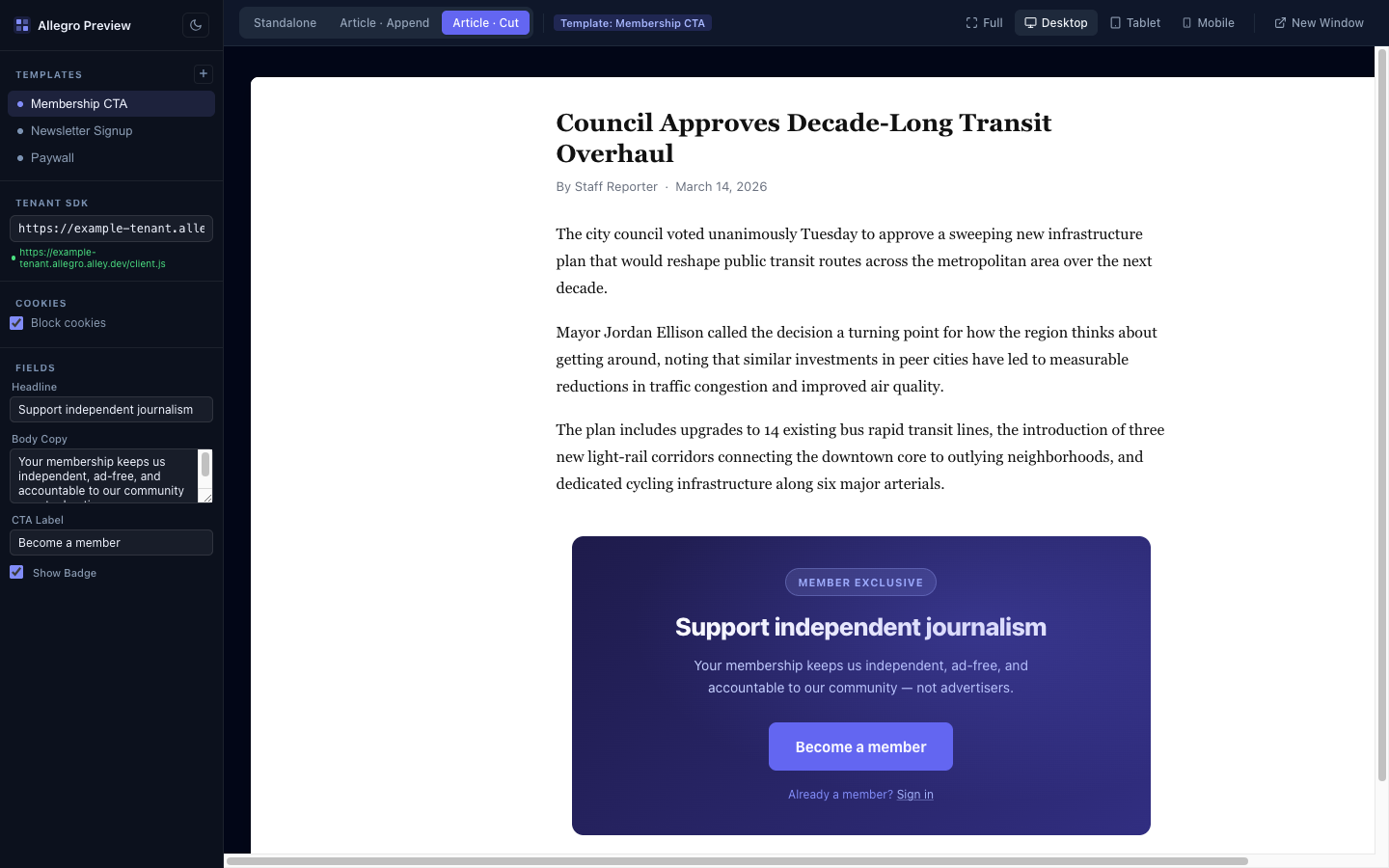
`allegro-preview` is a local dev server that renders your Allegro templates exactly as they appear in production — including field substitution, shadow DOM isolation, and [preview scenarios](/developer/guides/scenarios.md). Changes to your template files reload the preview instantly.
#### Usage[](#usage "Direct link to Usage")
Run from inside any template folder:
```sh
npx @allegrocdp/preview@dev
```
Or point it at a folder explicitly:
```sh
npx @allegrocdp/preview@dev ./path/to/my-template
```
The server starts, prints its URL, and opens your browser automatically.
##### Options[](#options "Direct link to Options")
| Option | Default | Description |
| --------------------- | --------------------- | ---------------------------------------- |
| `path` | Current directory | Path to the template folder |
| `-p, --port ` | Random available port | Port to listen on |
| `--tenant ` | *(none)* | Tenant base URL for Allegro API requests |
**Example with options:**
```sh
npx @allegrocdp/preview@dev ./my-template --port 3000 --tenant https://allegro.example.com
```
#### Template Folder Structure[](#template-folder-structure "Direct link to Template Folder Structure")
The preview server expects a folder with the following files:
```text
my-template/
├── index.html # Template markup
├── index.css # Template styles
├── index.js # Template JavaScript (optional)
└── template.json # Field definitions and metadata (optional)
```
`index.html` supports `{% field_slug %}` placeholders — see [Field Placeholders](/developer/guides/templates.md#field-placeholders) for full details on the substitution syntax.
#### Defining Fields[](#defining-fields "Direct link to Defining Fields")
Add a `template.json` file alongside `index.html` to define the template's name and editable fields. Each field becomes an input in the preview sidebar, and changing a value re-renders the preview immediately without a full page reload.
See [template.json](/developer/guides/template-json.md) for the full manifest schema and field types.
#### Scenarios[](#scenarios "Direct link to Scenarios")
The toolbar lets you preview your template across different **scenarios** — built-in article placements and your own custom host pages. See [Preview Scenarios](/developer/guides/scenarios.md) for the built-in scenarios and how to define custom ones.
#### Device Breakpoints[](#device-breakpoints "Direct link to Device Breakpoints")
The toolbar also includes a device selector for testing responsive layouts:
| Device | Viewport width |
| ------- | ------------------------ |
| Full | Fills available width |
| Desktop | 1280px |
| Tablet | 768px |
| Mobile | 390px (max-height 812px) |
#### Live Reload[](#live-reload "Direct link to Live Reload")
The server watches `index.html`, `index.css`, `index.js`, and `template.json` for changes. Any edit triggers an automatic refresh of the preview — no manual reload needed.
#### Multiple Templates[](#multiple-templates "Direct link to Multiple Templates")
If your project contains multiple template subfolders (each with their own `index.html`), the preview server detects them all and shows a template selector in the sidebar. The URL hash updates to reflect the active template, so you can bookmark or share a direct link.
For example, a project with this structure:
```text
my-project/
├── header-banner/
│ ├── index.html
│ └── index.css
└── inline-cta/
├── index.html
├── index.css
└── template.json
```
Run from the project root and switch between templates in the UI:
```sh
npx @allegrocdp/preview@dev ./my-project
```
#### Tenant URL[](#tenant-url "Direct link to Tenant URL")
Pass `--tenant` when you need the preview to load Allegro web components that make API requests (for example, ``). The value is injected into the SDK loader, which normally reads it from the script tag served by Allegro itself.
```sh
npx @allegrocdp/preview@dev --tenant https://allegro.example.com
```
Without a tenant URL, static templates render fine, but components that call the Allegro API will fail silently.
note
Your tenant URL preference is saved to `localStorage` so you don't need to pass it every time you restart the server on the same machine.
---
### MCP Server
Every Allegro tenant exposes a [Model Context Protocol](https://modelcontextprotocol.io) (MCP) server at `https:///mcp`. This lets AI clients — Claude Desktop, Cursor, custom agents, or any MCP-compatible tool — interact with your audience data, templates, and products through a structured, authenticated interface.
#### Authentication[](#authentication "Direct link to Authentication")
The MCP server authenticates requests with a Sanctum Personal Access Token (PAT) the same way as the [REST API](/developer/api/authentication.md).
Include the token as a Bearer header on every request:
```http
Authorization: Bearer
```
A token from one tenant cannot be used against a different tenant's MCP endpoint — the server enforces tenant membership on every request.
#### Connecting a Client[](#connecting-a-client "Direct link to Connecting a Client")
##### Claude Desktop / Cursor / MCP Inspector[](#claude-desktop--cursor--mcp-inspector "Direct link to Claude Desktop / Cursor / MCP Inspector")
Add the following entry to your client's MCP server configuration, replacing `` and `` with your actual values:
```json
{
"mcpServers": {
"allegro": {
"url": "https:///mcp",
"headers": {
"Authorization": "Bearer "
}
}
}
}
```
##### CLI (Laravel Artisan)[](#cli-laravel-artisan "Direct link to CLI (Laravel Artisan)")
For local development or scripting, you can start a stdio-based MCP session directly:
```bash
php artisan allegro:mcp:start --tenant=
```
Pass `--user=` to authorize write operations as a specific admin user. In production, either `--user` or the `ALLEGRO_MCP_ACTOR` environment variable (also accepts an email address or UUID) must be provided — the command refuses to start without one to prevent privilege escalation via shell access.
#### Available Tools[](#available-tools "Direct link to Available Tools")
##### Read-only[](#read-only "Direct link to Read-only")
| Tool | Description |
| ------------------------- | --------------------------------------------------------------------------------------------------------------------------------------------------------------------- |
| `search-audience-members` | Cursor-paginated search by name or email |
| `get-audience-member` | Fetch a member by ID or email; optionally include `entitlements`, `purchases`, `events`, `meta`, `external_profiles`, `foreign_keys`, `sync_status`, or `sessions` |
| `list-products` | List all products |
| `list-plans` | List all plans |
| `list-offers` | List all offers |
| `list-templates` | Cursor-paginated list of template summaries |
| `get-template` | Fetch a template; optionally include HTML, CSS, JS, fields, or revision history |
| `get-embed-snippet` | Fetch the current embed snippet content and `updated_at`; pass `include: ["revisions"]` to include revision history |
| `get-settings` | Fetch tenant configuration grouped into sections; pass `sections` to choose groups (omit for all lightweight sections — `preview_css` and `embed_snippet` are opt-in) |
##### Write (admin role required)[](#write-admin-role-required "Direct link to Write (admin role required)")
| Tool | Description |
| ------------------------ | -------------------------------------------------------------------------------------------------- |
| `update-audience-member` | Update member profile fields |
| `grant-entitlement` | Grant a product entitlement to a member |
| `revoke-entitlement` | Revoke an active entitlement from a member |
| `create-product` | Create a new product |
| `update-product` | Update an existing product |
| `create-template` | Create a new template |
| `update-template` | Update an existing template |
| `update-embed-snippet` | Update the embed snippet content; accepts an optional `note` field (defaults to `"Saved via MCP"`) |
note
GitHub-synced templates are read-only and cannot be modified through the MCP server.
##### `get-audience-member` includes[](#get-audience-member-includes "Direct link to get-audience-member-includes")
`get-audience-member` always returns the member's core profile, including `last_seen_at` (the ISO 8601 timestamp of their most recent event, or `null` when they have no events). Pass any of the following in `include` to expand the response:
| Include | Adds |
| ------------------- | -------------------------------------------------------------------------------------------------------- |
| `entitlements` | The member's entitlements. |
| `purchases` | The member's purchases. |
| `events` | The member's recent events. |
| `meta` | The member's stored metadata. |
| `external_profiles` | Linked external profiles, each with `provider` and the raw `data` synced from that provider. |
| `foreign_keys` | The member's external identifiers as `key`/`value` pairs. |
| `sync_status` | Per-provider sync state: `last_synced_at`, `next_run_at`, `cadence`, `max_age_on_login`, and `is_fresh`. |
| `sessions` | The member's sessions, each with `is_authenticated`, `authenticated_at`, and `created_at`. |
##### `get-settings` sections[](#get-settings-sections "Direct link to get-settings-sections")
`get-settings` returns tenant configuration grouped into sections so you only fetch what you need. Pass `sections` to choose which groups to return. When omitted, all lightweight sections are returned. The two heavy sections — `preview_css` and `embed_snippet` — are never returned by default and must be requested explicitly.
| Section | Returns | In default response |
| --------------- | ------------------------------------------------------------------- | ------------------- |
| `general` | Tenant `name` and `timezone` | Yes |
| `web` | `cors_allowed_origins` and `cookie_domain` | Yes |
| `email` | Email `provider` name and `mail_from_address` / `mail_from_name` | Yes |
| `auth` | Configured (enabled) `login_providers`, in display order | Yes |
| `payments` | The `active` payment provider and the list of `available` providers | Yes |
| `packages` | The `available` packages and the names of those `enabled` | Yes |
| `github_sync` | Whether templates sync with GitHub (`enabled`) and the `repository` | Yes |
| `preview_css` | The tenant preview CSS `content` | No (opt in) |
| `embed_snippet` | The current embed snippet `content` and `updated_at` | No (opt in) |
The sections above are the core set. Installed packages may contribute additional sections, so the tool's input schema (its `sections` enum) is the authoritative list of what's available on a given tenant.
note
Secrets are never returned. The `email` section excludes the SES key, secret, and region; the `auth` section returns only provider names, never their stored credentials. Use `get-embed-snippet` when you need embed snippet revision history.
#### Built-in Prompts[](#built-in-prompts "Direct link to Built-in Prompts")
The server ships three prompts that instruct the AI on how to complete common workflows:
| Prompt | Input | What it does |
| ------------------ | -------------------- | -------------------------------------------------------------- |
| `summarize-member` | Email address | Fetches the full member profile and writes a summary |
| `grant-access` | Email + product name | Walks through lookup → check → grant with duplicate protection |
| `review-templates` | *(none)* | Lists all templates, groups by status, and flags issues |
#### Permissions[](#permissions "Direct link to Permissions")
Write tools require the authenticated user to have the **admin** role on the tenant. Read-only tools are available to all authenticated tenant members. A non-admin token attempting a write operation receives a `403 Forbidden` response.
#### Related[](#related "Direct link to Related")
* [API Authentication](/developer/api/authentication.md) — Generating the PAT used to authenticate MCP requests
---
### OAuth 2.0
Allegro lets your service sign a member in through Allegro and receive that member's session token — the same RS256 JWT the browser SDK uses to act as the member. This is the flow to reach for when you run your own application (a mobile app, a companion site, a partner portal) and want "Sign in with Allegro" without building your own login for the tenant's audience.
Allegro implements the standard **OAuth 2.0 Authorization Code flow**, with PKCE supported and strongly recommended. PKCE is optional by default; a tenant can require it for your client (see [PKCE](#pkce)). The member authenticates on an Allegro-hosted page using whichever methods the tenant has enabled (magic link, one-time code, or social login), and your backend exchanges a short-lived code for the member's JWT.
The token never travels through the browser
Only a short-lived, single-use authorization code passes through the redirect URL, and that code is useless without your client secret (and your PKCE verifier when PKCE is in use). The JWT itself is only ever returned to your backend over a direct server-to-server request.
#### Before you begin[](#before-you-begin "Direct link to Before you begin")
A tenant administrator registers an OAuth client for you from the tenant's admin settings and gives you three things:
| Value | Description |
| --------------- | --------------------------------------------------------------------------------------------------------- |
| `client_id` | Public identifier for your integration. Safe to include in browser redirects. |
| `client_secret` | Secret shown **once** at creation. Store it securely on your backend; it is never exposed in the browser. |
| Redirect URI(s) | The exact URLs Allegro is allowed to send the member back to. |
Redirect URIs are matched **exactly** — no wildcards, no trailing-slash flexibility, no query-string variance. Each URI you use must be registered with the client ahead of time and must be HTTPS (except `http://localhost` and `http://127.0.0.1` during local development).
A tenant administrator can edit a client after creation — updating its redirect URIs, renaming it, enabling or disabling it, and toggling whether PKCE is required — from the tenant's OAuth client settings. The client secret is not editable; it can only be regenerated (which invalidates the previous secret).
Everything below happens against the tenant's domain, for example `https://`. You can confirm the endpoints programmatically from the [discovery document](#discovery).
#### The flow[](#the-flow "Direct link to The flow")
```text
Your app / backend Member's browser Allegro (tenant domain)
│ │ │
│ 1. redirect to authorize │ │
│─────────────────────────────>│ GET /oauth/authorize │
│ │──────────────────────────────>│ validate client_id
│ │ 2. member signs in │ + redirect_uri
│ │<───────── login page ──────────│
│ │ │
│ │ 3. redirect back with code │
│ redirect_uri?code=&state= │<──────────────────────────────│
│<─────────────────────────────│ │
│ │ │
│ 4. POST /oauth/token (server-to-server, no browser) │
│───────────────────────────────────────────────────────────────>│ verify secret,
│ │ code + PKCE
│ 5. { access_token: , token_type, expires_in } │
│<───────────────────────────────────────────────────────────────│
```
#### Step 1 — Redirect the member to the authorize endpoint[](#step-1--redirect-the-member-to-the-authorize-endpoint "Direct link to Step 1 — Redirect the member to the authorize endpoint")
```text
GET https:///oauth/authorize
```
Generate a random `state` value and store it so you can verify it when the member returns. If you are using PKCE — recommended, and required when the tenant has enabled it for your client — generate the code verifier and challenge first; see [PKCE](#pkce).
Send the member's browser to the authorize endpoint with the following query parameters:
| Parameter | Required | Description |
| ----------------------- | ---------- | ----------------------------------------------------------------------------------------- |
| `client_id` | Yes | Your client identifier. |
| `redirect_uri` | Yes | One of your registered redirect URIs. Matched exactly. |
| `response_type` | Yes | Must be `code`. |
| `code_challenge` | If enabled | The PKCE challenge (see [PKCE](#pkce)). Required unless PKCE is disabled for your client. |
| `code_challenge_method` | If enabled | Must be `S256` when `code_challenge` is present. |
| `state` | No | An opaque value round-tripped back to you unchanged. Use it for CSRF protection. |
| `scope` | No | Reserved for future use. |
```js
const params = new URLSearchParams({
client_id: CLIENT_ID,
redirect_uri: 'https://your-app.example.com/callback',
response_type: 'code',
// Include code_challenge / code_challenge_method only when using PKCE.
code_challenge: codeChallenge,
code_challenge_method: 'S256',
state,
});
const authorizeUrl = `https:///oauth/authorize?${params}`;
// Redirect the member's browser to authorizeUrl.
```
Allegro renders a sign-in page hosting the tenant's configured login methods. If the member already has a valid session on the tenant domain, they see a "Continue as {email}" prompt instead. Either way the member takes one explicit action, after which Allegro redirects the browser back to your `redirect_uri`.
Invalid requests never redirect
If the `client_id` is unknown or disabled, or the `redirect_uri` is not on the client's allowlist, Allegro renders an error page and **does not redirect**. This is deliberate — it prevents an attacker from using a malformed request to bounce a code to an unapproved destination. Double-check that the exact redirect URI you send is registered.
#### Step 2 — Handle the redirect back[](#step-2--handle-the-redirect-back "Direct link to Step 2 — Handle the redirect back")
Once the member authenticates, Allegro redirects the browser to:
```text
https://your-app.example.com/callback?code=&state=
```
Verify that `state` matches the value you generated in step 1, then take the `code`. The code is single-use and expires about **60 seconds** after it is issued, so exchange it immediately.
#### Step 3 — Exchange the code for a token[](#step-3--exchange-the-code-for-a-token "Direct link to Step 3 — Exchange the code for a token")
From your **backend** (never the browser — this request carries your client secret), POST to the token endpoint:
```text
POST https:///oauth/token
Content-Type: application/x-www-form-urlencoded
```
| Parameter | Required | Description |
| --------------- | ---------- | ----------------------------------------------------------------------------------------------- |
| `grant_type` | Yes | Must be `authorization_code`. |
| `code` | Yes | The authorization code from step 2. |
| `redirect_uri` | Yes | The same redirect URI used in step 1. Matched exactly. |
| `client_id` | Yes | Your client identifier. |
| `client_secret` | Yes | Your client secret. |
| `code_verifier` | If enabled | The PKCE verifier (see [PKCE](#pkce)). Required whenever you sent a `code_challenge` in step 1. |
```bash
curl https:///oauth/token \
-d grant_type=authorization_code \
-d code="" \
-d redirect_uri="https://your-app.example.com/callback" \
-d client_id="" \
-d client_secret="" \
-d code_verifier=""
```
On success you receive the member's JWT:
```json
{
"access_token": "",
"token_type": "Bearer",
"expires_in": 31536000
}
```
| Field | Description |
| -------------- | --------------------------------------------------- |
| `access_token` | The member's RS256 JWT. Use it as a `Bearer` token. |
| `token_type` | Always `Bearer`. |
| `expires_in` | Token lifetime in seconds. |
The token represents a **fresh, independent session** minted for your integration. It appears among the member's sessions and can be revoked without affecting the member's own browser session. The token also carries an `azp` (authorized party) claim set to your `client_id`, so a partner-issued token is distinguishable from a browser SDK session token.
#### Step 4 — Use the token[](#step-4--use-the-token "Direct link to Step 4 — Use the token")
The `access_token` is a standard Allegro member JWT. Send it as a bearer token to the [Browser SDK API](/session-api), or verify it yourself against the tenant's public keys. See the [JWT Verification guide](/developer/guides/jwt.md) for the token structure, the JWKS endpoint, and verification examples.
#### Discovery[](#discovery "Direct link to Discovery")
Allegro advertises the OAuth and OIDC endpoints in its discovery document, so OAuth-aware libraries can configure themselves automatically:
```text
GET https:///.well-known/openid-configuration
```
The relevant fields are:
```json
{
"issuer": "https://",
"authorization_endpoint": "https:///oauth/authorize",
"token_endpoint": "https:///oauth/token",
"jwks_uri": "https:///.well-known/jwks.json",
"response_types_supported": ["token", "code"],
"grant_types_supported": ["authorization_code"],
"code_challenge_methods_supported": ["S256"]
}
```
#### Errors[](#errors "Direct link to Errors")
The token endpoint returns a `400` response with an OAuth-style error code:
| Error | Cause |
| ---------------- | --------------------------------------------------------------------------------------------------------------------------------------------------------- |
| `invalid_client` | The `client_id` is unknown or disabled, or the `client_secret` is wrong. |
| `invalid_grant` | The code is unknown, expired, or already used; the `redirect_uri` does not match the one bound to the code; or the `code_verifier` fails PKCE validation. |
```json
{ "error": "invalid_grant" }
```
Because codes are single-use and short-lived, a retried or double-submitted exchange returns `invalid_grant`. Start a new authorization request if that happens.
#### PKCE[](#pkce "Direct link to PKCE")
PKCE (`S256`) is **strongly recommended**. It is optional by default; a tenant administrator can require it for an individual client from the client's settings. Leaving it optional accommodates a server-side integration that authenticates with its client secret and cannot generate a verifier. Regardless of the requirement, if you send a `code_challenge` it is always enforced at the token endpoint (you cannot start a PKCE-protected flow and then drop the verifier), so we recommend using PKCE whenever your integration can.
When you use PKCE, generate a random **code verifier** and derive its **code challenge** before you redirect the member in [step 1](#step-1--redirect-the-member-to-the-authorize-endpoint).
* The verifier is a random string between 43 and 128 characters.
* The challenge is the base64url-encoded SHA-256 hash of the verifier, with padding removed. The `S256` method is required.
```js
import crypto from 'node:crypto';
const base64url = (buffer) =>
buffer
.toString('base64')
.replace(/\+/g, '-')
.replace(/\//g, '_')
.replace(/=+$/, '');
const codeVerifier = base64url(crypto.randomBytes(32));
const codeChallenge = base64url(
crypto.createHash('sha256').update(codeVerifier).digest(),
);
```
Send `code_challenge` (with `code_challenge_method=S256`) on the authorize request in [step 1](#step-1--redirect-the-member-to-the-authorize-endpoint), and keep the `code_verifier` on your backend (or in secure session storage) to send on the token exchange in [step 3](#step-3--exchange-the-code-for-a-token).
#### Security notes[](#security-notes "Direct link to Security notes")
* **PKCE (`S256`) is strongly recommended.** It is optional by default; a tenant can require it for your client. Whenever a `code_challenge` is sent, a matching `code_verifier` is required at the token endpoint.
* Authorization codes are single-use, expire in about 60 seconds, and are bound to the client, the exact `redirect_uri`, and the PKCE challenge.
* Redirect URIs use **exact-match** allowlisting — register every URI you intend to use.
* Always send and verify `state` to protect against CSRF.
* Keep the `client_secret` and `code_verifier` on your backend. The only value that legitimately passes through the browser is the authorization code.
---
### Page Metadata
The SDK automatically collects page metadata from the DOM on every `track()` call. By default it reads from `application/ld+json` structured data embedded in the page.
#### Default Field Mappings[](#default-field-mappings "Direct link to Default Field Mappings")
| SDK Field | JSON-LD Key | Notes |
| -------------- | --------------------- | ------------------------------------------- |
| `page_title` | `headline` or `name` | Falls back to `document.title` if not found |
| `content_type` | `@type` | |
| `content_id` | `identifier` or `@id` | Tries `identifier` first |
| `publisher` | `publisher.name` | Nested object path |
| `object_type` | `@type` | |
| `object_id` | `identifier` or `@id` | Tries `identifier` first |
| `context` | `articleSection` | |
`url` and `referer` are always collected automatically from `window.location.href` and `document.referrer`.
#### JSON-LD Examples[](#json-ld-examples "Direct link to JSON-LD Examples")
##### NewsArticle[](#newsarticle "Direct link to NewsArticle")
For article pages, include a `NewsArticle` block with all relevant fields:
```html
```
##### WebPage[](#webpage "Direct link to WebPage")
For non-article pages, use a `WebPage` block:
```html
```
Note that for `WebPage`, the `context` field will be `null` since there is no `articleSection`.
##### @graph format[](#graph-format "Direct link to @graph format")
Some SEO plugins (such as Yoast SEO) emit a single JSON-LD block using the `@graph` format rather than one block per type:
```html
```
The SDK handles this automatically — it searches within `@graph` and applies the same type priority to pick the best item.
**Type priority:** If multiple JSON-LD blocks (or items within `@graph`) exist on the page, the SDK picks the one with the highest priority: `NewsArticle` > `Article` > `WebPage` > any other type.
#### Overriding Defaults[](#overriding-defaults "Direct link to Overriding Defaults")
Any field mapping can be overridden via the `pageData` property of `window.__allegro`, set before `client.js` loads. This is useful for publishers that use a GTM data layer or other data sources instead of JSON-LD.
##### Data layer source[](#data-layer-source "Direct link to Data layer source")
The `dataLayer` source reads a JSON object from a `` tag. The property names inside that object are entirely up to the publisher's own data layer conventions, so each `key` you map depends on your setup.
The example below shows **one way** a publisher might wire this up — a site whose data layer uses `gtm*` field names:
```html
```
Your own data layer will expose whatever field names your CMS or tag manager emits — map each Allegro field to the matching `key`.
##### Meta tag source[](#meta-tag-source "Direct link to Meta tag source")
Individual fields can also be pulled from `` tags:
```html
```
#### All Source Types[](#all-source-types "Direct link to All Source Types")
| Source | How it reads | `key` format |
| ----------- | ------------------------------------------- | ------------------------------------------------------------------------------ |
| `jsonLd` | `
```
#### Handling the Return[](#handling-the-return "Direct link to Handling the Return")
After checkout, Stripe redirects the member back to your site. The SDK detects the result automatically on page load.
**Success** — Stripe appends `allegro_purchase_token` to the return URL. The SDK exchanges it for a JWT and entitlement, then:
* Signs the member in (or upgrades their session if already signed in).
* Dispatches `allegro:purchase:completed` on `window`.
* Removes `allegro_purchase_token` from the URL.
**Failure or cancellation** — Stripe appends `allegro_purchase_error=payment_failed`. The SDK:
* Dispatches `allegro:purchase:failed` on `window`.
* Removes the error param from the URL.
##### Listening for Completion[](#listening-for-completion "Direct link to Listening for Completion")
```js
window.addEventListener('allegro:purchase:completed', function (event) {
// event.detail.entitlement contains the newly granted entitlement
const entitlement = event.detail.entitlement;
console.log('Access granted to:', entitlement.resource.name);
// e.g. show a confirmation banner, unlock content, etc.
});
window.addEventListener('allegro:purchase:failed', function (event) {
// event.detail.reason is 'payment_failed' or similar
console.log('Purchase failed:', event.detail.reason);
});
```
##### The `allegro:purchase:completed` Event[](#the-allegropurchasecompleted-event "Direct link to the-allegropurchasecompleted-event")
The `detail` object on `allegro:purchase:completed` contains:
| Property | Type | Description |
| ------------- | -------- | ------------------------------------------ |
| `method` | `string` | Always `'purchase'`. |
| `entitlement` | `object` | The newly created entitlement (see below). |
The `entitlement` object:
| Property | Type | Description |
| --------------- | ---------------- | --------------------------------------------- |
| `id` | `string` | Entitlement ID. |
| `resource.id` | `string` | Product ID. |
| `resource.slug` | `string` | Product slug. |
| `resource.name` | `string` | Human-readable product name. |
| `started_at` | `string \| null` | ISO 8601 start date, or `null` if indefinite. |
| `ended_at` | `string \| null` | ISO 8601 end date, or `null` if indefinite. |
| `is_active` | `boolean` | Whether the entitlement is currently active. |
##### Checking Validation State[](#checking-validation-state "Direct link to Checking Validation State")
`allegro.purchase.validation` reflects the outcome of token exchange for the current page load:
| Value | Meaning |
| ------------- | ----------------------------------------------- |
| `'completed'` | Purchase was verified and entitlements granted. |
| `'failed'` | Payment failed or was cancelled. |
| `null` | No purchase token present on this page load. |
warning
Do not read `validation` at `allegro:ready` time
Token exchange is asynchronous. `allegro.purchase.validation` may still be `null` when `allegro:ready` fires. Listen for `allegro:purchase:completed` or `allegro:purchase:failed` instead.
#### Complete Example[](#complete-example "Direct link to Complete Example")
```html
Subscribe for full access.
Thanks for subscribing! You now have access.
```
#### What Happens Server-Side[](#what-happens-server-side "Direct link to What Happens Server-Side")
When a purchase is fulfilled:
1. Allegro creates a `Purchase` record linked to the member, plan, and Stripe session.
2. For each product on the plan, Allegro creates an `Entitlement` for the member with the plan's configured duration.
3. A `purchase` event is recorded in the member's event history.
If the webhook fires before the member returns to your site (e.g., the browser was closed), fulfillment is still completed via the webhook. The token exchange on the return page detects the already-fulfilled purchase without creating duplicates.
#### Pending Purchases[](#pending-purchases "Direct link to Pending Purchases")
Checkout sessions that are initiated but never completed (e.g., the member abandons the Stripe checkout page) are recorded as `pending` purchases. Pending purchases are automatically pruned after 24 hours — matching Stripe's checkout session expiry — via the `allegro:prune` scheduler command. Pending purchases do not appear in the admin purchases list.
#### Related[](#related "Direct link to Related")
* [Stripe Webhook Setup](/developer/platform/integrations/stripe-webhooks.md) — Platform-level webhook configuration for reliable fulfillment
* [Payment Provider (Product)](/product/entitlements/payment-provider.md) — Connecting a payment provider as an operator
* [Entitlements (Product)](/product/entitlements.md) — What members receive after purchase
* [Offers and Plans (Product)](/product/entitlements/offers.md) — Configuring plans and offers
---
### Properties
A single Allegro organization can run multiple **properties** — distinct brands that share the organization's members, entitlements, and templates but present their own web address, CORS rules, cookie domain, and email identity. When an organization uses properties, each property is reachable at its own host, and the Allegro SDK targets a property **by the host it is loaded from** — no extra configuration in your embed code.
For configuring properties in the dashboard, see the [Properties product guide](/product/administration/properties.md). This page covers what changes for a developer embedding the SDK on a property.
#### Property Hosts[](#property-hosts "Direct link to Property Hosts")
Each property has a dedicated subdomain that combines the organization slug and the property slug with a double-hyphen separator:
```text
https://{organization}--{property}.allegrocdp.com
```
For example, an organization `acme` with a property `magazine` is served at:
```text
https://acme--magazine.allegrocdp.com
```
The double hyphen (`--`) is the reserved separator between the organization and the property. This is why property and organization slugs cannot contain consecutive hyphens. A plain organization host with no `--` (for example `acme.allegrocdp.com`) refers to the organization itself, not to any property.
#### Targeting a Property from the SDK[](#targeting-a-property-from-the-sdk "Direct link to Targeting a Property from the SDK")
The SDK determines which property it operates as **entirely from the host that serves `client.js`**. There is no `data-property` attribute — you select a property by loading the SDK from that property's host:
```html
```
The SDK's API base URL defaults to the origin of `client.js`, so every request it makes — authentication, event tracking, interactions, checkout — is automatically scoped to the property. Loading `client.js` from the plain organization host instead targets the organization with no property context.
No SDK code changes
Switching a page from the organization host to a property host — or between two properties — requires changing only the `src` of the script tag. The SDK, web components, and API calls behave identically; only the property context differs.
#### Custom Domains for a Property[](#custom-domains-for-a-property "Direct link to Custom Domains for a Property")
A property can be served from a domain you control instead of the default `{organization}--{property}` subdomain. Set the property's **Custom Domain** in the dashboard and point its DNS at your Allegro instance. Once configured, load the SDK from the custom domain:
```html
```
A property custom domain works like a tenant [Custom Domain](/developer/platform/setup/custom-domain.md): audience-facing SDK and API paths are served on it, and all other paths redirect to the organization dashboard. A custom domain must be unique across the entire Allegro instance — it cannot collide with another organization's or another property's domain.
#### What the Property Changes[](#what-the-property-changes "Direct link to What the Property Changes")
Once a request resolves to a property, Allegro layers the property's configuration on top of the organization's. From an integration standpoint, three things differ:
##### CORS[](#cors "Direct link to CORS")
The property's allowed origins are **merged on top of** the organization's — the property extends the origin list, it never replaces it. The property's own web address (subdomain and custom domain) is always allowed. Configure additional origins, including `https://*.acme.com` wildcard patterns, in the property's **Browser Settings**.
The same allowed-origin list governs return URLs. The `returnUrl` passed to [magic link](/developer/guides/authentication/magic-links.md) requests and the return URL passed to [checkout](/developer/guides/payment/purchases.md) must resolve to an allowed origin, otherwise the request is rejected.
##### Cookie Domain[](#cookie-domain "Direct link to Cookie Domain")
The SDK's client configuration reports the property's cookie domain when one is set, falling back to the organization's cookie domain when the property leaves it blank. This controls the domain the member session cookie is scoped to.
##### Email Templates[](#email-templates "Direct link to Email Templates")
Transactional emails triggered on a property host render that property's template if one exists, falling back to the organization's template, then to Allegro's built-in default. This resolution is preserved even for emails sent from a queue — the property context is captured when the email is created.
#### API Behavior[](#api-behavior "Direct link to API Behavior")
The API on a property host behaves identically to any organization host. Requests under `/api/*` always return JSON, including a structured error envelope:
| Code | HTTP status | Meaning |
| ------------------- | ----------- | ---------------------------------------------------- |
| `NO_CURRENT_TENANT` | 404 | The host did not resolve to an organization. |
| `VALIDATION_ERROR` | 422 | The request failed validation. |
| `UNAUTHENTICATED` | 401 | Authentication is required or the token is invalid. |
| `FORBIDDEN` | 403 | The authenticated member may not perform the action. |
| `NOT_FOUND` | 404 | The resource does not exist. |
The property only augments the request's CORS, cookie, and email/template context — it does not change the API surface, authentication, or response shapes.
#### Related[](#related "Direct link to Related")
* [Properties (Product)](/product/administration/properties.md) — creating and configuring properties in the dashboard
* [Custom Domain](/developer/platform/setup/custom-domain.md) — serving the SDK from your own domain
* [Script Tag](/developer/guides/script-tag.md) — embedding the SDK on your site
---
### Preview Scenarios
A **scenario** is a real-world surface your template appears in. In [Local Template Preview](/developer/guides/local-preview.md), the toolbar lets you switch between scenarios, each pairing a host page with a placement config (the parameters passed to the production SDK's `renderActions()`).
`allegro-preview` ships three built-in scenarios:
| Tab | Description |
| -------------------- | ------------------------------------------------------------------------------------------- |
| **Standalone** | Template rendered on its own in an isolated iframe |
| **Article · Append** | Template injected after the full content of a mock article |
| **Article · Cut** | Template injected after paragraph 3 of a mock article using the `truncate` placement method |
#### Custom Scenarios[](#custom-scenarios "Direct link to Custom Scenarios")
Define your own scenarios to preview templates inside the real surfaces of your site — a paywalled article, a homepage rail, a newsletter shell. Create an `.allegro-preview/` folder at the root of your templates directory, with one subfolder per scenario:
```text
.allegro-preview/
├── paywalled-article/
│ ├── scenario.json # required: name + placement config
│ ├── host.html # optional: your mock host page markup
│ └── host.css # optional: host page styles
└── homepage-rail/
├── scenario.json
└── host.html
```
Each `scenario.json` mirrors the production SDK's placement parameters:
```json
{
"name": "Paywalled Article",
"target_selector": "#article-body",
"placement_method": "truncate",
"truncation_unit": "paragraphs",
"truncation_count": 4,
"truncation_style": "cut"
}
```
| Key | Required | Notes |
| ------------------ | --------------------------- | ---------------------------------------------- |
| `name` | Yes | Label shown on the scenario tab. |
| `target_selector` | When `host.html` is present | CSS selector in your host page to inject into. |
| `placement_method` | When injecting | `truncate` or `append`. |
| `truncation_unit` | When `truncate` | e.g. `paragraphs`. |
| `truncation_count` | When `truncate` | Whole number. |
| `truncation_style` | When `truncate` | e.g. `cut`. |
How the host page is chosen:
* **With `host.html`** — your markup is the page, and the template is injected into `target_selector` using `placement_method`. `host.css` is included automatically.
* **Without `host.html`** — the template renders standalone, and `target_selector` is ignored.
Custom scenarios appear as additional tabs alongside the built-in ones and live-reload when you edit them.
#### Example: a custom host page[](#example-a-custom-host-page "Direct link to Example: a custom host page")
A scenario is a folder of up to three files. The `host.html` file is the full page your template is injected into — it is plain HTML, styled with `host.css`, with behavior added through an inline `
```
`.allegro-preview/paywalled-article/host.css`:
```css
.post {
max-width: 680px;
margin: 0 auto;
padding: 32px 24px;
font-family: Georgia, serif;
line-height: 1.7;
}
.post .byline {
color: #6b7280;
font-family: system-ui, sans-serif;
font-size: 0.85rem;
}
```
With this `scenario.json`, the template is injected into `#article-body` using the `truncate` method after the fourth paragraph — reproducing how it appears mid-article on your site, including any host-page scripts and styles.
note
The `.allegro-preview/` folder is ignored by the GitHub template sync — it never becomes a template and never produces a sync warning. Keep your scenarios in your repo without affecting what syncs to Allegro.
---
### Script Tag
Add the following tag to your page to load the Allegro SDK:
```html
```
Replace `your-allegro-instance.com` with your Allegro domain.
#### How It Works[](#how-it-works "Direct link to How It Works")
`client.js` is a tiny loader script served by Allegro. When it runs, it creates a new `
```
| Property | Type | Description |
| -------- | --------- | -------------------------------------------------------------------------------- |
| `debug` | `boolean` | Enable debug mode. See [Debug Mode](#debug-mode). |
| `apiUrl` | `string` | Override the API base URL. Defaults to the origin of `client.js`. Rarely needed. |
note
Security-sensitive values (`csrfToken`, `tenant`) are always injected by the server and cannot be overridden from the page.
#### Attributes[](#attributes "Direct link to Attributes")
| Attribute | Injected automatically | Description |
| -------------------- | ---------------------- | ----------------------------------------------------------------------------------------------------- |
| `data-tenant-config` | Yes | JSON object with tenant settings (enabled login providers, cookie domain, etc.). |
| `data-debug` | No | Enable debug mode. Presence of the attribute (or `="true"`) is enough. See [Debug Mode](#debug-mode). |
| `data-api-url` | No | Override the API base URL. Defaults to the origin of `client.js`. Rarely needed. |
#### Debug Mode[](#debug-mode "Direct link to Debug Mode")
Debug mode writes verbose SDK logs to the browser console. Enable it in any of four ways:
**`window.__allegro` (set before the script tag):**
```html
```
**Attribute on the script tag:**
```html
```
**URL parameter** (persisted to `localStorage` for the session):
```text
https://example.com/article?allegro_debug=1
```
Pass `allegro_debug=0` to clear it.
**Browser console** (takes effect immediately, persists across page loads):
```js
window.allegro.debug();
```
#### `allegro:ready` Event[](#allegroready-event "Direct link to allegroready-event")
The SDK dispatches `allegro:ready` on `window` once initialization is complete. Use this if you need to interact with the SDK after it has loaded but cannot guarantee the callback queue has been set up:
```js
window.addEventListener('allegro:ready', function () {
window.allegro.push(function (allegro) {
// SDK is ready
});
});
```
For most use cases the [event queue pattern](/developer/platform/event-streaming/event-queue.md) is simpler — callbacks pushed to `window.allegro` before the SDK loads are replayed automatically.
#### Embed Snippet[](#embed-snippet "Direct link to Embed Snippet")
Allegro administrators can inject custom JavaScript into every page that loads `client.js` via **Organization Settings → Embed Snippet**. The snippet is appended directly to the loader and executes in the same context as the SDK, after initialization is complete.
A typical snippet uses the [event queue pattern](/developer/platform/event-streaming/event-queue.md) to run code once the SDK is ready:
```js
window.allegro.push((allegro) => {
// Runs after Allegro initializes on every page
});
```
The snippet is served as part of `client.js` and is cached for up to 5 minutes. Changes made in the admin may not appear on your site immediately — allow up to 5 minutes for the cache to expire.
Version history
Every save creates a revision. Administrators can browse diffs and restore any previous version from the Version History panel in the Embed Snippet settings page.
#### Async Loading[](#async-loading "Direct link to Async Loading")
The loader script is injected with `async = true` by default so it does not block page rendering. To load the SDK synchronously (for example, in a server-side rendering environment where you need it available before paint), add `?async=false` to the `client.js` URL:
```html
```
---
### template.json
Every template directory may include a `template.json` manifest alongside `index.html`. It defines the template's display **name** and its editable **fields**. When a template is synced from GitHub, the `name` becomes the template's title and each field becomes an editable input.
A machine-readable [JSON Schema](https://docs.allegrocdp.com/template.schema.json) is published for editor autocompletion and validation. Reference it from your file with `$schema`:
```json
{
"$schema": "https://docs.allegrocdp.com/template.schema.json",
"name": "Newsletter Signup",
"fields": [
{
"slug": "headline",
"type": "text",
"label": "Headline",
"default_value": "Stay in the know"
}
]
}
```
#### Top-level properties[](#top-level-properties "Direct link to Top-level properties")
| Property | Type | Required | Description |
| -------- | -------- | -------- | ------------------------------------------------------------------------- |
| `name` | `string` | Yes | Display name (title) of the template. Used as the template title on sync. |
| `fields` | `array` | Yes | The editable fields exposed by the template. May be empty. |
#### Field properties[](#field-properties "Direct link to Field properties")
| Property | Type | Required | Description |
| --------------- | -------- | -------- | ---------------------------------------------------------------------------------------- |
| `slug` | `string` | Yes | Placeholder identifier. Lowercase letters, numbers, `-`, and `_` only (`^[a-z0-9_-]+$`). |
| `type` | `string` | Yes | One of `text`, `number`, `checkbox`. |
| `label` | `string` | No | Human-readable label shown in the editor. Used as the field's description on sync. |
| `default_value` | any | No | Initial value used by the local preview editor. |
| `description` | `string` | No | Help text. Used as the field's description on sync when `label` is absent. |
Field description on sync
When syncing from GitHub, a field's stored description is taken from `label` first, then `description`, then an empty string.
#### In local preview[](#in-local-preview "Direct link to In local preview")
[Local Template Preview](/developer/guides/local-preview.md) reads `template.json` and renders an editor input per field in its sidebar, seeded with `default_value`:
| Type | Input rendered |
| ---------- | -------------------------------------------------- |
| `text` | Single-line text input |
| `number` | Number input |
| `checkbox` | Toggle (value is the string `"true"` or `"false"`) |
The local preview additionally accepts `textarea` (a multi-line input) for convenience while editing. It is not part of the synced schema above, so use `text` for fields that sync from GitHub.
#### Complete example[](#complete-example "Direct link to Complete example")
```json
{
"$schema": "https://docs.allegrocdp.com/template.schema.json",
"name": "Newsletter Signup",
"fields": [
{ "slug": "headline", "type": "text", "label": "Headline", "default_value": "Stay in the know" },
{ "slug": "input_placeholder", "type": "text", "label": "Input placeholder", "default_value": "Enter your email" },
{ "slug": "button_text", "type": "text", "label": "Button text", "default_value": "Subscribe" },
{ "slug": "show_privacy_note", "type": "checkbox", "label": "Show privacy note" }
]
}
```
---
### Templates
This guide covers the technical details of how Allegro templates are rendered on the page. For an overview of creating and managing templates, see [Templates](/product/interactions/templates.md) in the product docs.
Claude skill available
If you use Claude Code, install the `allegro-templates` skill for in-editor guidance on file structure, Alpine.js patterns, field placeholders, and local preview:
```sh
npx skills add alleyinteractive/allegro@allegro-templates
```
#### Rendering Model[](#rendering-model "Direct link to Rendering Model")
When an Interaction triggers, Allegro creates a host `
` and attaches an **open shadow root** to it. All of the template's markup, styles, and external stylesheets are injected inside that shadow root before the host is placed in the DOM at the configured target position.
The shadow DOM provides full CSS isolation — styles defined in the template don't leak out to the host page, and the host page's styles don't bleed in.
The host element carries a `data-allegro-interaction` attribute set to the Interaction's slug, which you can use for external targeting if needed:
```css
/* from the host page — selects the template host element */
[data-allegro-interaction='my-interaction'] {
margin-top: 2rem;
}
```
#### Alpine.js[](#alpinejs "Direct link to Alpine.js")
[Alpine.js](https://alpinejs.dev) v3 is loaded automatically from CDN the first time a template renders — no `
```
#### Local Development[](#local-development "Direct link to Local Development")
By default, Allegro permanently redirects any request on the custom domain that does not match an allowed path to the equivalent path on the tenant's subdomain. This can interfere with local or staging setups where you need to access the admin dashboard through a custom domain.
Set `ALLEGRO_DISABLED_REDIRECT_CANONICAL=true` in your environment to disable this redirect entirely. When set, requests to non-SDK paths on the custom domain are served directly rather than being redirected to the subdomain. Allegro also automatically scopes the session cookie to the custom domain for that tenant so authentication works correctly.
warning
Do not set `ALLEGRO_DISABLED_REDIRECT_CANONICAL=true` in production. It disables a security boundary that prevents audience-facing custom-domain traffic from reaching the operator dashboard.
#### Related[](#related "Direct link to Related")
* [Custom Domain (Administration)](/developer/administration/custom-domain.md) — How a custom domain affects your SDK integration
* [Script Tag](/developer/guides/script-tag.md) — Embedding the SDK on your site
* [Stripe Webhook Setup](/developer/platform/integrations/stripe-webhooks.md) — Configuring the Stripe webhook endpoint
---
### Feature Flags
Allegro has two kinds of feature flags:
* **Tenant flags** belong to a single tenant and are evaluated per organization.
* **Platform-wide (landlord) flags** are global. They live on the landlord rather than on any tenant, and read the same value everywhere — across every tenant, the landlord dashboard, queued jobs, and console commands.
This page covers the platform-wide flags. They are managed by a super admin and are kept completely separate from a tenant's own flags.
#### Managing platform-wide flags[](#managing-platform-wide-flags "Direct link to Managing platform-wide flags")
From the landlord dashboard, open **Settings → Feature Flags**. The page lists every platform-wide flag with its description and a toggle. Switching a flag on or off applies immediately across the whole installation — there's no deploy or cache-clear step.
Only super admins can view or change platform-wide flags.
note
Platform-wide flags are stored on the landlord connection, in a `features` table separate from each tenant's flags. Turning a platform flag on or off has no effect on any tenant-level flag of the same name, and vice versa.
#### Defining a platform-wide flag[](#defining-a-platform-wide-flag "Direct link to Defining a platform-wide flag")
Platform-wide flags are defined in code and then toggled from the settings page. To add one, create a class in the `Allegro\Features\Landlord` namespace (under `src/Features/Landlord/`) that exposes a `resolve()` method returning the flag's default value. Allegro discovers the class automatically and it appears on the **Feature Flags** page.
```php
namespace Allegro\Features\Landlord;
use Allegro\Features\Attributes\FeatureDescription;
use Allegro\Features\LandlordFeature;
#[FeatureDescription(
'Show a platform-wide maintenance banner across every tenant and landlord dashboard.',
label: 'Maintenance banner',
)]
class MaintenanceBanner
{
public function resolve(mixed $scope = null): bool
{
return false;
}
public static function isActive(): bool
{
return LandlordFeature::active(self::class);
}
}
```
The `#[FeatureDescription]` attribute supplies the label and description shown on the settings page. The `resolve()` method returns the value a flag starts with before anyone toggles it — return `false` for a flag that ships off by default.
Read the flag anywhere in the application with `LandlordFeature::active()`, or expose a small helper on the flag class (such as the `isActive()` method above) for readability:
```php
if (MaintenanceBanner::isActive()) {
// …
}
```
Because the value is resolved against a single global scope, it reads the same whether you check it inside a tenant request, the landlord dashboard, a queued job, or a scheduled command.
---
### Tenants
A **tenant** is a single, isolated Allegro organization running on your instance. Each tenant has its own database, its own JWT signing keys, and its own audience, templates, and settings. The **Landlord** area is the control plane where super administrators manage every tenant on the instance.
Super administrators only
Creating and managing tenants is restricted to super administrators. Regular operators sign in to a single tenant and never see the Landlord area. Super admins can jump into any tenant — and back to the Landlord dashboard — from the tenant switcher.
#### Creating a tenant[](#creating-a-tenant "Direct link to Creating a tenant")
1. Open **Landlord → Tenants**.
2. Click **New tenant**.
3. Fill in the dialog:
| Field | Rules |
| -------- | ------------------------------------------------------------------------------------------------------------------------------------ |
| **Name** | Required. Up to 255 characters. Letters, numbers, spaces, and dashes only — e.g. `Acme News`. |
| **Slug** | Required. 3–255 characters, URL-safe (letters, numbers, dashes, underscores). Must be unique across the instance — e.g. `acme-news`. |
The slug is generated automatically from the name as you type, until you edit the slug field yourself. Whatever you enter is normalized to a URL-safe value before it is saved, so a name like `Acme News` becomes the slug `acme-news`.
4. Click **Create**. Allegro provisions the tenant and takes you to its detail page.
#### What provisioning does[](#what-provisioning-does "Direct link to What provisioning does")
Tenant creation is synchronous — by the time you land on the new tenant's page, it is ready to use. Provisioning:
* **Creates and migrates the tenant's database**, giving it an isolated schema separate from every other tenant.
* **Generates the tenant's initial JWT signing key** — an RS256 (RSA-2048) key pair used to sign member session tokens. The public half is served from the tenant's [JWKS endpoint](/developer/guides/jwt.md) so you can verify those tokens in your own infrastructure.
* **Loads the compiled `client.js` asset** into the tenant so the browser SDK is immediately available.
Loading the client asset is best-effort: if the compiled asset isn't available when the tenant is created, provisioning still succeeds and the asset is loaded on the next build or asset refresh.
Give the tenant a domain
A new tenant is reachable at its subdomain (for example `acme-news.allegrocdp.com`). To serve the SDK from a domain you control, follow the [Custom Domain](/developer/platform/setup/custom-domain.md) guide.
---
### SDK Reference
The Allegro SDK is a browser JavaScript library that loads via a `
```
`window.allegro.push()` queues callbacks that run as soon as the SDK is ready. If the SDK has already loaded by the time `push()` is called, the callback runs immediately.
#### Namespaces[](#namespaces "Direct link to Namespaces")
| Namespace | Description |
| ------------------------------------------------------------------------------------ | --------------------------------------------------------- |
| [`allegro.track()`](/developer/api-reference/interfaces/AllegroSDK.md) | Track named events with automatic page context collection |
| [`allegro.member`](/developer/api-reference/interfaces/MemberNamespace.md) | Authenticate and identify audience members |
| [`allegro.interaction`](/developer/api-reference/interfaces/InteractionNamespace.md) | Trigger and manage on-page interactions |
---
### Webhook Events Reference
This page lists every event you can subscribe to. Events are grouped by the entity that changed. The `data` field in each delivery payload contains the corresponding API resource representation for that entity.
For the delivery envelope format and signature verification, see [Webhooks Overview](/developer/webhooks/overview.md).
#### Event List[](#event-list "Direct link to Event List")
##### Audience Member[](#audience-member "Direct link to Audience Member")
These events fire when an audience member record is created, updated, or deleted.
| Event | Trigger | Payload `data` |
| ------------------------- | -------------------------------------------------------------------------- | ------------------------ |
| `audience_member.created` | Fired when a new audience member is created. | `AudienceMemberResource` |
| `audience_member.updated` | Fired when an audience member is updated (excludes activity-only changes). | `AudienceMemberResource` |
| `audience_member.deleted` | Fired when an audience member is deleted. | `AudienceMemberResource` |
note
`audience_member.updated` is **not** fired for activity-only changes such as `last_active_at` updates. It fires only when meaningful profile data changes.
##### External Profile[](#external-profile "Direct link to External Profile")
External profiles store data from third-party providers (such as a CRM or identity provider) attached to a member.
| Event | Trigger | Payload `data` |
| ------------------------------------------ | ---------------------------------------------------- | --------------------------------------- |
| `audience_member.external_profile.created` | Fired when an external profile is added to a member. | `AudienceMemberExternalProfileResource` |
| `audience_member.external_profile.updated` | Fired when an external profile is updated. | `AudienceMemberExternalProfileResource` |
| `audience_member.external_profile.deleted` | Fired when an external profile is removed. | `AudienceMemberExternalProfileResource` |
##### Foreign Key[](#foreign-key "Direct link to Foreign Key")
Foreign keys link an audience member to an identifier in an external system (for example, a CRM contact ID or a subscriber ID in your publishing platform).
| Event | Trigger | Payload `data` |
| ------------------------------------- | ------------------------------------------------- | ---------------------------------- |
| `audience_member.foreign_key.created` | Fired when a foreign key is attached to a member. | `AudienceMemberForeignKeyResource` |
| `audience_member.foreign_key.updated` | Fired when a foreign key is updated. | `AudienceMemberForeignKeyResource` |
| `audience_member.foreign_key.deleted` | Fired when a foreign key is removed. | `AudienceMemberForeignKeyResource` |
##### Entitlement[](#entitlement "Direct link to Entitlement")
Entitlement events fire when a member's access to a product changes.
| Event | Trigger | Payload `data` |
| --------------------- | ------------------------------------- | --------------------- |
| `entitlement.created` | Fired when an entitlement is granted. | `EntitlementResource` |
| `entitlement.updated` | Fired when an entitlement is updated. | `EntitlementResource` |
| `entitlement.deleted` | Fired when an entitlement is deleted. | `EntitlementResource` |
##### Purchase[](#purchase "Direct link to Purchase")
Purchase events fire when a member's purchase is created or changes (for example, a refund). Purchases are not hard-deleted, so there is no `purchase.deleted` event.
| Event | Trigger | Payload `data` |
| ------------------ | --------------------------------------------------------- | ------------------------- |
| `purchase.created` | Fired when a purchase is created. | `PurchaseWebhookResource` |
| `purchase.updated` | Fired when a purchase is updated (for example, refunded). | `PurchaseWebhookResource` |
##### Interaction[](#interaction "Direct link to Interaction")
Interaction events fire when an interaction is created, updated, or deleted.
| Event | Trigger | Payload `data` |
| --------------------- | ------------------------------------- | ---------------------------- |
| `interaction.created` | Fired when an interaction is created. | `InteractionWebhookResource` |
| `interaction.updated` | Fired when an interaction is updated. | `InteractionWebhookResource` |
| `interaction.deleted` | Fired when an interaction is deleted. | `InteractionWebhookResource` |
##### Template[](#template "Direct link to Template")
Template events fire when a template is created, updated, or deleted.
| Event | Trigger | Payload `data` |
| ------------------ | --------------------------------- | ------------------------- |
| `template.created` | Fired when a template is created. | `TemplateWebhookResource` |
| `template.updated` | Fired when a template is updated. | `TemplateWebhookResource` |
| `template.deleted` | Fired when a template is deleted. | `TemplateWebhookResource` |
##### System[](#system "Direct link to System")
| Event | Trigger | Payload `data` |
| ------ | ---------------------------------------------------- | ---------------------------------------------------------- |
| `ping` | A test event sent when an active webhook is created. | The webhook's `id`, subscribed `events`, and `created_at`. |
The `ping` event is not subscribable — it is sent automatically and cannot be selected when configuring event subscriptions.
#### Example Payload[](#example-payload "Direct link to Example Payload")
The following is a complete delivery envelope for an `entitlement.created` event:
```json
{
"id": "f47ac10b-58cc-4372-a567-0e02b2c3d479",
"event": "entitlement.created",
"created_at": "2024-10-15T14:32:00Z",
"data": {
"id": "01j9z1a0000000000000000001",
"type": "entitlement",
"attributes": {
"product_id": "01j8x0b0000000000000000001",
"product_name": "Digital Subscription",
"audience_member_id": "01j7w0c0000000000000000001",
"starts_at": "2024-10-15T00:00:00Z",
"expires_at": null,
"status": "active",
"source": "manual",
"created_at": "2024-10-15T14:32:00Z",
"updated_at": "2024-10-15T14:32:00Z"
}
}
}
```
#### Adding New Events[](#adding-new-events "Direct link to Adding New Events")
The subscribable event list is generated from the `WebhookEventType` registry in the platform. New event types registered there become immediately available in the webhook subscription UI and in this reference.
#### Related[](#related "Direct link to Related")
* [Webhooks Overview](/developer/webhooks/overview.md) — creating webhooks, delivery envelope, signature verification, and retries
* [Entitlements](/product/entitlements.md) — how entitlements and products work
* [Audience Members](/product/audience.md) — member profiles and data
---
### Webhooks
Webhooks let your systems react to events in Allegro in real time. When something happens — a new audience member joins, an entitlement is granted, a foreign key is attached — Allegro sends an HTTP `POST` request to a URL you control. You don't need to poll the API; Allegro pushes changes to you.
#### Creating a Webhook[](#creating-a-webhook "Direct link to Creating a Webhook")
1. Go to **Organization Settings → Developer → Webhooks**.
2. Click **Add Webhook**.
3. Enter the **Endpoint URL** — the HTTPS URL on your server that will receive deliveries.
4. Enter a **Description** to help you identify the webhook later.
5. Choose which **Events** to subscribe to. You can subscribe to individual events or to all events.
6. Click **Create**. Allegro immediately sends a [ping event](#ping) to your endpoint to confirm it is reachable.
Endpoint URLs must be publicly reachable
The endpoint must be a public `https://` URL. Allegro rejects URLs whose host resolves to a private, loopback, link-local, or otherwise reserved address — including cloud metadata endpoints such as `169.254.169.254`. This is checked both when you save the webhook and again before every delivery. Allegro also does not follow redirects, so the URL you register is the exact URL that receives each `POST`.
note
Each organization can have up to **5 webhooks**. If you need more, delete an existing one first.
##### Activating and Deactivating[](#activating-and-deactivating "Direct link to Activating and Deactivating")
Every webhook has an **Active** toggle. Deactivating a webhook suspends deliveries without deleting the webhook or its delivery history. Reactivate it at any time to resume.
#### Delivery Payload[](#delivery-payload "Direct link to Delivery Payload")
Every delivery is an HTTP `POST` with a JSON body in the following envelope format:
```json
{
"id": "f47ac10b-58cc-4372-a567-0e02b2c3d479",
"event": "audience_member.created",
"created_at": "2024-10-15T14:32:00Z",
"data": { ... }
}
```
| Field | Type | Description |
| ------------ | ------ | -------------------------------------------------------------------------------------------------------------------------------------- |
| `id` | string | Unique identifier for the event (UUID). Matches the `X-Allegro-Event-Id` header. |
| `event` | string | The event type (e.g. `audience_member.created`). |
| `created_at` | string | ISO 8601 timestamp of when the event occurred. |
| `data` | object | The resource representation of the entity that changed. Shape varies by event — see [Events Reference](/developer/webhooks/events.md). |
##### Request Headers[](#request-headers "Direct link to Request Headers")
Every delivery includes the following HTTP headers:
| Header | Description |
| ------------------------- | ----------------------------------------------------------------------------------------------------------- |
| `Content-Type` | `application/json` |
| `User-Agent` | `Allegro-Webhooks` |
| `X-Allegro-Event` | The event type (e.g. `audience_member.created`). |
| `X-Allegro-Event-Id` | The UUID of the event that triggered this delivery. |
| `X-Allegro-Delivery` | Identifier for the delivery record. Stays the same across retries and manual redeliveries of that delivery. |
| `X-Allegro-Signature-256` | An HMAC-SHA256 signature of the request body (see below). |
#### Signature Verification[](#signature-verification "Direct link to Signature Verification")
Allegro signs every delivery using HMAC-SHA256. The signature is sent in the `X-Allegro-Signature-256` header in the format `sha256=`.
The signature is computed over the **raw request body** using your webhook's **signing secret** as the key.
Always verify signatures
Verify the signature before processing any webhook payload. Without verification, your endpoint could accept forged requests from anyone on the internet.
##### Finding Your Signing Secret[](#finding-your-signing-secret "Direct link to Finding Your Signing Secret")
Open the webhook detail page (**Organization Settings → Developer → Webhooks → your webhook**). The signing secret is displayed there. Treat it like a password — do not commit it to source control.
##### PHP Example[](#php-example "Direct link to PHP Example")
```php
function verifyAllegroSignature(string $rawBody, string $secret, ?string $signatureHeader): bool
{
// Header format: "sha256=". Reject a missing or malformed header.
if ($signatureHeader === null || !str_starts_with($signatureHeader, 'sha256=')) {
return false;
}
$expected = 'sha256=' . hash_hmac('sha256', $rawBody, $secret);
return hash_equals($expected, $signatureHeader);
}
// Usage (e.g. in a Laravel controller):
$rawBody = $request->getContent();
$signature = $request->header('X-Allegro-Signature-256');
if (!verifyAllegroSignature($rawBody, config('services.allegro.webhook_secret'), $signature)) {
abort(401, 'Invalid signature');
}
```
##### Node.js Example[](#nodejs-example "Direct link to Node.js Example")
```js
import { createHmac, timingSafeEqual } from 'node:crypto';
function verifyAllegroSignature(rawBody, secret, signatureHeader) {
if (!signatureHeader?.startsWith('sha256=')) return false;
const expected =
'sha256=' + createHmac('sha256', secret).update(rawBody).digest('hex');
const actual = Buffer.from(signatureHeader);
const expectedBuf = Buffer.from(expected);
if (actual.length !== expectedBuf.length) return false;
return timingSafeEqual(actual, expectedBuf);
}
// Usage (e.g. in an Express handler):
const rawBody = req.rawBody; // requires bodyParser with verify option
const signature = req.headers['x-allegro-signature-256'];
if (
!verifyAllegroSignature(
rawBody,
process.env.ALLEGRO_WEBHOOK_SECRET,
signature,
)
) {
return res.status(401).send('Invalid signature');
}
```
note
Use a **constant-time comparison** (`hash_equals` in PHP, `timingSafeEqual` in Node.js) to prevent timing attacks.
#### Retries[](#retries "Direct link to Retries")
When a delivery fails — your endpoint returns a non-2xx status code or does not respond within 10 seconds — Allegro retries automatically:
| Attempt | Delay after previous attempt |
| ------- | ---------------------------- |
| Initial | Immediate |
| Retry 1 | 60 seconds |
| Retry 2 | 300 seconds (5 minutes) |
After **3 total attempts** (the initial delivery plus 2 retries), the delivery is marked **Failed** and no further retries occur. The webhook itself remains active and continues to receive future events.
tip
Respond to deliveries as quickly as possible. If processing takes time, accept the delivery immediately (return `200 OK`) and handle it in a background job.
#### Viewing and Managing Deliveries[](#viewing-and-managing-deliveries "Direct link to Viewing and Managing Deliveries")
Open a webhook from **Organization Settings → Developer → Webhooks** to see its recent deliveries. Deliveries are kept for **180 days**.
Each delivery record shows:
* The event type and delivery timestamp
* HTTP response status returned by your endpoint
* The full request payload and response body
##### Redelivery[](#redelivery "Direct link to Redelivery")
You can manually redeliver any past delivery from the delivery detail view. This is useful for replaying events after you fix a bug in your endpoint or if your server was temporarily unavailable.
##### Ping[](#ping "Direct link to Ping")
When you create an active webhook, Allegro sends a `ping` event to your endpoint to verify that it is reachable. The ping's `data` payload echoes the webhook's `id`, subscribed `events`, and `created_at` timestamp. Webhooks created inactive are not pinged.
#### Related[](#related "Direct link to Related")
* [Events Reference](/developer/webhooks/events.md) — full list of subscribable events and their payload shapes
* [Settings](/product/administration/settings.md) — how to access Organization Settings
---
## Getting Started
### Allegro Audience
Allegro Audience is an open source, API-driven audience engagement platform. It gives publishers the tools to understand their readers, authenticate them without passwords, and deliver personalized content — all from infrastructure they control.
#### What Allegro Audience does[](#what-allegro-audience-does "Direct link to What Allegro Audience does")
At its core, Allegro connects three things: **who your readers are**, **what they do**, and **what you show them**.
##### Track audience behavior[](#track-audience-behavior "Direct link to Track audience behavior")
Allegro captures what readers do on your site — page views, article reads, clicks, conversions — and builds a profile of each person over time. You see it all in the Audience and Analytics sections of the admin.
##### Authenticate readers[](#authenticate-readers "Direct link to Authenticate readers")
Readers sign in via magic link or social login (Google, Apple) — no passwords. Once signed in, Allegro knows who they are and what they have access to, so you can tailor what each member sees.
##### Deliver dynamic content[](#deliver-dynamic-content "Direct link to Deliver dynamic content")
Templates let you build interactive components in HTML, CSS, and JavaScript — subscription banners, paywalls, email capture forms — and deploy them as Interactions on your site without a code release.
***
#### Two ways to work with Allegro Audience[](#two-ways-to-work-with-allegro-audience "Direct link to Two ways to work with Allegro Audience")
| If you are... | Start here |
| ----------------------------------------------------------- | --------------------------- |
| **An operator** setting up and managing an Allegro instance | You are in the right place! |
| **A developer** embedding Allegro on an external site | [SDK docs →](/developer.md) |
***
#### What you can do in Allegro[](#what-you-can-do-in-allegro "Direct link to What you can do in Allegro")
The Allegro admin is organized around a handful of areas. Here's what each one lets you do.
##### Understand your audience[](#understand-your-audience "Direct link to Understand your audience")
* **[Dashboard](/product/dashboard.md)** — Your home screen. See audience growth and key metrics at a glance the moment you sign in.
* **[Analytics](/product/analytics.md)** — Dig deeper into how members engage with your content and membership programs over time.
* **[Members](/product/audience.md)** — Your contact database. Browse, search, and manage everyone who has signed up or been identified on your site.
##### Sign your readers in[](#sign-your-readers-in "Direct link to Sign your readers in")
* **[Authentication](/product/audience/authentication.md)** — Let readers sign in with a magic link or social login (Google, Apple) — no passwords to manage.
##### Sell access and manage entitlements[](#sell-access-and-manage-entitlements "Direct link to Sell access and manage entitlements")
* **[Entitlements](/product/entitlements.md)** — Control what your audience can access: digital subscriptions, gated content, event access, and more.
* **[Offers and Plans](/product/entitlements/offers.md)** — Package what you sell and set pricing for one-time purchases or recurring plans.
* **[Purchases](/product/entitlements/purchases.md)** — Review what members have bought and the access each purchase grants.
##### Build on-site experiences[](#build-on-site-experiences "Direct link to Build on-site experiences")
* **[Interactions](/product/interactions.md)** — Deploy experiences to your site — paywalls, subscription banners, email capture forms — and trigger them by name, no code release required.
* **[Templates](/product/interactions/templates.md)** — Design the reusable building blocks that Interactions display, and publish them when they're ready.
##### Reach members over email[](#reach-members-over-email "Direct link to Reach members over email")
* **[Email Templates](/product/email-templates.md)** — Create and manage the emails Allegro sends to your members.
##### Manage your team[](#manage-your-team "Direct link to Manage your team")
* **[Users & Permissions](/product/administration/users.md)** — Invite teammates, assign roles, and control who can do what inside your organization.
***
#### Where to start[](#where-to-start "Direct link to Where to start")
New to Allegro? This path walks you through the admin in the order most teams set things up:
1. **[Invite your team](/product/administration/users.md)** so the right people have access.
2. **[Turn on authentication](/product/audience/authentication.md)** so readers can sign in.
3. **[Build your first Interaction](/product/interactions.md)** — start with a [Template](/product/interactions/templates.md), then deploy it to your site.
4. **[Set up entitlements](/product/entitlements.md)** if you sell subscriptions or gate content.
5. **[Watch your Dashboard](/product/dashboard.md)** to see members and engagement grow.
Embedding Allegro on your site
Connecting Allegro to your website — installing the SDK, adding web components, and tracking events — is a developer task. Hand your developers the [SDK documentation](/developer.md) to get the integration in place.
***
#### Open source[](#open-source "Direct link to Open source")
Allegro Audience is developed by [Alley Interactive](https://alley.com) and will be open sourced on GitHub. The platform is built on Laravel and designed to be self-hosted.
---
## Product
### Branding
Branding is where you give the Allegro components on your site your own visual identity — your logo, colors, fonts, and shape — without writing any CSS. You set a small number of **global design tokens** once, and every embedded component (login forms, email forms, content gates) inherits them automatically. When you need finer control, you can override a single detail on a single component without disturbing the rest.
Go to **Organization Settings → Branding** to open the editor. Branding is an organization-wide setting, so it is available to administrators.
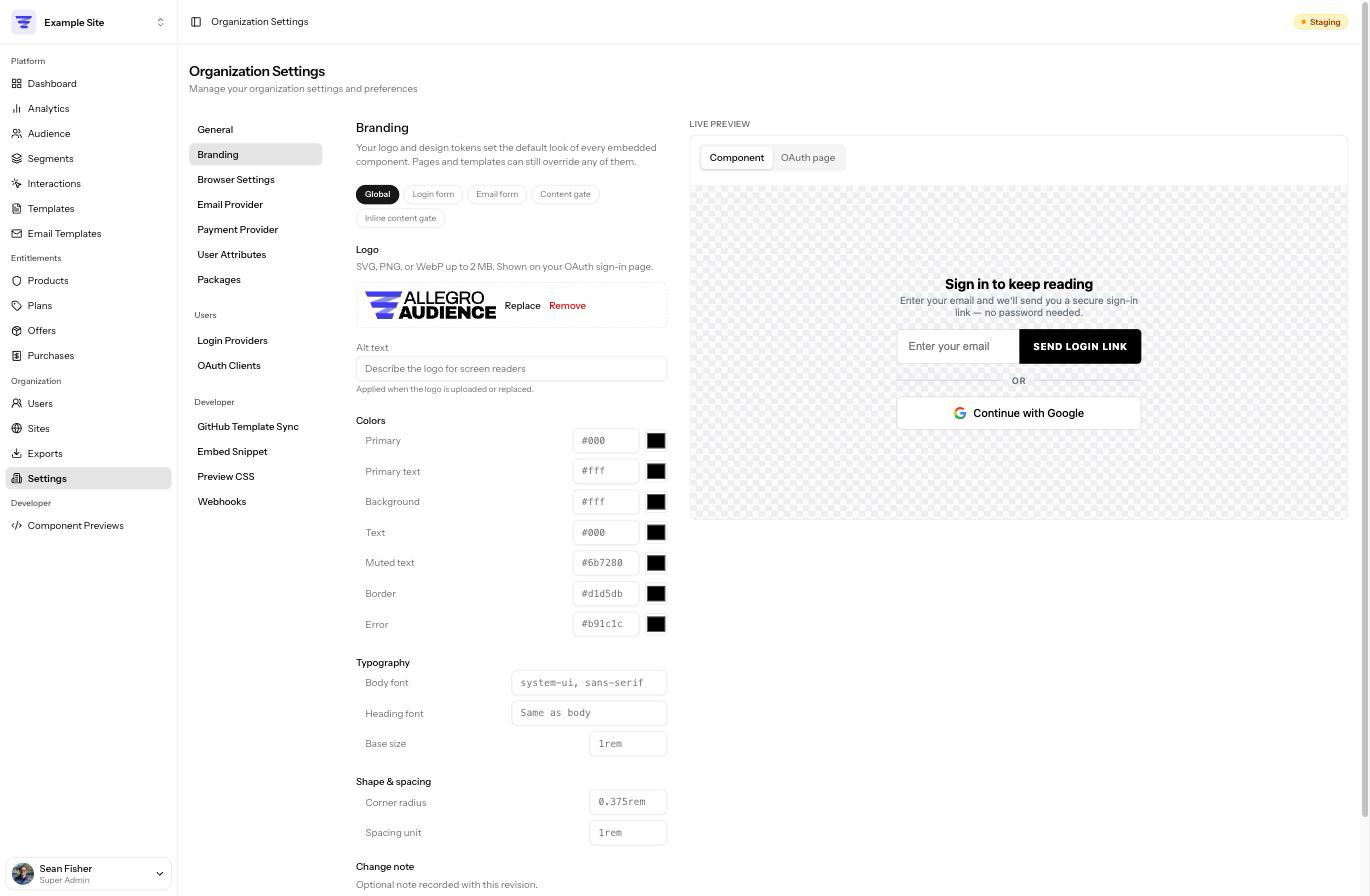
***
#### How the design system works[](#how-the-design-system-works "Direct link to How the design system works")
Allegro's branding is built as a small **design system**: a layered set of variables where broad, brand-wide choices flow down into the specific pieces of each component. There are three levels, from most general to most specific:
| Level | What it is | Example |
| -------------------------------- | ------------------------------------------------------------------------------------- | ------------------------------------------- |
| **Global design tokens** | A handful of brand-wide defaults — your primary color, body font, corner radius, etc. | **Primary** color = your brand teal |
| **Component-specific variables** | Individual settings exposed by each component, grouped by the part they affect. | Login form → **Submit button** → Background |
| **Built-in defaults** | The values a component ships with, used when you haven't set anything. | Black button on a white background |
The key idea is **inheritance**. Most component-specific variables don't have a value of their own until you give them one — instead they *inherit* from a global token. So when you change a global token, every component that inherits it updates at once. You only reach for a component-specific override when you want one spot to differ from the brand-wide default.
note
Everything in branding is optional. Until you change something, components render with their built-in defaults, exactly as they did before you set up branding. There's no need to fill in every field.
##### The inheritance chain[](#the-inheritance-chain "Direct link to The inheritance chain")
When a component renders, each of its settings resolves in this order and uses the first value it finds:
1. **A component-specific override** you set (for example, the login form's submit-button background).
2. Otherwise, the **global token** that setting inherits (for example, your **Primary** color).
3. Otherwise, the component's **built-in default**.
This is why setting a single global token can restyle several components at once, and why an override only ever affects the one place you set it.
***
#### The editor at a glance[](#the-editor-at-a-glance "Direct link to The editor at a glance")
The Branding editor has two columns:
* **Controls** on the left, where you edit tokens and overrides.
* A **live preview** on the right that re-renders the real components with your in-progress changes, so you can see the effect before saving.
At the top of the controls is a **scope switcher** that decides what you're editing:
| Scope | What you edit |
| ----------------------- | ------------------------------------------------------------------- |
| **Global** | Your logo and the global design tokens (colors, fonts, shape). |
| **Login form** | Per-part variables for the `allegro-login-form` component. |
| **Email form** | Per-part variables for the `allegro-email-form` component. |
| **Content gate** | Per-part variables for the `allegro-content-gate` component. |
| **Inline content gate** | Per-part variables for the `allegro-content-gate-inline` component. |
A small dot next to a field indicates it has been changed from its default.
***
#### Global design tokens[](#global-design-tokens "Direct link to Global design tokens")
Switch to the **Global** scope to edit the brand-wide tokens. These are the defaults that flow into every component through inheritance. They are grouped into **Colors**, **Typography**, and **Shape & spacing**.
##### Colors[](#colors "Direct link to Colors")
| Token | Default | What it controls |
| ---------------- | --------- | ------------------------------------------------------------------------- |
| **Primary** | `#000` | Your main brand color — buttons, focus states, accents. |
| **Primary text** | `#fff` | Text and icons that sit on top of the primary color (e.g. button labels). |
| **Background** | `#fff` | Component and input backgrounds. |
| **Text** | `#000` | Default body text color. |
| **Muted text** | `#6b7280` | Secondary text — hints, dividers, help copy. |
| **Border** | `#d1d5db` | Input and container borders. |
| **Error** | `#b91c1c` | Validation errors and error messages. |
Each color has both a hex text field and a color picker.
##### Typography[](#typography "Direct link to Typography")
| Token | Default | What it controls |
| ---------------- | ----------------------- | ---------------------------------------------------------- |
| **Body font** | `system-ui, sans-serif` | The default font family for component text. |
| **Heading font** | *(same as body)* | The font family for headings; falls back to the body font. |
| **Base size** | `1rem` | The base font size components scale from. |
Font fields accept any valid CSS `font-family` value (for example, `Georgia, serif`). As you type, a list of common font suggestions appears — the suggestions are a convenience, not a limit, so you can enter any font your site already loads.
note
Branding does not host or load web fonts for you. Enter fonts that are already available on the pages where your components appear.
##### Shape & spacing[](#shape--spacing "Direct link to Shape & spacing")
| Token | Default | What it controls |
| ----------------- | ---------- | ----------------------------------------------------- |
| **Corner radius** | `0.375rem` | How rounded buttons, inputs, and containers are. |
| **Spacing unit** | `1rem` | The base spacing components use for gaps and padding. |
***
#### Component-specific variables[](#component-specific-variables "Direct link to Component-specific variables")
Switch the scope to a component (for example, **Login form**) to fine-tune its individual parts. Variables are organized into collapsible groups by the part of the component they affect — the login form, for instance, groups its variables into **General**, **Email input**, **Submit button**, **One-time code**, **Social buttons**, **Divider**, **Errors**, **State screens**, **Resend link**, and **Loading & disabled**.
Each group header shows either how many variables it contains or, once you've customized some, how many are **overridden**. A **filter** box at the top of the scope lets you search variables by name.
##### Inheriting vs. overriding[](#inheriting-vs-overriding "Direct link to Inheriting vs. overriding")
Every component variable is in one of two states:
* **Inheriting** — the default. The row shows a label like **Inherits Primary**, meaning it takes its value from that global token. You don't have to do anything; if you change the global token later, this variable follows along.
* **Overridden** — you clicked **Override** and gave it a specific value. It now ignores the global token for this one spot. Click **Reset** to return it to inheriting.
When you click **Override**, the field is pre-filled with the value it was already inheriting, so you start from what's currently showing rather than from a blank field.
Not every variable inherits a global token. Structural, one-off settings (such as a button's padding or letter-spacing) show **Component default** instead of an "Inherits" label — there's no brand-wide token that would make sense for them, so they simply use the component's built-in value until you override them.
##### A worked example[](#a-worked-example "Direct link to A worked example")
Suppose you set the global **Primary** color to your brand's teal. Because they all inherit **Primary** by default, the following update at once:
* the login form's **Submit button** background,
* the email form's **Button** background, and
* the content gate's action **Button** background.
Now suppose you want the email form's button to be a slightly darker teal than everything else. Switch to the **Email form** scope, open the **Button** group, click **Override** on **Background**, and enter the darker value. Only the email form button changes — the login form and content gate buttons still follow the global **Primary** token.
This is the whole point of the cascade: broad changes are one edit, and exceptions stay local.
tip
If you want a brand-wide change, edit a **global token** — not each component. Reach for a component override only when one specific spot needs to differ.
***
#### The components you can brand[](#the-components-you-can-brand "Direct link to The components you can brand")
| Scope | Component | Where it appears |
| ----------------------- | ------------------------------- | ------------------------------------------------------------ |
| **Login form** | `` | Member sign-in, including one-time codes and social buttons. |
| **Email form** | `` | Email capture / newsletter sign-up. |
| **Content gate** | `` | The modal gate that blocks content until a member acts. |
| **Inline content gate** | `` | The inline (non-modal) variant of the content gate. |
For the full list of variables each component exposes, see the developer [Web Components](/developer/components.md) reference.
***
#### Logo[](#logo "Direct link to Logo")
In the **Global** scope, upload your logo from the **Logo** field.
* Accepted formats: **SVG, PNG, WebP, or JPEG**, up to **2 MB**.
* Add **Alt text** describing the logo for screen readers. Alt text is applied when the logo is uploaded or replaced.
* Once a logo is set, use **Replace** to swap it or **Remove** to clear it.
Your logo appears on your organization's hosted **OAuth sign-in page** (and the matching error page), and is made available to the SDK for use in templates.
note
Uploaded SVG files are sanitized on the server — scripts and remote references are stripped — so an SVG logo is safe to display.
***
#### Live preview[](#live-preview "Direct link to Live preview")
The preview panel on the right renders the actual components with your in-progress values, updating as you type. It follows the scope switcher, so selecting **Login form** previews the login form, and so on. The **Global** scope also previews a representative sign-in card so you can judge your tokens against a realistic layout. Nothing in the preview is saved until you click **Save**.
***
#### Saving and revisions[](#saving-and-revisions "Direct link to Saving and revisions")
Click **Save** to publish your branding. You can add an optional **Change note** describing what changed; it's recorded with the revision.
Every save creates a **revision**. Open the **Version History** panel (from the button beside **Save**) to:
* **Browse** past revisions, with the author and time of each.
* **Compare** a revision against the one before it to see exactly what changed.
* **Roll back** to any earlier revision in one click, which immediately restores that version everywhere.
***
#### Where branding appears[](#where-branding-appears "Direct link to Where branding appears")
Your branding is applied to the Allegro components embedded on your own site, and to your hosted OAuth sign-in and error pages. It is delivered as a small stylesheet that is cached for performance, so a change may take a few minutes to appear on live pages.
Crucially, branding only sets **defaults**. Your site's own stylesheet, and any CSS inside an interaction template, always takes precedence over branding — so branding will never fight with, or override, the styles you ship yourself. A tenant that hasn't set any branding is served nothing extra at all.
***
#### Related Links[](#related-links "Direct link to Related Links")
* [Settings](/product/administration/settings.md) — other organization-wide configuration
* [Permissions](/product/administration/permissions.md) — who can edit organization settings
* [Web Components](/developer/components.md) — the full CSS variable reference for each component
---
### Permissions
Every user in your organization has a role — **Admin**, **Member**, or **Viewer**. Each role determines what that person can see and do across Allegro.
For details on managing users and assigning roles, see [Users](/product/administration/users.md).
#### Role overview[](#role-overview "Direct link to Role overview")
| Role | Best for |
| ---------- | -------------------------------------------------------------------------------- |
| **Admin** | People who manage the organization, invite users, and configure settings. |
| **Member** | Content creators who build templates, interactions, and manage audience members. |
| **Viewer** | Stakeholders who need read-only access to review content and data. |
#### Templates[](#templates "Direct link to Templates")
| Action | Viewer | Member | Admin |
| ---------------------------- | ------ | ------ | ----- |
| View templates | ✅ | ✅ | ✅ |
| Create templates | ❌ | ✅ | ✅ |
| Edit templates | ❌ | ✅ | ✅ |
| Archive templates | ❌ | ✅ | ✅ |
| Restore archived templates | ❌ | ✅ | ✅ |
| Permanently delete templates | ❌ | ❌ | ✅ |
#### Interactions[](#interactions "Direct link to Interactions")
| Action | Viewer | Member | Admin |
| ------------------------------- | ------ | ------ | ----- |
| View interactions | ✅ | ✅ | ✅ |
| Create interactions | ❌ | ✅ | ✅ |
| Edit interactions | ❌ | ✅ | ✅ |
| Publish / unpublish | ❌ | ✅ | ✅ |
| Archive interactions | ❌ | ✅ | ✅ |
| Restore archived interactions | ❌ | ✅ | ✅ |
| Permanently delete interactions | ❌ | ❌ | ✅ |
#### Email Templates[](#email-templates "Direct link to Email Templates")
| Action | Viewer | Member | Admin |
| ----------------------- | ------ | ------ | ----- |
| View email templates | ✅ | ✅ | ✅ |
| Edit and save templates | ❌ | ✅ | ✅ |
| Send test emails | ❌ | ✅ | ✅ |
| Reset to default | ❌ | ✅ | ✅ |
#### Users[](#users "Direct link to Users")
| Action | Viewer | Member | Admin |
| -------------------- | ------ | ------ | ----- |
| View users | ✅ | ✅ | ✅ |
| Invite and add users | ❌ | ❌ | ✅ |
| Change user roles | ❌ | ❌ | ✅ |
| Remove users | ❌ | ❌ | ✅ |
#### Organization Settings[](#organization-settings "Direct link to Organization Settings")
| Action | Viewer | Member | Admin |
| ---------------------------- | ------ | ------ | ----- |
| View settings | ✅ | ✅ | ✅ |
| Update organization settings | ❌ | ❌ | ✅ |
| Configure login providers | ❌ | ❌ | ✅ |
| Manage packages | ❌ | ❌ | ✅ |
#### Audience[](#audience "Direct link to Audience")
| Action | Viewer | Member | Admin |
| ----------------------------- | ------ | ------ | ----- |
| View audience members | ✅ | ✅ | ✅ |
| Edit audience members | ❌ | ✅ | ✅ |
| Delete audience members | ❌ | ✅ | ✅ |
| Grant and revoke entitlements | ❌ | ✅ | ✅ |
---
### Properties
Properties let a single organization operate more than one property from one Allegro account. A media company might run two publications as separate properties under one organization; a publisher might separate a flagship publication from a newsletter product. Each property has its own web address and its own browser and email configuration, while sharing the organization's members, entitlements, templates, and reporting.
You do not need properties to use Allegro. If your organization is a single brand, the organization-level settings are all you need. Add properties only when you have distinct properties that must present a different domain or send email under a different identity.
#### How Properties Relate to Your Organization[](#how-properties-relate-to-your-organization "Direct link to How Properties Relate to Your Organization")
A property is scoped to your organization and inherits everything the organization defines. It layers a small number of property-specific overrides on top:
| Area | Behavior with properties |
| -------------------------------- | ---------------------------------------------------------------------------------------- |
| Members, entitlements, purchases | Shared across the whole organization — a member is the same person on every property. |
| Templates and interactions | Shared across the whole organization. |
| Reporting and analytics | Shared across the whole organization. |
| Web address | Each property has its own subdomain, and optionally its own custom domain. |
| CORS allowed origins | The property **adds** its origins on top of the organization's — it never removes them. |
| Cookie domain | The property can **replace** the organization's, or inherit it when left blank. |
| Email templates | Resolved per property, then falling back to the organization, then the built-in default. |
#### The Properties List[](#the-properties-list "Direct link to The Properties List")
Go to **Organization Settings → Properties** to see every property in your organization. The list shows each property's name, slug, and custom domain (if one is set).
Who can manage properties
Managing properties requires the same permission as managing the organization. Anyone who can edit organization settings can create, configure, and delete properties. See [Permissions](/product/administration/permissions.md).
#### Creating a Property[](#creating-a-property "Direct link to Creating a Property")
Click **New Property** from the Properties list and provide:
| Field | Description |
| ----------------- | --------------------------------------------------------------------------- |
| **Name** | The display name shown throughout the dashboard. You can change this later. |
| **Slug** | The permanent identifier used in the property's web address. |
| **Custom Domain** | *(Optional)* A domain you control that serves this property. |
##### Slug Rules[](#slug-rules "Direct link to Slug Rules")
The slug becomes part of the property's web address, so it has strict formatting rules:
* Lowercase letters, numbers, and single hyphens only.
* **No consecutive hyphens.** A double hyphen (`--`) is reserved as the separator between your organization and the property in the web address.
* Up to 63 characters.
* Must be unique within your organization.
Slugs are permanent
A property's slug **cannot be changed after the property is created**. It is baked into the property's web address and its saved configuration. Choose it carefully. To use a different slug, delete the property and create a new one.
Once created, you are taken to the property's **General** settings, where the rest of its configuration lives.
#### Property Settings[](#property-settings "Direct link to Property Settings")
Each property has its own settings area, reached by clicking a property in the Properties list. The left navigation has three sections: **General**, **Browser Settings**, and **Email Templates**.
##### General[](#general "Direct link to General")
The General page shows the property's name, its (read-only) slug, and its custom domain.
| Field | Description |
| ----------------- | --------------------------------------------------------------------------------------------------------- |
| **Name** | Editable display name. |
| **Slug** | Read-only. Set at creation and permanent. |
| **Custom Domain** | The domain that serves this property's audience-facing traffic. Leave blank to use the default subdomain. |
A custom domain must be unique across your entire Allegro instance — it cannot match another organization's domain or another property's domain. DNS for the domain must point to your Allegro instance. For how custom domains are served and routed, see the developer guide on [Properties](/developer/guides/properties.md).
##### Browser Settings[](#browser-settings "Direct link to Browser Settings")
The Browser Settings page controls how this property's pages interact with the Allegro SDK in a member's browser. These mirror the organization's browser settings but apply only to this property.
| Setting | Description |
| ------------------------ | --------------------------------------------------------------------- |
| **CORS Allowed Origins** | The web origins allowed to call this property's API from the browser. |
| **Cookie Domain** | The domain the session cookie is scoped to for this property. |
###### CORS Allowed Origins[](#cors-allowed-origins "Direct link to CORS Allowed Origins")
Each origin is a full origin such as `https://acme.com`. Wildcard subdomain origins are supported in the form `https://*.acme.com`.
The property's origins are **added on top of** the organization's allowed origins — configuring them here never removes origins the organization already allows. The property's own web address is always allowed automatically.
###### Cookie Domain[](#cookie-domain "Direct link to Cookie Domain")
Set a cookie domain (for example `.acme.com`) so member sessions are shared across that property's subdomains. If you leave this blank, the property **inherits the organization's cookie domain**. Setting a value here replaces the organization's value for this property only.
##### Email Templates[](#email-templates "Direct link to Email Templates")
Each property can customize the transactional emails Allegro sends — such as magic sign-in links — so they match that property's brand. The Email Templates page lists every email type and shows where its current content comes from:
| Source | Meaning |
| ---------------- | ------------------------------------------------------------------------------------------------- |
| **Property** | This property has its own customized template. |
| **Organization** | No property override; the organization's template is used. |
| **Default** | Neither the property nor the organization has customized it; Allegro's built-in template is used. |
When you edit a template, the editor shows the inherited content (the organization's version, or the built-in default) alongside your property-specific version so you can see what you are overriding.
* **Send Test** sends a preview of the property's rendered template to your own email address.
* **Reset** removes the property override. The template then falls back to the organization's version, or the built-in default if the organization has not customized it either.
This three-tier resolution — **property → organization → default** — means you only need to override the emails that differ for a given property. Everything else inherits automatically.
For the organization-wide equivalent of this page, see [Email Templates](/product/email-templates.md).
#### Deleting a Property[](#deleting-a-property "Direct link to Deleting a Property")
Delete a property from its settings. Deleting a property removes its property-specific configuration — its browser settings, email template overrides, and custom domain mapping. It does **not** affect members, entitlements, or templates, which belong to the organization.
Deletion is permanent
Deleting a property permanently removes its configuration and frees its slug and custom domain. Any embed code pointing at the deleted property's web address will stop resolving.
#### Related Links[](#related-links "Direct link to Related Links")
* [Properties (Developer)](/developer/guides/properties.md) — host format, custom domains, and how the SDK targets a property
* [Settings](/product/administration/settings.md) — organization-wide configuration
* [Email Templates](/product/email-templates.md) — organization-wide transactional email
* [Permissions](/product/administration/permissions.md) — who can manage properties
---
### Settings
Settings is where you configure how your organization works and customize your own account. There are two areas: **Organization Settings** control tenant-wide behavior, while **Personal Settings** apply only to you.
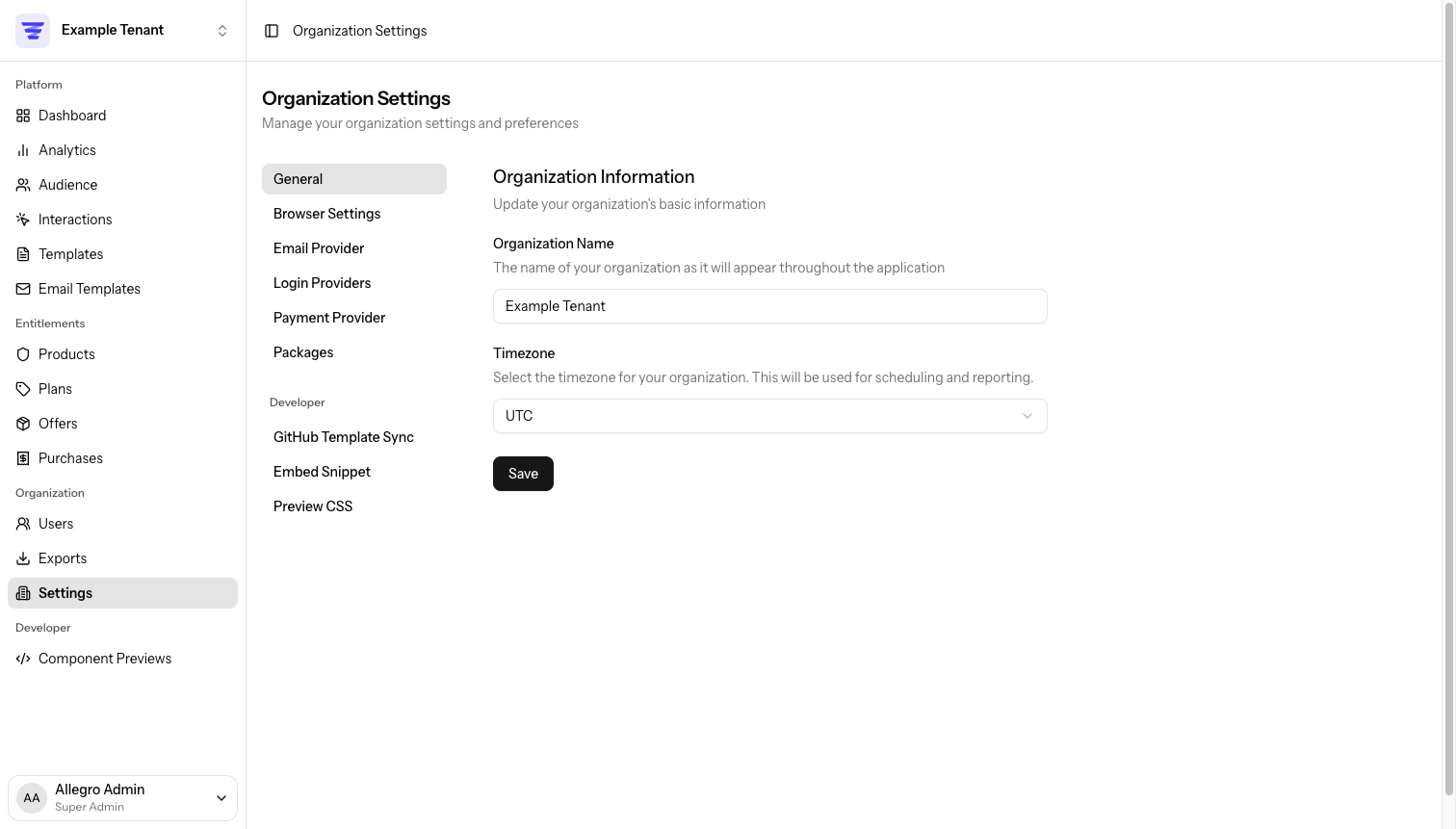
***
#### Organization Settings[](#organization-settings "Direct link to Organization Settings")
Organization settings are available to administrators. They control how the tenant operates for everyone.
##### General[](#general "Direct link to General")
Go to **Organization Settings → General** to update your organization's basic information.
| Field | Description |
| --------------------- | ----------------------------------------------- |
| **Organization Name** | The name shown throughout the application. |
| **Timezone** | The timezone used for scheduling and reporting. |
Click **Save** to apply changes.
***
##### Email (AWS SES)[](#email-aws-ses "Direct link to Email (AWS SES)")
Go to **Organization Settings → Email** to configure AWS Simple Email Service (SES). Allegro uses SES to send transactional email on behalf of your organization.
| Field | Description |
| --------------------- | ----------------------------------------------------------------------- |
| **Access Key ID** | Your AWS IAM access key ID with SES send permissions. |
| **Secret Access Key** | The corresponding AWS secret access key. |
| **Region** | The AWS region where your SES service is configured (e.g. `us-east-1`). |
If a credential is already saved, the field shows a masked placeholder (`••••••••`). Enter a new value to replace it.
info
Allegro stores your SES credentials encrypted. You can update them at any time by entering new values and saving.
tip
Before saving, make sure your IAM user or role has the `ses:SendEmail` and `ses:SendRawEmail` permissions in the configured region.
***
##### Login Providers[](#login-providers "Direct link to Login Providers")
Go to **Organization Settings → Login Providers** to set up OAuth login for your audience members. Each provider shows whether it is **Enabled** or **Not configured**.
Supported providers include **Google**, **Apple**, **Facebook**, and **GitHub**.
###### Setting Up a Provider[](#setting-up-a-provider "Direct link to Setting Up a Provider")
Each provider requires a **Client ID** and **Client Secret** (and sometimes additional fields). To configure one:
1. Create an OAuth application in the provider's developer console.
2. Copy the **Redirect URL** shown on the Login Providers page and add it as an authorized redirect URI in your OAuth app.
3. Enter the credentials into the corresponding fields and click **Save**.
Once saved, the provider badge changes to **Enabled** and audience members can sign in with that provider.
note
Encrypted fields such as Client Secret show a masked placeholder once saved. To update a secret, enter a new value. To remove a saved secret, use the **remove it** link below the field.
###### Apple Sign In[](#apple-sign-in "Direct link to Apple Sign In")
Apple Sign In requires a few extra steps compared to other providers:
* **Client ID** — Your Apple Services ID (e.g. `com.example.allegro`). This is the Service ID you create in the Apple Developer portal, not your App ID.
* **Client Secret** — A signed JWT you generate using a private key downloaded from Apple. Apple client secrets have a maximum lifetime of 6 months and must be regenerated before they expire.
When your client secret is approaching expiration, generate a new one in the Apple Developer portal and update it in **Organization Settings → Login Providers → Apple**.
***
##### GitHub Sync[](#github-sync "Direct link to GitHub Sync")
Go to **Organization Settings → GitHub Sync** to connect a GitHub repository as the template source for your organization. When connected, templates sync automatically on every push to the configured branch.
For full setup instructions — including creating the GitHub App, configuring environment variables, and the installation flow — see the [GitHub Sync](/developer/platform/integrations/github-sync.md) guide.
###### Managing an Existing Connection[](#managing-an-existing-connection "Direct link to Managing an Existing Connection")
Once connected, the page shows:
| Detail | Description |
| --------------------- | -------------------------------------------------------------- |
| **Connected Account** | The GitHub account or organization the app is installed under. |
| **Repository** | The full repository name (e.g. `org/repo`) being synced from. |
| **Default Branch** | The branch that triggers syncs on push. |
| **Last Sync** | Timestamp and short commit SHA of the most recent sync. |
From this page you can:
* **Sync Now** — Manually trigger a sync (rate-limited to once every 5 minutes).
* **Change Repository** — Opens the GitHub App settings to adjust which repositories are accessible.
* **Disconnect** — Stops syncing. Existing templates remain but become editable.
warning
Disconnecting does not delete your templates. However, if you later connect a new repository to an organization that already has templates, Allegro will permanently delete all existing templates to replace them with the repository contents. You must type `DELETE` to confirm this action.
###### Latest Sync Status[](#latest-sync-status "Direct link to Latest Sync Status")
Below the connection details, Allegro shows the most recent sync status:
| Status | Meaning |
| --------------------- | --------------------------------------------------------------------------- |
| **Pending / Running** | The sync job is queued or actively processing. |
| **Success** | All templates were synced from the repository. |
| **Failed** | The sync encountered an error. The error message is shown below the status. |
Warnings (e.g. skipped files) are also listed when present.
***
##### Packages[](#packages "Direct link to Packages")
Go to **Organization Settings → Packages** to manage which integration packages are enabled for your organization. Packages are grouped by category.
Check or uncheck a package to enable or disable it, then click **Save**.
note
Packages marked with a **Global** badge are always enabled and cannot be toggled from this page.
***
##### Developer[](#developer "Direct link to Developer")
The **Developer** section groups settings that are relevant to technical integrations and local development. It appears below the standard settings items in the Organization Settings sidebar.
###### Embed Snippet[](#embed-snippet "Direct link to Embed Snippet")
Go to **Organization Settings → Embed Snippet** to inject custom JavaScript into every page that loads the Allegro SDK via `client.js`. The snippet is appended to the loader and executes after the SDK initializes.
A typical snippet uses the event queue to run code on every page load:
```js
window.allegro.push((allegro) => {
// Runs after Allegro initializes on every page
});
```
Every save creates a new revision. You can browse the diff history and restore any previous version from the **Version History** panel on the same page.
note
The snippet is cached as part of `client.js` for up to 5 minutes. Changes may not appear on your site immediately after saving.
For more details on how the snippet is served and how to use it, see the [Script Tag](/developer/guides/script-tag.md#embed-snippet) guide.
###### Preview CSS[](#preview-css "Direct link to Preview CSS")
Go to **Organization Settings → Preview CSS** to add custom CSS that is applied when previewing templates with the [Allegro Preview](/developer/guides/local-preview.md) tool. This lets you approximate the look of your site's stylesheet without having to embed Allegro in a live page.
note
This field accepts CSS only. Allegro rejects any value containing a `<` character, so markup such as a `